
Best Free Crypto Wallets in 2026

Key Takeaways
- 無️ “Free” is $0 for the app — not $0 to use crypto. You still pay network gas fees on every on-chain action, plus optional swap/bridge/on-ramp fees baked into in-wallet convenience features.
- 無️ The best wallet depends on your chain + form factor, not download count.
- 無️ MetaMask = EVM/ETH DeFi + extension reliability (but no native Bitcoin/Solana).
- 無️ Phantom = Solana-first with transaction simulation (multi-chain exists, but Solana is the center of gravity).
- 無️ Trust Wallet = mobile-first multi-chain + dApp access, with a real reminder that platform-specific risk is real (Dec 2025 Chrome extension compromise).
- 無️ Exodus = desktop multi-chain portfolio + built-in exchange UX (swap fees often embedded in rate).
- 無️ Zengo = seedless MPC recovery (trades seed-phrase failure mode for reliance on provider infrastructure).
- 無️ NuFi = Cardano-first staking + multi-chain access (Ethereum/Solana support is functional, not maximal).
Looking for a wallet for cryptocurrency that will not cost you anything upfront, aren’t you? If it is a question you have in the first place, let’s define what “free wallet” means in the first place. In fact, most cryptocurrency wallets, especially software ones, are indeed free to install. What is not usually free is the fees to use a blockchain network or in-wallet services such as a bridge or swap tools. Cold storage can be free if it is your own otherwise unused devices that you can airgap or even a piece of paper; but more commonly, hardware wallets are $25 to $500+ devices. And if by “free wallet” you mean “free crypto”, it is almost certainly a fraudulent claim.
This guide primarily caters to beginners securing their first Bitcoin or Ethereum tokens, who need a simple, reliable starting point. However, we do not aim to limit the scope to “wallets for beginners”: an experienced user who requires multi-chain DeFi access through integrated dApp browsers can also find a useful pick in here.
What we won't do: This guide does not provide financial advice, recommend specific tokens to purchase, or guarantee the safety of any wallet against all threat models. Naturally, not every wallet available in 2026 appears in this list: our selection is focused on security track record, user base size, and feature accessibility rather than exhaustive market coverage.
Overview of Free Crypto Wallets
Let’s define what a free crypto wallet is going to mean going forward: it is a downloadable application or browser extension that allows users to manage their digital assets, as the name implies, without paying for the software itself.
What “free” really means is that the wallet provider is not charging you for basic features like custody and signing. Users still pay network gas fees when transacting on blockchains like Bitcoin, Ethereum, Solana, or Polygon; it is not the wallet software that charges you those but the blockchain itself. Moreover, optional premium features within the wallet may incur additional charges.
Why Do You Need a Crypto Wallet
Without going into too much detail, you cannot use crypto without having at least one crypto address, which is also called a wallet. The apps that create and manage these addresses are also called crypto wallets, causing some confusion. Before, we have established that this guide will work with the latter; you can learn how to set up a crypto wallet in another guide.
At the protocol level, wallet apps do a number of jobs consistently across chains:
- The wallet creates and secures the cryptographic keys that prove ownership of blockchain addresses.
- The wallet creates a digital signature using your private key to authorize outgoing transfers without exposing the key itself to the network.
- The wallet generates receiving addresses from your seed phrase using standardized derivation paths. This is why seed phrase security is even more important than keeping your private keys safe, which also goes without saying.
- The wallet sends requests to blockchain nodes to show your current holdings and past activity.
- Optionally, Web3 wallets handle approval transactions and function calls for decentralized applications
An exchange account is not the same as a crypto wallet. Since by definition a crypto wallet is a cryptographic key pair (public key is an address and private key is secret), an exchange account is a different structure sometimes called a custodial wallet. “Custody” here refers to the fact that the platform keeps the keys and manages funds on your behalf. If you are in control of those keys, this type of wallet or service is called “self-custody” or “non-custodial”.
Non-Custodial Wallets
As far as blockchain is concerned, ownership of funds or an address is defined by who owns the corresponding cryptographic keys. In a non-custodial wallet architecture, the user retains exclusive control over access to on-chain addresses by never giving any third-party full credentials.
The software or firmware is made so that it can create the credentials for you but never share it with the wallet provider. A legitimate browser extension like MetaMask or a mobile app normally cannot access, recover, or freeze your funds because they never possess your keys.

That autonomy has a cost: your operational mistakes become permanent. If you lose your seed phrase, there is no recovery desk and no “forgot password” fallback. If you approve a malicious smart contract, there is no rollback.
Custodial Wallets
Custodial wallets flip the ownership model: you delegate private key management to a third party in exchange for convenience features like password resets, email-based account recovery, and support-assisted fund retrieval if you lose access credentials.
The tradeoff is counterparty risk—trust in the provider. The custodian can impose withdrawal limits, freeze accounts under regulatory pressure, or become insolvent. You are also exposed to operational policy decisions: delistings, jurisdiction blocks, or product shutdowns can affect access even if the blockchain itself is functioning normally.
Simply put, many users keep their crypto funds on an exchange for sheer convenience. However, history shows that even crypto exchanges that were reputable back in the day had gone down, lost customer funds to hacking or insolvency.
Hot Wallets
Which brings us to another categorization, based on how much of the wallet’s operation is connected to the Internet. In network security, hot means online and readily available, while cold is more isolated from online threats.
Therefore, a hot wallet is any cryptocurrency wallet that maintains internet connectivity during normal operation, whether through a browser extension continuously connected to Web3 sites or a mobile app syncing balance data from remote nodes. Hot wallets are built for speed: active trading, daily spending, and DeFi participation.
However, connectivity expands the attack surface: phishing links, malware, compromised browser sessions and malicious extensions become real threats. That is why hot wallets are a poor fit for long-term storage of significant balances. The principle is straightforward: assets you do not need to touch frequently should migrate to a lower-exposure environment.
Cold Wallets
On the other hand, cold wallets refer to storage solutions that remain offline during normal operation, most commonly implemented as dedicated hardware devices that store private keys in tamper-resistant chips and only connect to internet-enabled computers briefly during transaction signing.
While the companion software applications that interface with hardware wallets like Ledger Live or Trezor Suite are free to download and use, the hardware devices themselves typically require a one-time purchase ranging from $79 to $150 for consumer-grade models, and institutional-grade solutions can cost significantly more.
That upfront cost means cold wallets usually do not qualify as “free” in the consumer sense, even though the software component carries no licensing fee. The value proposition is security: private keys never leave the secure chip even during transaction signing, which reduces exposure to the malware and phishing vectors that target hot wallets. For users comparing devices, see our rating of the best hardware wallets.
Cold storage is not frictionless. For users making multiple DeFi transactions per day, connecting a hardware device for every approval and swap can be operationally expensive. But for users accumulating Bitcoin, Ethereum, Solana, or Polygon holdings they intend to hold long-term, cold storage remains the highest-security custody option available outside institutional multisignature vaults.
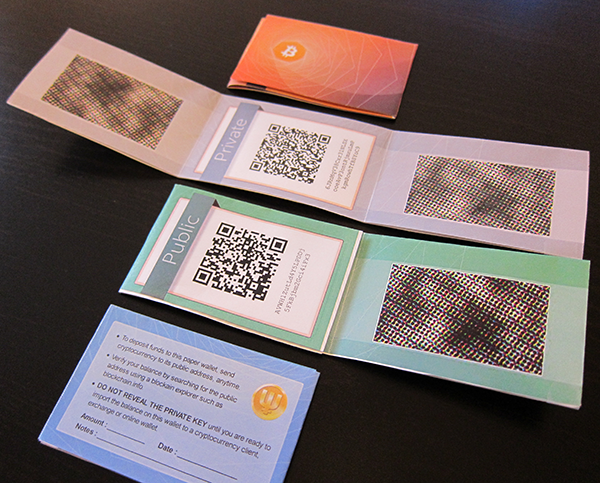
For readers who want a broader comparison beyond the options above, see essential crypto wallets and how they map to different chains and use-cases. If you’re still deciding between types of crypto wallets (hot vs. cold, custodial vs. non-custodial, hardware vs. software), that taxonomy will make the selection process more precise.
Features of Free Crypto Wallets
Zero download price does not translate to zero total expenditure — or zero risk — across the wallet’s lifecycle. Even if the app being free is your only deciding factor initially, you should still put cost exposure, security architecture, network compatibility, and day-to-day usability on your list.
Besides, even a free crypto wallet in 2026 can have a massive amount of quality-of-life features that raise the scope of its use from an app to access a blockchain to a versatile digital finance tool.
Cost Structure
Protocol fees—commonly called gas fees on Ethereum, Polygon, and other EVM networks—are network-level charges paid to validators for processing transactions. These fees exist independently of the wallet application; the wallet's role is to estimate and display the cost before signing.
Gas fees are not a fixed percentage but fluctuate based on network congestion, transaction complexity, and user-selected priority levels. A simple SHIB transfer on Ethereum during low network load might cost $1–$3, while an NFT mint or complex DeFi interaction during peak hours can exceed $50.
Once again, the wallet does not collect this fee—it passes through to the blockchain. However, you can look into the quality of the wallet's gas estimation engine and the transparency of its fee preview screen to avoid overpaying.
Wallet-built-in fees emerge when users access services the wallet provides beyond basic sending and receiving: token swaps, cross-chain bridges, fiat on-ramps, and staking integrations. MetaMask, for instance, charges a 0.875% spread on swaps executed through its aggregator interface, a figure disclosed in the app's advanced settings but not always surfaced during the swap preview. These fees are optional in the sense that users can avoid them by conducting swaps on external platforms, but the friction cost of leaving the wallet interface to execute transactions elsewhere transforms the fee into extra time and complexity.
Optional paid upgrades represent the fourth cost layer. Hardware wallet integrations, where a software wallet like MetaMask connects to a Ledger or Trezor device for private key storage, require purchasing the hardware unit, typically ranging from $79 for entry-level models to $500+ for advanced multi-signature devices. Some wallets offer subscription tiers for premium features: portfolio analytics, tax export automation, or priority customer support. Coinbase Wallet, for example, bundles certain advanced features with Coinbase One subscriptions. These upgrades are never mandatory for basic wallet functionality but may become de facto requirements for users managing complex portfolios or tax obligations.
Security Model
“Free” does not automatically mean “less secure”, and likewise, “paid” does not mean “fail-proof”.
Security architecture in crypto wallets is not a binary safe-or-unsafe judgment but a spectrum of trade-offs across key custody model, key storage mechanism, encryption at rest, biometric or PIN gating, open-source verifiability, transaction simulation, phishing domain detection, and approval management. Key custody divides wallets into non-custodial (user controls private keys) and custodial (third party controls keys). MetaMask, Trust Wallet, and the majority of "free" options are non-custodial, that generate a seed phrase during setup and store the derived private keys locally on the user's device. Custodial wallets represented in the free category are usually accounts tied to exchanges, which we have already explained are a UX construct.
Key storage determines where the private key material resides once generated. High-security wallets leverage the device's secure enclave (iOS Secure Enclave, Android Keystore) to isolate keys in hardware-backed storage that even the operating system cannot directly access. Entry-level wallets may store encrypted keys in the app's sandboxed directory without secure enclave isolation, a configuration vulnerable to device-level exploits. The difference is invisible during normal operation but critical if the device is compromised.
Encryption at rest applies to the stored seed phrase or private keys. Even within a secure enclave, the wallet encrypts the key material using a user-supplied PIN or biometric signature as the decryption key. Wallets that store keys without encryption or use weak default passwords expose users to offline brute-force attacks if an adversary gains physical access to the device. Verification requires checking the wallet's security documentation for explicit encryption standards (AES-256, for example) rather than generic "military-grade encryption" marketing copy.
Biometric or PIN gating controls access to the wallet application itself, independent of key encryption. This feature prevents casual unauthorized use when a device is left unlocked but does not protect against malware that can interact with the wallet while the legitimate user is actively using it.
Open-source verifiability allows independent security researchers to audit the wallet's codebase for backdoors, key leakage, or flawed cryptographic implementations. MetaMask, for instance, publishes its extension and mobile codebases on GitHub under open-source licenses; it does not guarantee security but eliminates the possibility of intentionally malicious code remaining hidden indefinitely. Closed-source wallets require users to trust the provider's internal security processes.
Transaction simulation displays the expected outcome of a transaction—token transfers out, tokens received, approvals granted—before the user signs. This primitive defends against phishing sites that request signatures for malicious contract interactions disguised as benign operations. Wallets like MetaMask introduced simulation-based warnings in 2023; wallets without this feature leave users to manually decode transaction data or blindly trust the requesting site.
Phishing domain detection flags interactions with known scam websites or contracts. Effective implementations query threat intelligence feeds in real time and block connections to flagged domains before any signature request reaches the user. Weaker implementations rely on static blacklists that lag behind newly deployed phishing infrastructure.
Approval management provides an interface to review and revoke token spending approvals previously granted to DeFi protocols. Unlimited approvals (where a protocol can spend any amount of a token from the user's wallet) are standard practice for gas efficiency but create persistent risk if the protocol is hacked or the user forgets which approvals remain active. Wallets that surface approval status and allow one-click revocation reduce the manual overhead of maintaining approval hygiene.
Supported Networks
Network support quality diverges sharply from network support quantity, a distinction that marketing materials routinely obscure. Trust Wallet, for example, claims compatibility with 100+ blockchains and 10+ million digital assets, a figure that aggregates every token on every supported chain into a single headline number.
What really matters is not whether a wallet can display a balance on a given network but whether users can interact with dApps, execute swaps, bridge assets, and access native staking on that network without leaving the wallet interface or encountering broken integrations.
The first evaluative dimension is EVM vs non-EVM architecture. EVM-compatible chains—Ethereum, Polygon, Binance Smart Chain, Avalanche C-Chain—share transaction formatting and smart contract standards, allowing wallets to support dozens of EVM networks through a single codebase with minor RPC endpoint adjustments. Non-EVM chains—Solana, Bitcoin, Cardano, XRP, Dogecoin—require entirely separate transaction signing logic, key derivation paths, and often distinct wallet implementations within the same app. A wallet that supports 50 EVM chains and one non-EVM chain is fundamentally less diverse than a wallet supporting 10 EVM chains and five non-EVM chains.
Custom RPC support determines whether users can add networks the wallet does not officially list. MetaMask and most EVM-focused wallets allow manual RPC configuration, enabling access to newly launched Layer 2s or testnets before the wallet formally integrates them. Wallets that hard-code network lists prevent users from accessing chains outside the provider's roadmap.
Speaking of which, Layer 2 support requires separate evaluation because L2s operate as extensions of their parent chains (Ethereum in most cases) but with distinct fee structures, block times, and bridging requirements. A wallet that supports Ethereum does not automatically support Arbitrum, Optimism, or Base unless it integrates those networks' RPC endpoints and, ideally, native bridging interfaces.
Native staking and bridging per network separate convenience-layer wallets from infrastructure-layer wallets. Trust Wallet, for instance, integrates staking interfaces for Ethereum, Solana, Polygon, and Cosmos-based chains, allowing users to delegate tokens without visiting external validators. Native bridging—moving assets between chains within the wallet UI—similarly reduces friction but introduces wallet-specific fees that may exceed external bridge costs.
Network switching workflow differs between mobile and extension contexts. Browser extensions typically allow instant network switching via a dropdown menu, while mobile apps may require navigating to settings, selecting a network, and reloading the interface. This operational difference affects DeFi usability: users interacting with multi-chain protocols need to switch networks multiple times per session, and cumbersome switching UX compounds into significant time loss across frequent usage.
How token support differs from network support: Network support means the wallet can interact with the blockchain itself—read balances, broadcast transactions, estimate fees. Token support means the wallet can parse and display specific token balances on that blockchain, validate token contracts, and surface token-specific actions (send, swap, stake). A wallet can support a network (Ethereum) but fail to automatically detect a particular token on that network (a newly launched ERC-20), requiring manual import. Conversely, a wallet cannot support tokens on a network it does not support—adding a Solana token manually to a wallet that lacks Solana network integration will always fail.
NFT Support
Non-Fungible Token (NFT) support extends beyond the ability to display images in a wallet's gallery tab. Functional NFT support in 2026 requires handling multiple token standards (ERC-721, ERC-1155 on Ethereum; Metaplex on Solana), distinguishing legitimate collections from spam mints, integrating marketplace links for trade execution, and surfacing transfer warnings for risky approval requests.
Multi-standard support matters because NFT implementations vary by network and use case. ERC-721 defines single-edition NFTs with unique token IDs; ERC-1155 allows semi-fungible tokens (multiple editions of the same asset) under a single contract. Solana uses the Metaplex standard, which structures NFT metadata differently than Ethereum. A wallet that displays Ethereum NFTs but not Solana NFTs limits users to single-ecosystem trading.
Collection verification indicators signal whether an NFT belongs to a recognized project or a counterfeit contract. OpenSea, for instance, badges verified collections with blue checkmarks; wallets that surface this verification status within the NFT detail view help users avoid purchasing fake assets.
Spam NFT filtering addresses the epidemic of unsolicited airdrop NFTs, many of which contain phishing links in their metadata or attempt to socially engineer users into visiting malicious sites. Trust Wallet and MetaMask introduced spam detection in 2023–2024, automatically hiding or quarantining suspicious NFTs based on contract age, mint volume, and metadata anomalies.
Marketplace linking integrates direct pathways from the wallet's NFT view to external marketplaces—OpenSea, Rarible, Magic Eden—where users can list, bid, or purchase.
Transfer warnings alert users when signing NFT-related transactions that grant risky permissions, particularly "setApprovalForAll" signatures that authorize a contract to transfer all NFTs in a collection from the user's wallet. Legitimate marketplace interactions require this approval, but phishing sites frequently request the same permission to drain entire collections.
NFT display vs trading capability: A wallet can display NFTs without supporting trading—requiring users to connect via WalletConnect to external marketplaces—but this splits the user experience and introduces additional signature requests.
dApp and Web3 Access
Decentralized application (dApp) access in wallets operates through in-app dApp browsers, WalletConnect protocol support, browser extension injection, and per-site permission management. The quality of dApp access determines whether users can participate in decentralized finance (DeFi), NFT platforms, and on-chain governance without switching between multiple tools.
In-app dApp browsers embed a web view within the wallet application, allowing users to navigate to DeFi protocols, NFT marketplaces, and other Web3 sites without leaving the wallet. Trust Wallet and earlier versions of Coinbase Wallet shipped with built-in browsers, providing low-friction dApp access on mobile. However, Apple's App Store policies increasingly restrict in-app browsers for crypto wallets, leading many providers to remove the feature and rely on WalletConnect instead. Wallets with active in-app browsers reduce the step count for mobile DeFi but may lag behind desktop browser extension workflows in transaction signing speed.

WalletConnect protocol support enables mobile wallets to interact with dApps opened in external mobile browsers or desktop browsers via QR code or deep link. Wallets supporting only WalletConnect v1 cannot connect to dApps that have migrated to v2, a compatibility gap that broke integrations during the 2024 transition period. Users evaluating wallets in 2026 should verify v2 support explicitly; legacy wallets without updates may silently fail when attempting to connect to modern dApps.
Browser extension injection supplies the technical standard for desktop dApp access. Extensions like MetaMask inject a JavaScript provider object—window.ethereum—into every webpage, allowing dApps to detect the wallet and request transaction signatures. This method provides the lowest-latency interaction model but restricts usage to desktop browsers. Some wallets offer both mobile apps and browser extensions but use separate codebases, requiring users to import seed phrases across platforms rather than syncing automatically.
Permissions granularity governs which dApps can interact with the wallet and what actions they can request. Modern wallets maintain a per-site connection list, allowing users to revoke access for specific domains without disconnecting all dApps. MetaMask's "Connected Sites" settings screen, for example, displays every site currently authorized to read the wallet's address and request signatures, with one-click revocation. Wallets without granular permission management force users to disconnect all sites or manually reject signature requests, neither of which scales well for users active across multiple protocols.
Portfolio Tools
Portfolio tracking in multi-chain wallets ranges from basic balance displays to multi-chain valuation engines, cost-basis tracking, performance analytics, and tax export automation. The depth of these tools determines whether the wallet serves as a complete portfolio management interface or requires users to export data to third-party platforms like CoinTracker or Koinly.
Multi-chain valuation accuracy measures how well the wallet aggregates and prices assets across all supported networks. High-accuracy implementations query real-time price feeds (CoinGecko, CoinMarketCap, DeFi protocol oracles) for every token, apply current exchange rates, and sum the results into a single portfolio value.For instance, Trust Wallet displays portfolio totals across 100+ chains, but users report delayed price updates for low-liquidity tokens and occasional zero-value displays for newly listed assets.
Cost-basis tracking records the acquisition price of each token at the time of purchase, enabling capital gains calculations for tax reporting. Few free wallets implement cost-basis tracking natively; MetaMask tax features are limited to history export, and other free wallets do not track cost basis, leaving users to manually reconstruct purchase history from blockchain transaction logs or connect to external tax platforms. Wallets that do offer cost-basis tracking typically require users to manually input purchase prices or integrate exchange API keys to import trade history.
Performance over time charts portfolio value changes across daily, weekly, monthly, and yearly time windows. This feature depends on historical price data retention and the wallet's ability to reconstruct past portfolio states from transaction history. Without performance tracking, users cannot assess whether their portfolio is gaining or losing value relative to initial investment or benchmark assets like Bitcoin or Ethereum.
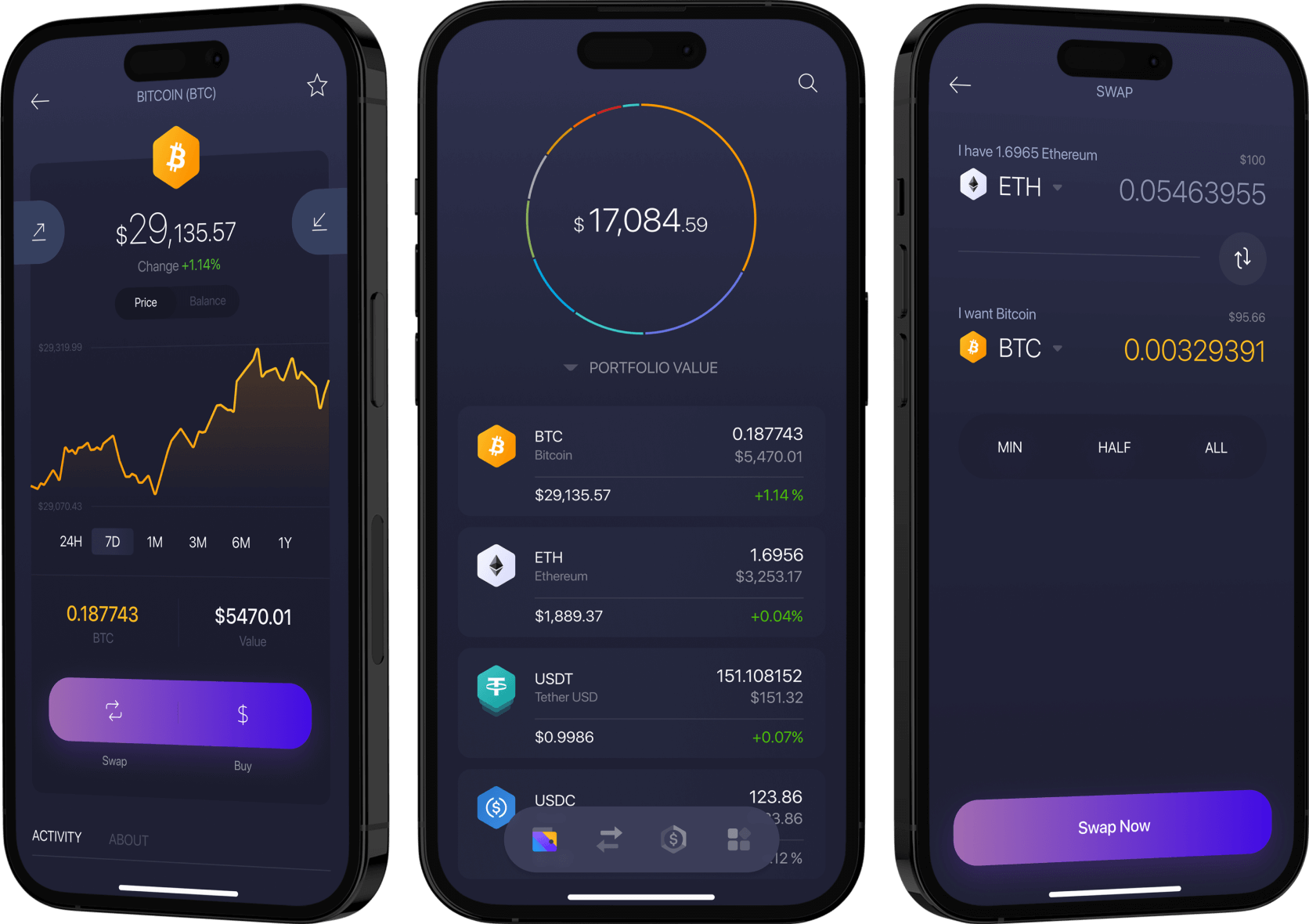
Watchlists and alerts allow users to monitor tokens they do not yet hold, set price alerts for entry or exit points, and track specific wallet addresses (for airdrop farming or competitor analysis). MetaMask introduced watchlist functionality in 2025, enabling users to pin tokens to a favorites list and receive optional price alerts. Wallets without watchlist features force users to add tokens to their portfolio manually or rely on external tracking tools.
Device Support
Device compatibility determines the physical contexts in which users can access their wallets, manage assets, and sign transactions. Comprehensive device support in 2026 spans mobile (iOS, Android), desktop (browser extensions, standalone apps), and synchronization methods that allow users to access the same wallet across multiple devices without compromising security.
iOS and Android coverage is the baseline for mobile wallets. MetaMask, Trust Wallet, and Coinbase Wallet maintain separate apps for both platforms, with feature parity in most cases. However, iOS-specific App Store policies restrict certain functionality: as of 2024, Apple prohibits NFT trading with gas fees paid via in-app purchase mechanisms and restricts in-app dApp browsers, leading some wallets to disable or remove these features on iOS while retaining them on Android.
Browser extension availability across Chrome, Firefox, Edge, and Brave determines desktop access. MetaMask pioneered the extension model and maintains builds for all four browsers; other wallets have been slower to adopt multi-browser support. Firefox users, for instance, cannot install Trust Wallet's extension because the provider has not published a Firefox-compatible build.
Desktop application availability offers an alternative to browser extensions for users who prefer standalone apps or face IT policies blocking browser extensions. Exodus and Atomic Wallet, for example, ship native desktop apps for Windows, macOS, and Linux. These apps do not require browser integration but lose the ability to interact with browser-based dApps unless they also support WalletConnect. Desktop apps also introduce update management overhead—users must manually download and install new versions—whereas browser extensions auto-update through the browser's extension store.
Backup and Recovery
Backup and recovery mechanisms determine whether users can regain access to funds after device loss, theft, or failure.
Seed phrase backup remains the dominant standard for non-custodial wallets in 2026. During wallet creation, the user receives a 12- or 24-word mnemonic phrase generated from a cryptographically secure random number. That phrase mathematically derives all private keys associated with the wallet. If the device is lost, the user installs the wallet on a new device, selects "Import wallet," enters the seed phrase, and the wallet regenerates the same private keys and addresses. Seed phrases work offline, require no third-party service, and provide unambiguous recovery as long as the phrase remains secure. The catastrophic failure mode is seed phrase loss or exposure: loss means permanent fund inaccessibility; exposure means any holder of the phrase can drain the wallet.
Encrypted cloud backup stores the seed phrase or private keys in Apple iCloud, Google Drive, or another cloud provider, encrypted with a user-supplied password. MetaMask and Trust Wallet support encrypted cloud backup as an optional convenience layer. The encryption key never leaves the user's device, so the cloud provider cannot decrypt the backup. This method defends against device loss without requiring the user to manually write down and secure a 24-word phrase. The risk emerges if the user forgets the backup password or if the cloud account itself is compromised. At the end of the day, encrypted cloud backup is less secure than offline seed phrase storage but more secure than no backup at all.

Social recovery distributes recovery authority across multiple trusted contacts. The user designates 3–7 guardians (friends, family, other devices) and specifies a recovery threshold (e.g., 3 of 5). If the primary wallet is lost, the user initiates recovery and contacts the required number of guardians, each of whom approves the recovery request. Once the threshold is met, the wallet reconstructs access without exposing a single seed phrase. Argent pioneered social recovery for Ethereum wallets; adoption remains limited outside specific ecosystems (Ethereum Layer 2s) because social recovery requires smart contract wallet architecture, which increases transaction costs and limits compatibility with some dApps.
MPC and keyless recovery split the private key into multiple encrypted shares distributed across user devices, the wallet provider's servers, and optionally third-party custodians. No single party holds the complete key; signing requires threshold coordination among shares. This architecture allows the wallet provider to facilitate recovery (by reissuing a new share to replace a lost device) without gaining unilateral control over funds. Coinbase Wallet offers optional MPC-based recovery; Zengo operates entirely on keyless architecture. These approaches significantly improve user experience but introduce reliance on the wallet provider's infrastructure availability.
Customer Support
Last but not least, where applicable, customer support quality in free, non-custodial wallets operates under structural constraints that custodial platforms do not face: because the wallet provider does not control users' private keys, the provider cannot recover lost funds, reverse transactions, or reset account access. Effective support within these boundaries means providing fast, accurate answers to technical questions, clear documentation for self-service troubleshooting, and fraud-prevention guidance without overpromising recovery capabilities.
Best Free Crypto Wallets in 2026
Exodus
Best for: Desktop users managing multi-chain portfolios who want built-in exchange functionality without leaving the wallet interface.
Platforms: Desktop (Windows, macOS, Linux), Mobile (iOS, Android), Browser extension (Chrome)
Networks focus: Bitcoin, Ethereum, Solana, Polygon, and over 260 additional networks and tokens. Exodus positions itself as a true multi-chain wallet rather than optimizing for a single ecosystem.
Notable features:
- Built-in exchange powered by multiple liquidity providers, allowing in-wallet swaps without third-party account creation
- Portfolio tracking dashboard that aggregates real-time asset values across all supported chains in a single interface
- 24/7 human support via email and live chat, a rarity among non-custodial wallet providers
Costs that still apply: Exodus charges no wallet download or account setup fees. In-wallet swaps include a service fee embedded in the exchange rate (typically 1–2% depending on the asset pair and liquidity provider); this fee is not always surfaced as a separate line item. Network transaction fees (gas) are paid to validators on each respective blockchain and are not controlled by Exodus.
Caveats:
- Seed phrase is required for wallet recovery; no seedless or biometric-only recovery option is available, meaning you bear full responsibility for backup security
- Browser extension version has limited feature parity with the desktop client; some advanced portfolio management tools and swap routing options are desktop-exclusive
Trust Wallet
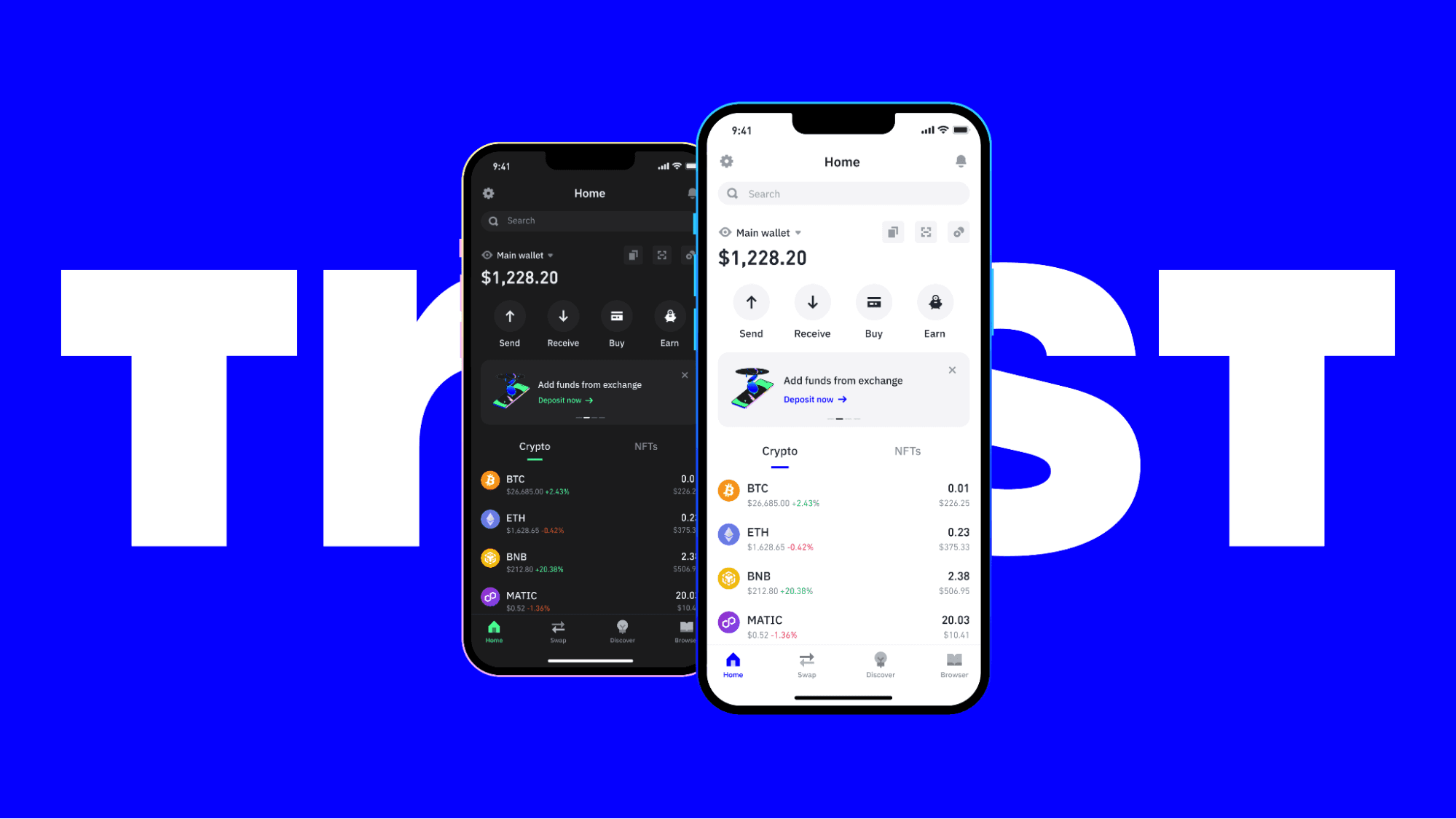
Best for: Mobile-first users who need a Web3 Wallet that combines broad token support with direct access to decentralized applications on multiple chains.
Platforms: Mobile (iOS, Android), Browser extension (Chrome)
Networks focus: Ethereum, Solana, Polygon, Bitcoin, and support for over 100 blockchains and more than 10 million digital assets.
Notable features:
- Scale and adoption: 50M+ downloads on Google Play, 4.5-star rating, and compatibility with over 100 blockchains and 10+ million assets tracked as of the latest Google Play listing
- Native staking interface for multiple proof-of-stake networks, enabling in-app delegation without external tools
- Integrated DApp browser on mobile, allowing direct interaction with decentralized exchanges, NFT marketplaces, and lending protocols
Costs that still apply: Trust Wallet is free to download and use. Swaps executed through the in-app exchange interface incur a service fee (rate varies by asset pair and liquidity source; not always disclosed as a separate percentage). Network gas fees are paid directly to blockchain validators and are passed through at cost.
Caveats:
- In December 2025, the Trust Wallet Chrome extension was compromised, resulting in unauthorized transactions for users who had installed the extension; the mobile app was not affected, but this incident highlights platform-specific security risk
- App data points (download count, ratings, asset figures) are sourced from the Google Play listing and may differ from iOS App Store metrics or internal company reporting
MetaMask
Best for: Ethereum and EVM-compatible network users who prioritize browser extension access and need high transaction reliability for DeFi and NFT interactions.
Platforms: Browser extension (Chrome, Firefox, Brave, Edge), Mobile (iOS, Android)
Networks focus: Ethereum and all Ethereum Virtual Machine (EVM) networks, including Polygon, Binance Smart Chain, Avalanche, and Arbitrum. MetaMask does not natively support non-EVM chains like Solana or Bitcoin without third-party bridges.
Notable features:
- Reported transaction success rate of 99.99%, positioning MetaMask as one of the most reliable wallets for high-stakes DeFi transactions where failed transactions would result in lost gas fees
- Extensive DApp compatibility across the Ethereum ecosystem; virtually all Ethereum-based decentralized applications integrate MetaMask as a primary wallet option
- Customizable gas fee settings, allowing users to manually adjust priority fees and gas limits during periods of network congestion
Costs that still apply: MetaMask is listed as a free wallet with no download or account creation fees. In-wallet swaps processed through MetaMask Swaps incur a 0.875% service fee on top of liquidity provider spreads. Network transaction fees (Ethereum gas) are paid directly to validators and vary with network demand; MetaMask does not control or profit from gas fees.
Caveats:
- Seed phrase backup is mandatory; no built-in seedless recovery or social recovery module is available by default, placing full recovery responsibility on the user
- Limited native support for non-EVM chains; users seeking Bitcoin or Solana access must rely on wrapped tokens or external wallet solutions
Phantom
Best for: Solana ecosystem participants who need a mobile and extension wallet optimized for low-cost transactions and Solana-native DeFi and NFT platforms.
Platforms: Browser extension (Chrome, Firefox, Brave, Edge), Mobile (iOS, Android)
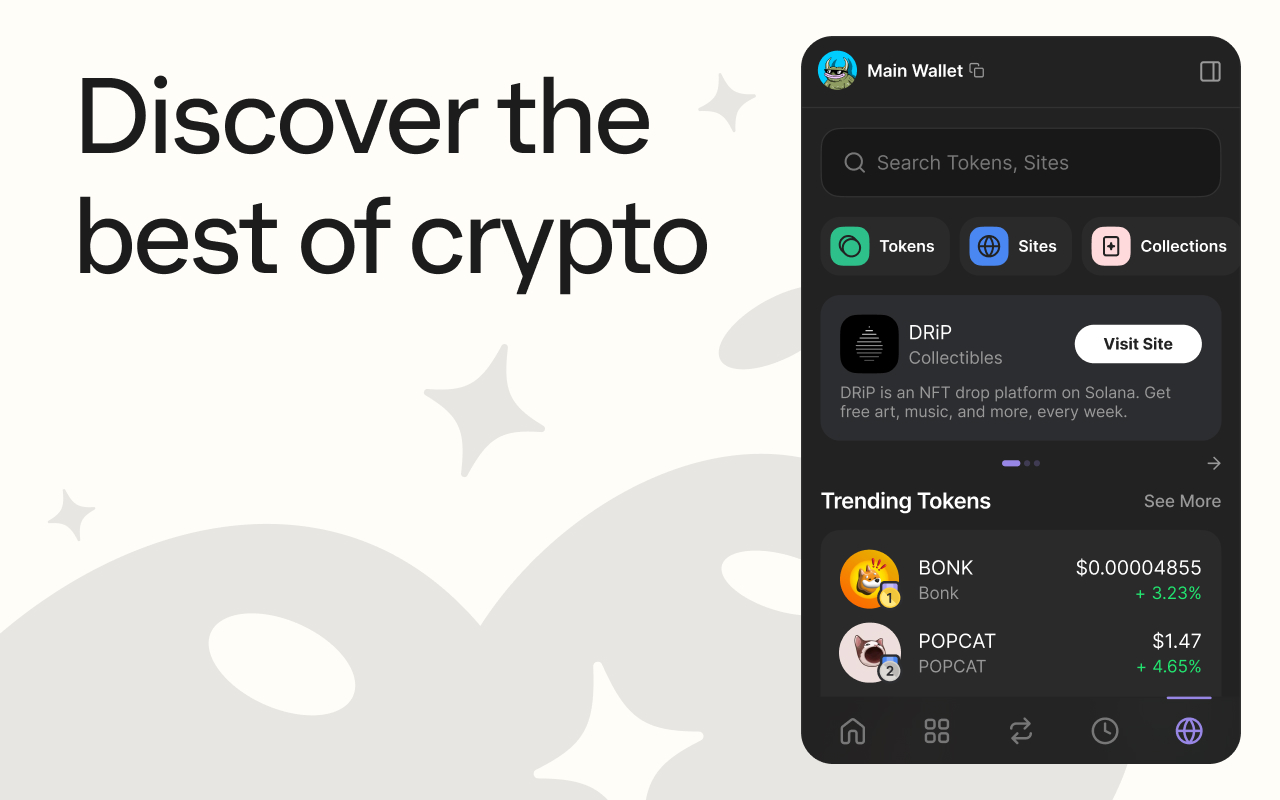
Networks focus: Solana is the primary ecosystem, with additional support for Ethereum, Polygon, and Bitcoin added in recent updates to accommodate multi-chain users.
Notable features:
- Transaction simulation and preview before execution, reducing the risk of approving malicious contract interactions or unexpected token swaps
- Built-in token swap functionality with aggregated routing across multiple Solana DEXs (Raydium, Orca, Jupiter), optimizing for best execution price
- Hardware wallet compatibility with Ledger devices, allowing users to pair a cold storage solution with Phantom's interface
Costs that still apply: Phantom is free to download and use. In-wallet swaps include a service fee that varies by liquidity source (typically between 0.5% and 1% depending on the DEX aggregator used). Solana network fees are paid in SOL and are typically a fraction of a cent per transaction, though priority fees can increase during network congestion.
Caveats:
- Seed phrase is required for recovery; no biometric-only or seedless fallback option is available
- While Ethereum and Bitcoin support have been added, Phantom's interface and feature set remain optimized for Solana, and cross-chain functionality lags behind multi-chain-native wallets like Trust Wallet or Exodus
Zengo
Best for: Users who want to eliminate seed phrase risk entirely through biometric-based, seedless recovery powered by multi-party computation (MPC) technology.
Platforms: Mobile (iOS, Android)
Networks focus: Ethereum, Bitcoin, Polygon, Solana, and over 120 additional cryptocurrencies and tokens across multiple chains.
Notable features:
- MPC-based seedless security model: private keys are divided into encrypted shares stored separately across your device, Zengo's servers, and a third recovery factor, removing the single point of failure inherent in seed phrases
- Biometric recovery via 3D face scan (FaceTec liveness detection), enabling wallet restoration on a new device without needing to store or input a 12- or 24-word phrase
- Built-in legacy contact feature, allowing you to designate a trusted individual who can recover your wallet after a predefined inactivity period
Costs that still apply: Zengo is free to download and set up. In-wallet trading and swaps incur service fees that vary by liquidity partner and asset pair (fees are disclosed at the point of transaction but are not published as a fixed percentage). Network gas fees are paid directly to blockchain validators and are passed through at cost.
Caveats:
- Dependence on Zengo's infrastructure for one of the three key shares means that if Zengo's servers become unavailable (unlikely but not impossible), recovery may be delayed or complicated
- No desktop or browser extension version is available; users who require multi-device flexibility or desktop-based DApp access must use a supplementary wallet
NuFi Wallet
Best for: Cardano ecosystem users who also need secure access to Ethereum and Solana without switching between multiple wallet applications.
Platforms: Browser extension (Chrome, Firefox, Edge), Mobile (iOS, Android)
Networks focus: Cardano is the primary chain, with integrated support for Ethereum, Solana, and Milkomeda (an EVM-compatible sidechain for Cardano).
Notable features:
- Native Cardano staking interface with support for staking pool selection and delegation directly within the wallet, eliminating the need for external staking tools
- Built-in hardware wallet integration with Ledger and Trezor devices, allowing users to combine cold storage security with NuFi's interface
- Cross-chain DApp browser supporting Cardano-native dApps as well as Ethereum and Solana decentralized applications from a single wallet interface
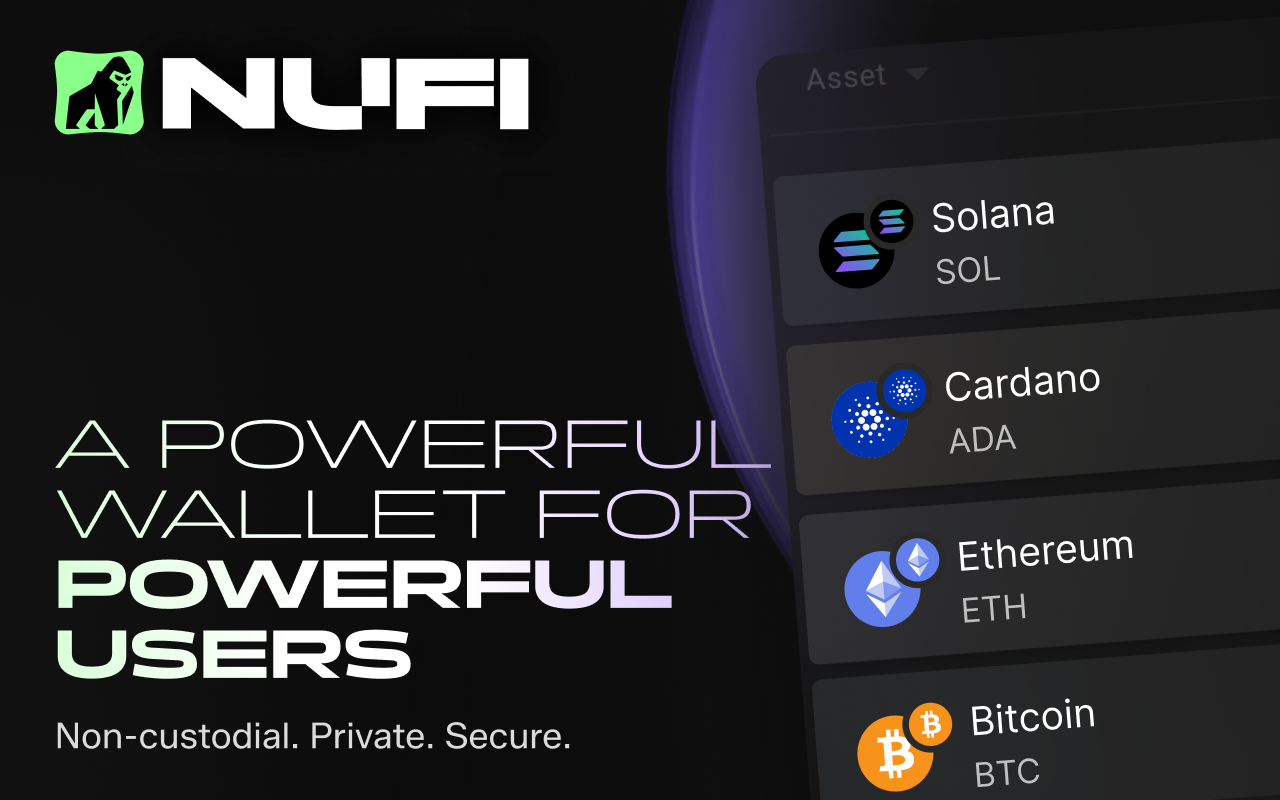
Costs that still apply: NuFi is free to download and use. In-wallet swaps and cross-chain transactions may incur service fees depending on the liquidity provider or bridge used (fee structures vary and are disclosed at the transaction stage). Network fees for Cardano (ADA), Ethereum (ETH), and Solana (SOL) are paid directly to validators on each respective chain.
Caveats:
- Seed phrase is required for wallet recovery; no seedless or social recovery option is available
- Multi-chain functionality is present but not as deeply optimized as wallets built for a single ecosystem; Cardano users will find the most complete feature set, while Ethereum and Solana support is functional but less feature-rich than ecosystem-native wallets
Key Considerations, Risks, and Drawbacks
Whether a crypto wallet is free or paid for, the risks are not unique: you are exposed to such categories of threats as custody risk (who controls the keys), user-operation risk (what happens when you make a mistake), smart-contract and token risk (what happens when you interact with malicious code), privacy and business-model risk (what data you expose and how it can be used against you). For free apps specifically, one consideration to take note of is cost confusion when "free" wallet software meets paid network actions.
Custodial Counterparty Risk
Before or even when you use a custodial wallet or exchange wallet, mind the following:
- Private key control: If the service holds them, you are lending the wallet provider custody of your funds, and the blockchain considers them the owner, not you.
- Withdrawal restrictions: Check whether the platform can pause, delay, or block withdrawals unilaterally. Many custodial services reserve the right to freeze accounts during "suspicious activity" investigations, which can last days or weeks.
- Account recovery requirements: What happens if you lose access to your account? Custodial services typically require email verification, two-factor authentication resets, or customer support intervention. You are dependent on their process, not a seed phrase you control.
- KYC triggers and thresholds: Does the service require Know Your Customer verification immediately or only above certain transaction thresholds? Some custodial wallets allow small-balance use without KYC but will lock your account if you exceed limits before completing verification.
- Geographic restrictions: Does the service operate in your jurisdiction? Can it restrict access based on your location? Regulatory changes can force providers to exit markets or freeze accounts in certain countries with little notice prior.
- Insolvency and bankruptcy procedures: What happens to user funds should the service become insolvent? Not all custodial platforms segregate user funds; some commingle them with operating capital, and bankruptcy proceedings can leave users as unsecured creditors. This is rarely public knowledge, so reputable journalism with chain analysis is your best bet.
- Service continuity and uptime: Assess the platform's track record during periods of high network congestion or market volatility. Custodial services have occasionally suffered outages that prevented users from accessing funds during critical price movements.
If you are holding a small balance (under $100) for learning purposes, the convenience of account recovery and customer support may outweigh custody risk. Custodial wallets are also defensible as a temporary on-ramp interface—somewhere to land fiat-purchased crypto before moving it to a non-custodial wallet.
Counterparty failure in practice cascades: a custodial service experiences a service outage—whether technical, regulatory, or financial—which triggers internal withdrawal limits or pauses. You attempt to move funds and discover the action is blocked or queued indefinitely. The service's support queue grows; response times extend from hours to days. Meanwhile, on-chain conditions (gas fees, market prices) may change significantly, but you have no ability to act because access to your funds is mediated by the platform's operational state, not your control.
Loss of Access and Irreversible Transactions
Only in extraordinary circumstances blockchain transactions can be reversed, and let’s be honest, if you looked up a “free crypto wallet”, it is not likely that you move so much value that a collective of blockchain maintainers would consider it feasible to sacrifice their integrity to salvage your mistake. What we’re saying is if you accidentally send tokens to a valid address that belongs to someone else, or Ethereum-based USDT to a wallet address on the Polygon network, or approve a token allowance or execute a swap through a contract you did not verify, the funds are good as gone forever.
But it gets worse: you can lose access to an address due to a lost or faulty backup. If you forget the wallet app password or passphrase, write the seed phrase wrong or damage the analog medium it’s on (paper, metal etc.), no one would be able to help you right away. If it’s partially salvageable, you could solicit help from white hat hackers but trying to recover lost cryptocurrency exposes you to all kinds of scammers.
Seedless/MPC wallets and custodial accounts are more user-friendly in this regard, giving you more fallback. In the former’s case, your chances are as good as the setup and maintenance of your backup (do you review access to registered recovery email or phone number, for example). With the latter, you are mostly at the mercy of the provider’s integrity: if you were locked due to geo restrictions or other policies, you may not regain access at all.
None of these models protect you from irreversible on-chain mistakes once a transaction is broadcast and confirmed, though.
Scam Tokens and Approval Exploits
Imagine seeing an unfamiliar token appear in your wallet's token list, often with a name like "Reward" or a misspelled version of a popular token. The token may even have a non-zero balance, and the UI might show an inflated dollar value. Some scam tokens include a message in the token name or contract that directs you to a phishing website. What should you do? Do not interact with the token. Do not attempt to sell it, swap it, or transfer it. Do not visit any URL embedded in the token name. Interacting with the token—especially approving it or sending it—can trigger a malicious contract function that drains other assets from your wallet. The safest response is to hide the token in your wallet UI and move on. The token's presence in your wallet does not mean you "received" it in a meaningful sense; anyone can send any token to any address, and that does not grant the sender access to your wallet.
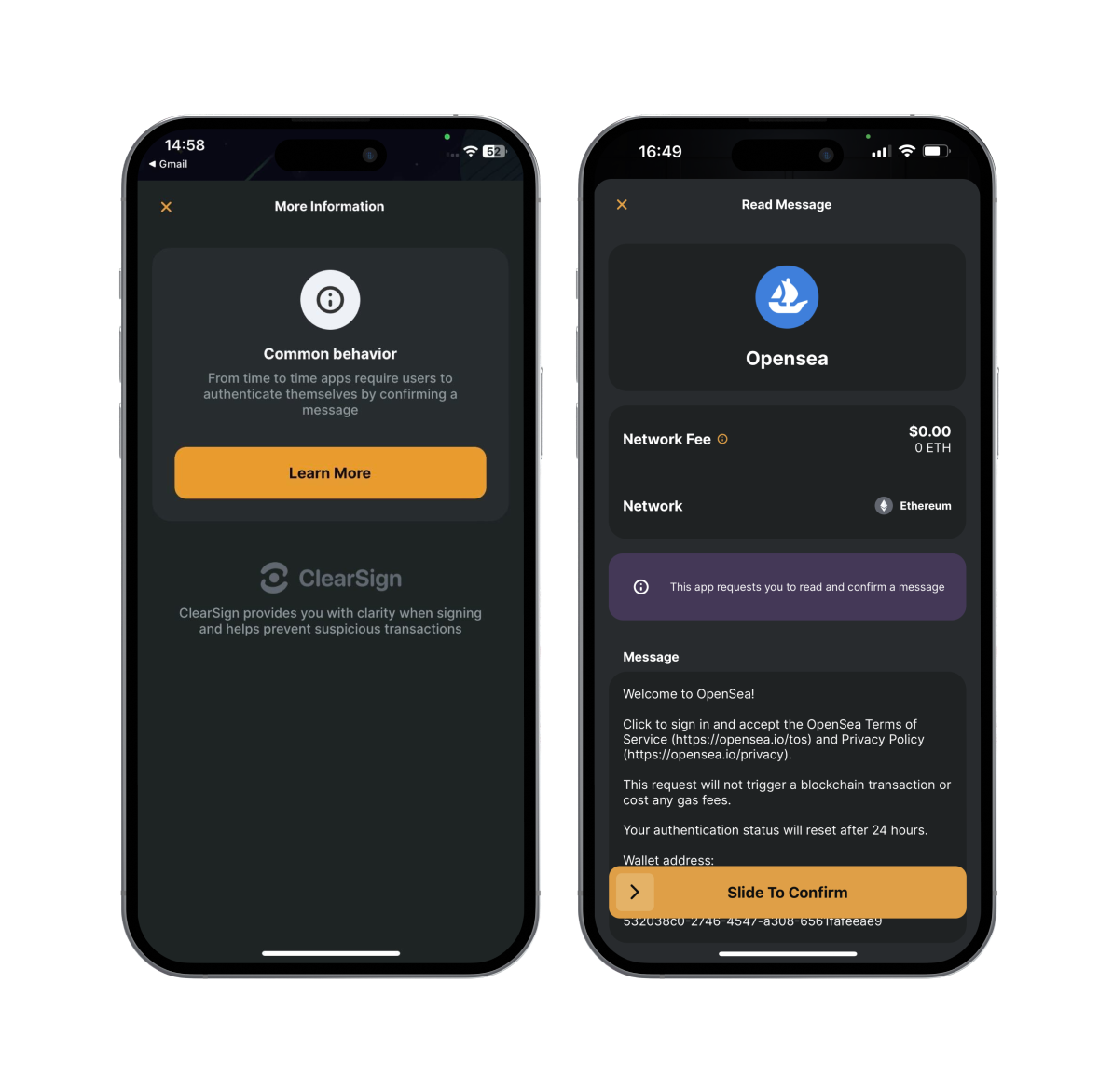
Another scenario: you connect your wallet to a website (often a fake DeFi interface, a fraudulent NFT minting page, or a phishing clone of a legitimate dApp, which you are, of course, not aware of). The site prompts you to "approve" a transaction. Your wallet displays a signature request or transaction confirmation. The request may show a method name like approve, increaseAllowance, or permit. You sign it, the transaction confirms, and nothing appears to happen immediately—but hours or days later, tokens disappear from your wallet. What you should have done? Before signing any approval, verify what you are approving and for how much. An approval does not move tokens immediately; it grants permission for a third party (the "spender" address) to move tokens on your behalf in the future. If the spender address is malicious, that future transfer happens whenever the attacker chooses.
One caution that applies to both attacks: your wallet's confirmation that a transaction succeeded does not mean the transaction was safe. A successful malicious approval is still a successful transaction from the blockchain's perspective. The network does not evaluate whether the spender you approved is trustworthy; it only enforces the permission you granted.
Privacy and Data Collection
If it’s free, you are the product: sounds familiar? Well, in case with crypto wallets, it is not the same as with, say, VPNs, when instead of charging you directly they profit from selling your data. There are different data surfaces for using a blockchain: on-chain data is always public by default, which the wallet app can do virtually nothing about unless the protocol has privacy-preserving features and the wallet supports those. What the app can control is how much telemetry, crash reports and IP logging it collects and sends to third parties, and should you be able to mitigate this by disabling these features.
Wallets that offer account recovery or backup mechanisms often require an email address or phone number, so use a dedicated email address for crypto accounts, enable strong two-factor authentication on that email, and avoid using your primary phone number if possible.
If you use a wallet's built-in fiat on-ramp (credit card or bank transfer to buy crypto), the payment provider, not the wallet, collects extensive identity data—name, address, ID documents, bank account details. These services inherently reduce pseudonymity; if privacy is a priority, consider purchasing crypto through peer-to-peer methods or using a separate wallet for KYC-linked purchases, then transferring funds to another wallet.
Each convenience layer, be it cloud backup, integrated swaps and on-ramps, Web3 browser history, adds a data collection surface, and each surface increases phishing exposure and reduces pseudonymity.
Network Fees vs Wallet Fees
Throughout this guide, we’ve redundantly established that a free crypto wallet is free to install and use for basic functions. No app or device purchases, no subscription fees. But is there a crypto wallet that makes using the blockchain free?
Short answer: no. It’s in the way the blockchains themselves work: some networks like Ethereum will force a fee for interacting with smart contracts, so the software can’t put a zero in the field. With networks where it is theoretically possible, like Bitcoin, it’s unfeasible: it’s more likely that a transaction will not be picked up by any miner rather than go through like that even if the network load is low. The fee is attached to the outgoing transaction, so you can’t offload it to the wallet provider or recipient.
If a wallet app claims to charge no fees on sends to other users of the same app or swaps to other cryptocurrencies, take a better look: it might not be a true blockchain wallet but a custodial app that records transactions on an internal ledger.
If the fees for using a crypto wallet do not go to wallet providers, what are their business model and source of revenue, then? Most commonly, a wallet will take a small percentage of swaps, bridging or fiat purchases made in the app. Then, your cost profile looks like this: for a purchase of crypto with a built-in on-ramp in your wallet app, you would lose a little on the 1) spread (goes to the third-party on-ramp provider), 2) wallet’s share and 3) network fees.
It is possible to save on blockchain transactions: use networks with lower transaction costs (e.g. Solana instead of Ethereum), avoid busy hours and excessive bridging/swapping. Trying to eliminate these costs altogether is a path that usually leads to suboptimal at best results.
Conclusion
Most crypto wallets on the market in 2026 are non-custodial and free, but it also means accepting full control over seed phrases, transaction irreversibility, and the technical risk surface that comes with that autonomy. When you hold your own keys, there is no support ticket that reverses a bad transaction, no password reset email from a centralized custodian, and no margin for error in backup procedures. This is the core trade-off every wallet user navigates, paid or not, and understanding it up front defines whether you pick a beginner-friendly interface like Zengo or a power-user tool like MetaMask.
Get to know more about using crypto from the ChangeHero blog! Follow ChangeHero on X, Facebook, and Telegram for daily updates, tips, and more content.
Frequently Asked Questions
Are Free Crypto Wallets Really Free?
Free crypto wallets charge zero dollars for the app download and core custody functions, but you will pay unavoidable network fees (gas) to move tokens on-chain, and you may pay optional wallet service fees when using built-in swaps, bridges, or fiat on-ramps that embed spread markups into their exchange rates.
Can You Have More Than One Crypto Wallet?
You can use as many crypto wallets as you want simultaneously, and doing so is standard practice for users who need to separate assets by blockchain ecosystem (EVM vs Solana), by risk profile (daily spending hot wallet vs long-term savings wallet), or by identity (one public address for NFT activity, another for private financial transactions).
Do You Need a Wallet to Buy Crypto?
You do not need a self-custody wallet to buy crypto on a centralized exchange, but you do need a non-custodial wallet to use decentralized applications (dApps), decentralized exchanges (DEXs), NFT marketplaces, or DeFi protocols, because those services require you to sign transactions with a private key that custodial exchange accounts do not expose.
"Buying crypto" and "using crypto" are not the same activity — an exchange account suffices for speculation and basic transfers, but the moment you want to do anything the exchange does not explicitly enable, you need a wallet where you control the seed phrase. For a beginner-friendly refresher on the underlying cryptocurrency concepts that drive this distinction, review how keys, addresses, and signing differ from exchange account balances.
What Happens if You Lose Access to Your Wallet?
If you lose access to your wallet but still have your recovery seed phrase or alternative recovery method (device backup, cloud recovery key, social recovery contacts), you can restore full access by importing the seed into a new wallet instance; if you lose access and do not have any recovery method, and the wallet is non-custodial, your funds are permanently unrecoverable once the original device is gone or the app session expires.
What Happens if You Lose Your Seed Phrase?
If you lose your seed phrase for a standard non-custodial wallet and you also lose access to the device where the wallet is installed, your funds become permanently unrecoverable the moment that device access is gone, because no backup mechanism exists to regenerate the private keys without the original 12- or 24-word recovery phrase.
Which Free Wallet Is the Safest?
The "safest" free wallet is a function of measurable security properties — open-source code auditability, hardware wallet compatibility, phishing protections, transaction simulation or clear signing where available, third-party security audits, and default security settings that minimize user error — rather than a single universal winner, because different wallets optimize for different threat models and usage contexts.
Which Free Wallet Supports the Most Tokens?
Trust Wallet supports the most tokens among free wallets, with compatibility across 100+ blockchains and 10+ million digital assets, but "supports" is a three-part definition — the wallet can (a) hold tokens via standard token contracts on supported chains, (b) display token balances without requiring manual contract import, and (c) transact (send, receive, swap) those tokens through the wallet's interface — and these three levels of support do not always align across all claimed assets.
Which Free Wallet Is Best for NFTs?
The best free wallet for NFTs depends on the blockchain ecosystem where the NFTs exist: MetaMask and Coinbase Wallet handle Ethereum, Polygon, and EVM-compatible NFTs with strong marketplace integrations; Phantom dominates Solana NFTs with native SPL token display and Magic Eden integration; and Trust Wallet offers the broadest multi-chain NFT viewing across EVM and non-EVM chains, though its NFT-specific features (spam filtering, marketplace linking) lag behind ecosystem-native wallets.
Are payment processors the same as wallets?
No payment processors are merchant tools for accepting crypto, while a Crypto & Bitcoin Wallet is the user-controlled interface for holding keys and signing transactions. In commerce flows, best crypto gateways such as NOWPayments, CoinGate, BitPay, Cryptomus, CoinsBank, SpicePay, and CoinPayments typically generate invoices and settle payments in supported coins, but they do not replace the need for a personal wallet when you want self-custody and on-chain control.