What Is PayPal USD (PYUSD)? Beginner’s Guide

Key Takeaways
- 🅿️ PayPal USD (PYUSD) is a U.S. dollar–backed stablecoin built for payments and transfers;
- 🅿️ PYUSD is issued by Paxos Trust Company and is designed to maintain a 1:1 relationship with USD through reserve assets such as cash, cash equivalents, and short-term U.S. Treasuries;
- 🅿️ PYUSD can be used inside PayPal and Venmo where supported, and it can also move on public blockchains such as Ethereum, Solana, and Stellar;
- 🅿️ The custody model matters: PYUSD held in PayPal or Venmo is handled through a custodial wallet, while PYUSD held in an external self-custody wallet depends on the user’s private key or seed phrase;
- 🅿️ Network selection is one of the most important operational risks. Sending PYUSD to the wrong network or address type can lead to irreversible loss.
Disclaimer
PYUSD is designed to track the U.S. dollar, but a stablecoin is not the same thing as a bank deposit, and it is not risk-free. Platform eligibility, liquidity, account restrictions, compliance reviews, network fees, and user error can all affect the experience. Nothing on this page constitutes financial, legal, or tax advice. Before buying, sending, or redeeming PYUSD, confirm the latest availability, fees, and supported networks directly in the relevant PayPal, Venmo, wallet, or exchange interface.
PayPal USD (PYUSD) is a U.S. dollar–backed stablecoin intended for payments and transfers within and outside of the titular app ecosystem.
At its simplest, PYUSD represents dollar-referenced value in token form. Users may access it through PayPal and Venmo where supported, or through compatible crypto environments on public blockchains. The practical questions are therefore not only “what is PYUSD?” but also where it is held, who controls it, what network it is on, and how redemption actually works.
PYUSD Basics
To begin with, a stablecoin is a cryptocurrency designed to track a reference value. In the case of PYUSD, that reference value is the U.S. dollar.
Need to learn more about what they are and how stablecoins work? Read our guide.
PayPal USD Definition
PYUSD is PayPal’s U.S. dollar-pegged stablecoin built for payments and transfers. It is a digital asset that represents dollar-referenced value in token form, so users can move it through supported PayPal, Venmo, and compatible crypto environments rather than treating it like a separate investment product.
As far as the labels are concerned, PYUSD is the token itself. It is not identical to a regular USD balance shown inside an app. A USD balance represents money inside a platform account; PYUSD is a digital asset that may be bought, sold, sent, received, or transferred depending on platform eligibility and network support.
That distinction becomes especially important when a user moves from an in-app balance to an external blockchain address. Inside PayPal or Venmo, the account interface abstracts away much of the technical setup. On-chain, the user must understand wallet addresses, network selection, and transaction fees.
Stablecoin Classification of PYUSD
PYUSD fits into the broader category of stablecoin, more specifically a fiat-backed stablecoin, and more specifically a USD-referenced token.
What this implies in practice is straightforward: PYUSD is designed to behave around its dollar peg rather than move like a typical volatile crypto asset. Its usefulness comes from transferability, payment compatibility, and dollar-referenced settlement, not from expected price appreciation.
However, “stable” does not mean every part of the experience is identical to holding dollars in a bank account. The token can be affected by platform rules, liquidity conditions, custody models, and blockchain execution risks.
PayPal and Venmo Availability
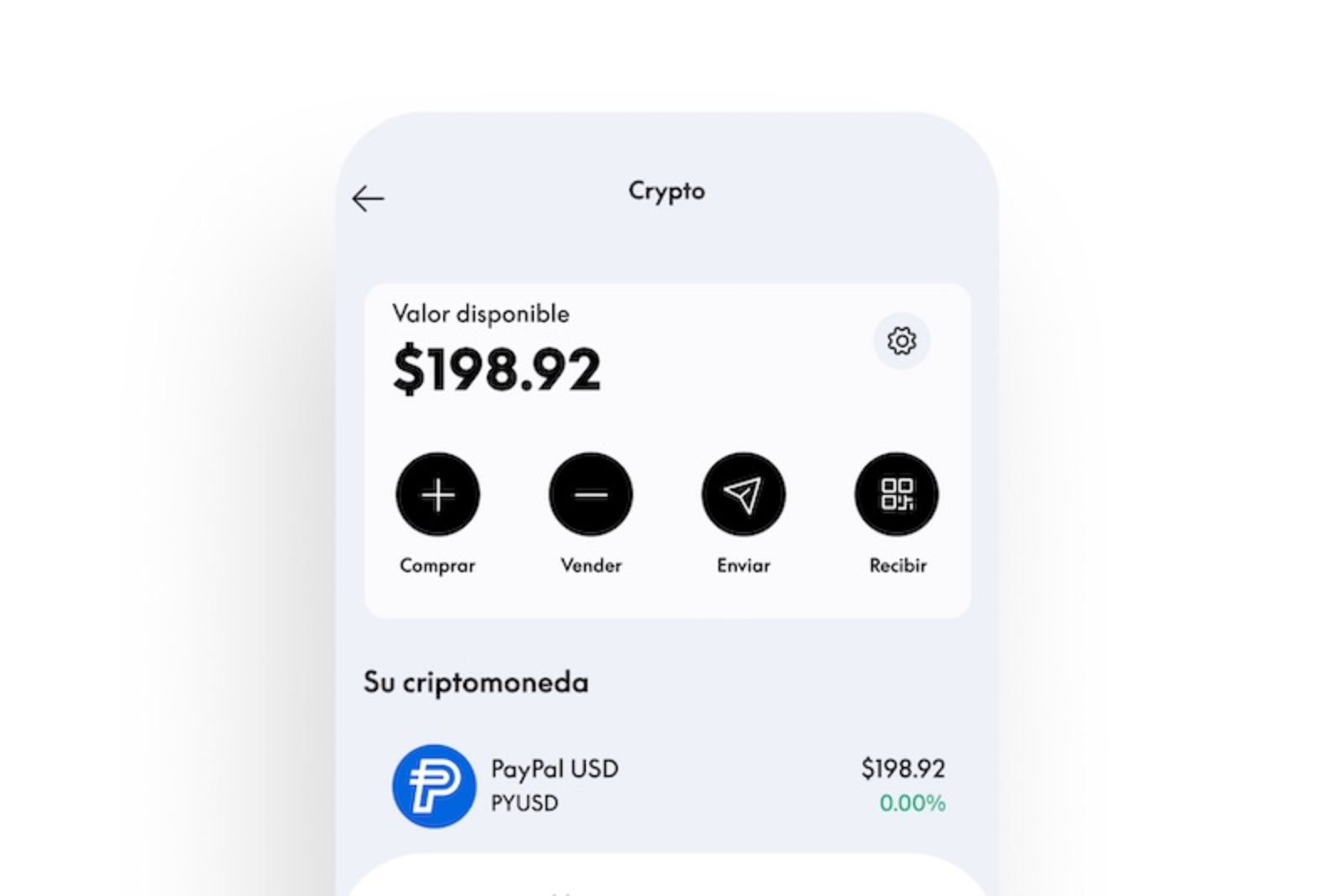
In PayPal and Venmo, eligible users may be able to buy, hold, and send PYUSD directly inside the apps. Availability can depend on account status, location, and the current features enabled in that specific app.
Before assuming you have access, verify it directly:
- Open the crypto or digital assets area in PayPal or Venmo;
- Confirm whether PYUSD appears for your account;
- Check whether buy, sell, send, receive, and external transfer options are actually enabled;
- Review any visible limits, fees, or eligibility requirements before initiating a transaction.
This is not a formality. Two users can both have PayPal or Venmo accounts and still see different PYUSD features because of regional availability, verification status, or account restrictions.
Dollar Peg, Reserves, and Regulation
The dollar peg is the core design feature of PYUSD, but it is not maintained by market language alone. It depends on reserves, redemption mechanics, issuer controls, and oversight.
1:1 Redemption Model
PYUSD’s price peg is built around the idea that one PYUSD is intended to correspond to one U.S. dollar. For an end user, that experience usually appears through PayPal or Venmo: you may be able to sell PYUSD in-app for USD value, depending on eligibility and supported features.
At the issuer level, redemption at par is handled through authorized counterparties that interact directly with the issuer’s redemption process.
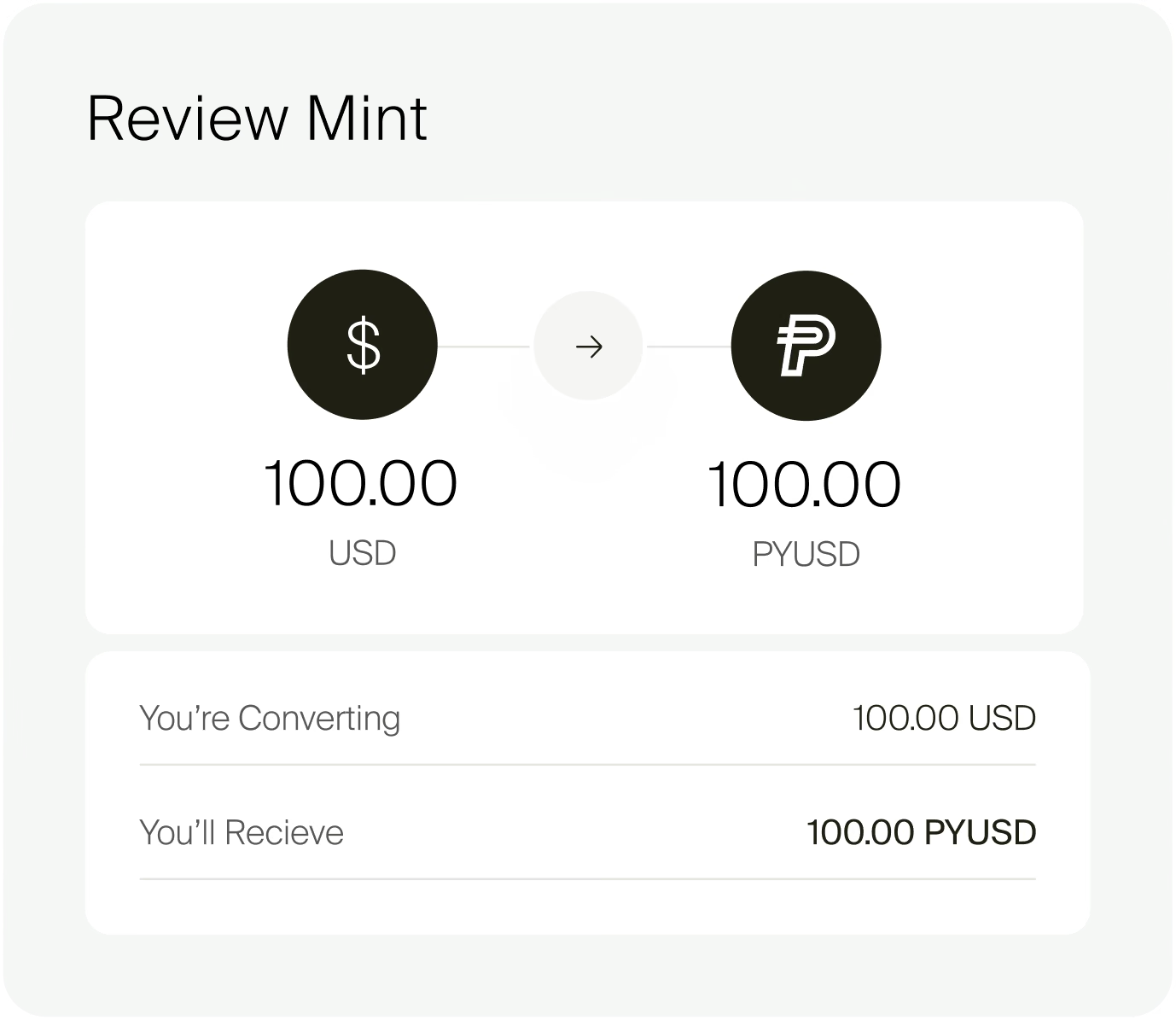
Selling PYUSD in an app or on an exchange is a user-facing transaction. It may depend on available liquidity, quoted spreads, platform fees, and account access. On the other hand, redeeming PYUSD for USD at par is the issuer-level mechanism that supports the stablecoin’s design. In normal conditions, these two experiences should feel closely aligned, but they are not the same operational step.
Either experience can still vary because of liquidity conditions, platform eligibility, processing windows, or the spread shown at the time you sell.
Reserve Assets
“Backed by reserves” means the issuer is expected to hold assets supporting the tokens outstanding. At a high level, the reserve base should be understood through three categories:
- Cash
- Cash equivalents
- Short-term U.S. Treasuries
Composition matters because not all “safe” assets are equally useful for fast redemption. Cash and very short-term instruments are generally more liquid and less exposed to interest-rate-driven price swings than longer-duration assets.
That is important for a stablecoin because the reserve pool needs to support redemptions without relying on assets that may be harder to sell quickly or may fluctuate more in value before maturity.
Paxos Trust Company Issuance
Paxos Trust Company is the issuer of PYUSD. Their role includes minting and burning tokens, maintaining the reserve assets that support outstanding supply, and interfacing with regulators.
PayPal’s role is different. It provides distribution, user access, and the app-based experience through which many users buy, hold, sell, or transfer PYUSD.
Put simply, “issued by Paxos” is about legal issuance and reserve management rather than a statement about where every user holds or accesses PYUSD.
Monthly Attestations
Monthly reserve attestation reports are meant to give readers a periodic view into whether reported reserves support the amount of PYUSD outstanding. They are a key transparency tool, but they should be read with the right expectations.
One is the attestation vs. audit distinction: an attestation is not the same as a full audit. It is usually narrower in scope, tied to a specific reporting date or period, and designed to confirm stated information under defined criteria. It can help show whether reserves matched tokens outstanding at that point in time, but it does not prove everything about the business, every control, or every future redemption scenario.
When opening a reserve attestation report, look for a few concrete items:
- The reporting date or “as of” date;
- Total PYUSD tokens outstanding compared with the reported reserve value;
- The categories of reserve assets, such as cash, cash equivalents, and short-term Treasuries.
An attestation is useful because it gives structure to the reserve discussion. Nonetheless, it is not a guarantee that every user redemption, app sale, or platform withdrawal will be instant and frictionless.
NYDFS Oversight
The oversight of New York State Department of Financial Services (NYDFS) places the issuer within a supervisory framework rather than leaving reserve and operational practices entirely to voluntary disclosure. At a consumer-impact level, this can include expectations around reserve management, operational controls, compliance processes, and reporting discipline.

That oversight can reduce certain reserve and operational risks, but it does not make PYUSD risk-free. Regulation does not eliminate temporary market price deviations, exchange-level liquidity issues, app restrictions, or platform-specific limits that may affect what a user can do at a given moment.
So far we have established the reserve and issuance side. The next layer is execution: where PYUSD lives, how it moves, and who controls the wallet.
Blockchain Networks, Wallet Support, and Asset Control
PYUSD can exist in different user environments. Some are app-based and custodial. Others are on-chain and user-controlled. The token name may be the same, but the operational process is not.
Ethereum ERC-20 Token
On Ethereum, PYUSD operates as a token following the ERC-20 standard. Operationally, that means PYUSD is represented by a token contract on Ethereum, and transfers move between Ethereum addresses rather than through a traditional bank-style account number. As a label, you should just be aware that “Ethereum” and “ERC20” can both refer to this variant of the PYUSD token.
The ERC-20 token standard lets compatible Ethereum wallets, exchanges, and applications recognize and interact with the token in a predictable way, typically through a smart contract that defines balances and transfer logic.
When you send PYUSD on-chain through Ethereum, you send it to an Ethereum address, typically shown as a 0x… address, and you must pay Ethereum network fees, commonly called gas, in Ether (ETH) to complete the transaction.
Address and network format really do matter. Sending PYUSD intended for Ethereum to an address or deposit route on the wrong network can lead to irreversible loss, especially when the recipient platform does not support recovery.
Solana and Stellar Deployments
PYUSD can also exist on other supported blockchain networks, including Solana and Stellar. What you must know is that the same asset name can appear across different blockchain networks without meaning you are using a bridged or wrapped representation, compatible with these different networks.
A native deployment on a supported network is different from a third-party wrapped version that represents the asset through a bridge or separate protocol.
Before sending, choose the receiving network that matches the recipient’s wallet or exchange deposit network. If an exchange gives you a Solana deposit address for PYUSD, sending from Ethereum will not automatically arrive just because the token name is the same.
Once again, sending on the wrong network typically cannot be reversed without support, and in some cases recovery may not be available.
Compatible Wallet Types
Compatibility depends on what you are trying to do with PYUSD, among other things.
- Hold or send in PayPal or Venmo as an in-app balance
- Used for supported app-based buying, holding, selling, or sending features.
- Control implication: This is a custodial wallet model where platform access, recovery, and transfer permissions are handled through the account provider.
- Hold or send on-chain through a self-custody wallet
- Used when you want to control PYUSD directly on a supported blockchain such as Ethereum, Solana, or Stellar.
- Control implication: You control the keys or seed phrase, so you are responsible for access, transaction approval, and recovery.

- Hold or send through an exchange wallet
- Used when PYUSD is held inside a crypto exchange account or sent using the exchange’s supported withdrawal networks.
- Control implication: The exchange controls the wallet infrastructure and sets deposit, withdrawal, review, and network-support rules.
PayPal Digital Wallet Custody Model
In the titular app, PayPal controls the private keys and executes transfers on the user’s behalf. Your access is mediated through account login, identity checks, app availability, and platform policies rather than direct control of a blockchain private key.
This comes with both benefits and drawbacks in practice:
- You may be able to recover access through account support if login or account-access problems occur;
- You cannot export a private key or seed phrase for the in-app PYUSD balance;
- Some destinations, amounts, or transfer types may be restricted by platform rules;
- Transfers may be reviewed, delayed, or blocked depending on account status and compliance checks.
This setup can be simpler for users who do not want to manage keys, but it also means the app experience determines what actions are available.
External Wallet Ownership
Self-custody means you hold PYUSD in a wallet where you control the private key or seed phrase. The wallet authorizes transfers, and once a transaction is broadcast and confirmed on the network, it is generally irreversible.
Before relying on an external wallet:
- Confirm that you control the private key, recovery phrase, or equivalent wallet access method;
- Confirm the wallet supports PYUSD on the specific network you plan to use;
- Confirm the transfer is being authorized by your wallet, not by a platform acting on your behalf;
- Verify the recipient address and the selected network in the wallet UI before sending;
- Keep enough native network currency available for fees, such as ETH on Ethereum, SOL on Solana, or XLM on Stellar.
Keep in mind that self-custody gives more direct control, but it also removes the safety net of account-based recovery if you lose the seed phrase or approve the wrong transaction.
Account and Transfer Limitations
In an account-based model, limitations can appear in several different ways, and they are not all the same type of restriction.
- Identity or region eligibility gates
- How it shows up: PYUSD features may not appear, or buy, sell, send, or receive buttons may be disabled.
- What to check: Review account verification status, location eligibility, and whether the feature is supported in your app or jurisdiction.
- Per-transaction or rolling limits
- How it shows up: A transfer may be rejected, capped, or require you to enter a smaller amount.
- What to check: Look at account limits, recent activity, verification level, and any limit information shown before confirming the transaction.
- Holding or withdrawal restrictions
- How it shows up: You may be able to hold PYUSD but not withdraw it to an external wallet, or only certain networks may be available.
- What to check: Confirm supported withdrawal networks, account permissions, and whether the receiving wallet supports the same network.
- Compliance reviews or holds
- How it shows up: A transfer may stay pending, require additional review, or be blocked before completion.
- What to check: Review notifications, account messages, requested documentation, and platform support guidance.
These restrictions can feel similar from the user’s side because the result is often the same: a disabled button, a pending transfer, or a failed transaction. The cause, however, can be very different.
Buying, Redeeming, and Sending PYUSD

Buying PYUSD through an app, selling it back to USD, and sending it externally are related actions, but they are not the same transaction type. Treat them as separate workflows.
PayPal and Venmo Purchases
For supported users, PayPal and Venmo can function as a simple fiat on-ramping path: you start with a funding source such as a USD balance, linked bank account, or card, and the app handles the purchase flow for PYUSD.
The key point is that in-app PYUSD activity is not the same thing as an external blockchain transfer unless you specifically choose an external withdrawal or deposit route.
Transaction lifecycle:
- Buy PYUSD with USD balance, bank, or card
- What you end up holding: PYUSD inside PayPal or Venmo.
- Identifier used: Your app account and funding method, not a blockchain address.
- Common reason unavailable: PYUSD features may be unavailable because of feature rollout, region, account eligibility, or incomplete verification.
- Sell PYUSD back to USD inside the app
- What you end up holding: USD balance in the app, which may then be available for other supported actions.
- Identifier used: Your PayPal or Venmo account, not an external wallet address.
- Common reason unavailable: Selling may be blocked or limited if the account, location, or verification status does not qualify.
- Send PYUSD to another PayPal or Venmo user
- What the recipient ends up holding: PYUSD in their supported app balance.
- Identifier used: An in-app handle, contact, or account identifier, not a blockchain address.
- Common reason unavailable: The sender or recipient may not have eligible PYUSD access, or the account may need additional verification before sending is enabled.
Cash Redemption
There are two different ideas that readers often combine, but they should be separated operationally.
- User-level cash redemption experience
- In practical app terms, cashing out usually means selling PYUSD back to USD, most commonly inside PayPal or Venmo.
- After the sale, especially with the mentioned route, the user holds a USD balance rather than PYUSD.
- Withdrawal from that USD balance may depend on the app’s normal withdrawal options, linked funding accounts, account standing, and verification status.
- Issuer-level redemption at par
- This is the reserve-backed redemption mechanism associated with the issuer, not the same thing as every user pressing a direct “redeem with issuer” button.
- Most retail users should think first in terms of the app-level sell-to-USD flow unless they are using a channel that specifically supports issuer-level redemption access.
External Transfers
External transfers here mean on-chain movements, so treat them differently from in-app PayPal or Venmo sends. For the former, we have a dedicated guide to sending BTC from PayPal. Use a two-lane model before entering any address.
- Lane A: PayPal/Venmo → external blockchain address
- Network selection: Confirm whether the withdrawal is using Ethereum, Solana, or Stellar, as applicable in the app.
- Recipient address format type: Confirm the destination address matches that network type, such as an Ethereum-style 0x address, a Solana public address, or a Stellar account address.
- Memo/tag: If your destination requires a memo, tag, or similar destination identifier, include it exactly as shown by the receiving platform.

- Lane B: external wallet/exchange → PayPal/Venmo deposit, if supported
- Network selection: Use only the deposit network shown by PayPal or Venmo for PYUSD.
- Recipient address format type: Copy the deposit address for that exact network, not just any PYUSD address from another chain.
- Memo/tag: If the PayPal, Venmo, wallet, or exchange deposit screen requires a memo or tag (for example, when using Stellar), treat it as part of the destination information.
Test transfer protocol:
- Confirm the destination network and address format before sending.
- Send a small amount of PYUSD first.
- Verify that the receiving account shows the deposit correctly.
- Send the remainder only after the test transfer arrives as expected.
This small test matters because on-chain transfers are not handled like reversible in-app actions, and a network mismatch can create a failure mode that support may not be able to fix.
Moreover, when PYUSD moves on-chain, the sender is generally responsible for the network transaction fee. That fee is usually paid in the native gas token of the selected chain, not in PYUSD itself.
If the sending wallet does not have enough gas fee balance, the transaction may not broadcast, or it may fail before completion.
PYUSD Use Cases
PYUSD is most useful when the user’s goal is dollar-referenced transferability. The exact best-fit use case depends on whether the transaction stays inside PayPal or Venmo, moves on-chain, or interacts with Web3 applications.
Peer-to-Peer Payments
In-app PYUSD works best when both people are already eligible PayPal or Venmo users and want a simple send experience. It’s not ideal if the sender wants a refund-like safety net, because wallet-address payments prioritize reach and interoperability over reversibility.
- In-app P2P: The sender identifies the recipient by a PayPal or Venmo identity, such as a handle, email, or phone number. The main benefit is that neither person has to handle a blockchain address, but the constraint is that PYUSD sending must be available for the sender and the recipient’s account.
- On-chain P2P: The sender identifies the recipient by wallet address. The main benefit is interoperability with compatible crypto wallets, but the sender must have gas for the selected network, and wrong-network sends do not behave like simple “refunds.”
Merchant Checkout
When the merchant supports a PayPal checkout flow and the customer wants to spend from a familiar account experience, PYUSD works like a charm. That being said, if the customer cannot confidently choose the right network or if the merchant needs a reversible card-style dispute process, the parties should consider other options.
- PayPal checkout experience: The customer selects PYUSD as a funding source during checkout where supported.
- Crypto/on-chain checkout: The customer pays a merchant address, usually through an invoice-style address and required network selection.
- Settlement workflow: The merchant may price in USD but choose whether to receive PYUSD or convert to USD, which becomes a treasury decision around settlement timing and volatility exposure.
Cross-Border Transfers
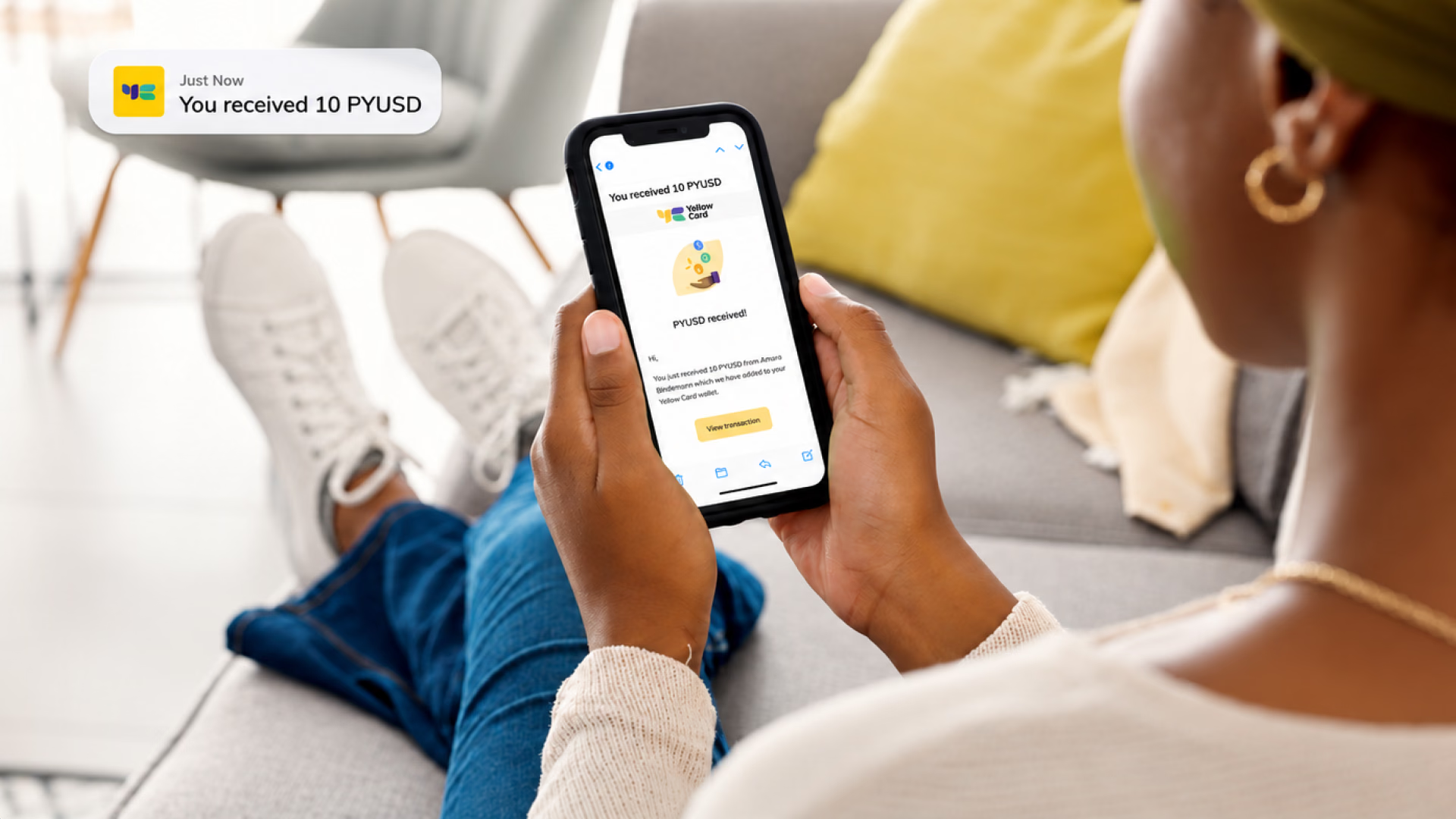
This use case for PYUSD is perfect when the recipient can receive stablecoins and both sides are comfortable with crypto wallet or exchange workflows. Naturally, the opposite is true if the destination user cannot access the required PayPal or Venmo features in their location or account.
Where the costs associated with the transfer come from:
- Origin and destination fees: On-ramp and off-ramp costs can include app or exchange spreads, platform fees, and withdrawal fees.
- Network costs and timing: Network fees and confirmation time can vary depending on the chain being used.
- Local currency conversion: FX still applies if the recipient ultimately needs non-USD local currency.
Put another way, the best-fit cross-border transactions are USD-to-USD corridors, paying global contractors, and B2B settlement where both sides can handle PYUSD. A poor-fit scenario is cash pick-up or unbanked endpoints that cannot receive stablecoins.
DeFi and Web3 Applications
- Trading/liquidity: DEX swaps are for exchanging PYUSD against another asset, while a liquidity pool is for supplying assets to support trading; swaps involve execution price and slippage risk, while pools add liquidity and impermanent-loss-style risk.
- Collateral/borrowing: Using PYUSD as collateral means pledging it to borrow something else, while borrowing PYUSD means taking on a stablecoin liability that must be repaid.
- Payments in Web3: PYUSD can be used to pay for on-chain goods or services where the seller accepts it on the selected network.
Choosing the Right Use Case
- If your goal is to move funds, focus on buying, redeeming, and sending PYUSD.
- If your goal is to pick a network or wallet, focus on blockchain networks, wallet support, and asset control.
- If your goal is yield or rewards, treat that as a DeFi and Web3 execution question, not as a basic PYUSD holding question.
In summary, PYUSD is most straightforward when used as a dollar-referenced payment and transfer asset. The more it moves into external wallets, exchanges, and decentralized applications, the more the user must manage execution risk directly.
Frequently Asked Questions
How do you buy and transfer PYUSD?
You buy PYUSD through supported PayPal or Venmo crypto flows, then transfer it either as an in-app send to another eligible PayPal/Venmo user or as an on-chain send to a blockchain wallet address.
For on-chain transfers, the sender must match the recipient’s exact network and address type. A valid-looking wallet address on the wrong network is not enough.
How does PYUSD compare to USDC?
PYUSD is usually the better fit if you plan to encounter PayPal or Venmo flows, while USDC is usually the better fit if you need broader exchange, DeFi, or on-chain availability.
Do not treat the same dollar peg goal as identical access. Distribution, wallet support, and liquidity venues can differ.
Is PYUSD secure and regulated?
PYUSD’s regulated or overseen status mainly refers to issuer, reserve, and operational expectations, not a guarantee that every user action will be unrestricted or recoverable.
Platform eligibility, holds, and network mistakes can still affect the user experience. Security also changes by custody model: PYUSD in PayPal or Venmo uses a custodial wallet, while PYUSD in a self-custody wallet is user-controlled.
Are PYUSD transactions taxable?
PYUSD transactions may be taxable depending on where you live and what you do with the asset, such as selling, swapping, or spending it rather than simply holding or transferring it.
Keep basic records, including dates, amounts, USD values, and transaction IDs, because on-chain transfers and in-app sales may create reportable events depending on local rules.