What Can I Buy With Bitcoin and Crypto In 2026?

Key Takeaways
- 🛍️ Bitcoin spending in 2026 usually works through three rails: direct merchant checkout, gift cards or prepaid vouchers, and crypto debit cards or payment apps that convert BTC to fiat at checkout.
- 🛍️ Direct Bitcoin purchases are possible, especially for online electronics, travel, digital services, and selected hospitality merchants, but acceptance remains uneven by country, store, and checkout channel.
- 🛍️ Amazon, Walmart, Target, and IKEA should generally be treated as no direct BTC checkout marketplaces.
- 🛍️ Spending Bitcoin can create tax, fee, refund, and recordkeeping consequences because using BTC for goods or services is commonly treated as disposing of a digital asset.
- 🛍️ The most reliable method depends less on the brand name and more on the purchase type: online order, in-store checkout, travel booking, digital code, subscription, or high-ticket item.
Disclaimer
This guide is for informational purposes only and does not constitute tax, legal, accounting, or investment advice. Merchant acceptance, card availability, payment-app features, and gift card rules can change by country, account status, and provider. Always confirm the checkout method on the merchant’s own payment page before sending Bitcoin. For tax treatment, consult a qualified professional in your jurisdiction.
Bitcoin is very much spendable in 2026, but not in the simple “everywhere accepts BTC” way that early crypto narratives sometimes implied. In practice, spending Bitcoin usually runs on three rails:
- Direct merchant checkout, where the merchant or processor accepts BTC or Lightning directly.
- Gift cards and prepaid vouchers, where Bitcoin buys a fiat-denominated code or balance.
- Debit card and payment-app spending, where BTC is converted before the merchant receives fiat.
Paying a Bitcoin invoice is operationally different from using a crypto debit card. Buying an Amazon gift card with BTC is different again. In this guide, we will separate those routes, explain where each one works best, and show the checks that reduce failed payments, trapped balances, and unpleasant refund surprises.
Direct Bitcoin Purchases

Direct checkout means the merchant lets you pay with Bitcoin during the purchase itself, usually through a payment processor invoice or a merchant-run wallet/QR code flow. Availability still varies by country, product category, and whether you are buying online or standing at an in-store register, so always confirm merchant acceptance before sending funds.
To find direct-acceptance merchants fast, start with the BitPay merchant directory, which lists 250+ companies and stores that accept crypto, then filter by the category you need. It should go without saying though that this is the first step: do not neglect to directly confirm crypto payment support afterward.
Electronics and Tech
Direct Bitcoin purchases are most realistic with online electronics sellers, software providers, hosting companies, and specialist tech retailers. Larger online retailers that accept BTC usually do it through a payment processor at checkout, while smaller specialist sellers may run a more direct invoice or wallet-based flow. Physical big-box point-of-sale acceptance is less common because register integration, reconciliation, and accounting workflows are harder to standardize across stores.
What direct checkout looks like:
- Checkout label: Look for “Pay with crypto,” “Pay with Bitcoin,” or a BitPay-style crypto checkout option.
- Payment flow: The merchant generates an invoice with a QR code, you scan it from your Bitcoin wallet, including options like BitPay Wallet, send the payment, and wait for the confirmation screen.
- Success checklist: Make sure the correct network is selected, pay before the invoice expiry window closes, and expect higher-ticket electronics orders to wait for confirmations before fulfillment.
On-chain Bitcoin for higher-ticket e-commerce purchases works best where confirmation time is acceptable and the amount justifies the network fee. Lightning is better only if the merchant explicitly supports it and speed is more important than broad compatibility.
Travel and Hospitality
Travel bookings with Bitcoin and crypto can include flights, hotels, tours, and booking platforms that offer direct crypto invoices. In this category, the checkout experience is often straightforward at the payment step, but the underlying booking can be less simple because travel purchases may involve availability checks, deposits, schedule changes, or merchant-side approval.
What direct checkout looks like:
- Checkout label: Expect labels such as “Pay with crypto,” “Bitcoin,” or “Crypto payment” near the final payment methods.
- Payment flow: The booking site or payment processor creates a timed QR code invoice, you scan it with your wallet, and the site updates the reservation after payment recognition.
- Success checklist: Confirm the booking total, choose the correct network, complete payment before invoice expiry, and watch for whether the merchant requires one or more confirmations before issuing the final itinerary.
Bitcoin for larger travel purchases makes sense where auditability and payment finality matter more than instant authorization. Lightning is better for smaller, time-sensitive hospitality purchases only when the merchant supports it directly.
Keep in mind that travel bookings often involve holds, changes, cancellations, or partial adjustments. When direct BTC payments are handled as crypto invoices, refunds, if allowed, may come back as fiat-equivalent value or crypto-equivalent value depending on the merchant’s policy, so read the refund terms before sending payment.
Clothing and Luxury Goods

Clothing purchases with Bitcoin are more common online than in-store, especially with boutiques, streetwear shops, and luxury sellers that use crypto checkout to serve international customers. For ordinary apparel, the process can feel similar to any e-commerce payment. For watches, jewelry, designer goods, or other high-ticket items, the merchant may add review steps before shipping.
What direct checkout looks like:
- Checkout label: Look for “Pay with Bitcoin,” “Pay with crypto,” or a crypto option displayed alongside card and bank payment methods.
- Payment flow: The checkout page opens a payment processor invoice or merchant QR code, your wallet sends the Bitcoin payment, and the order page confirms receipt after the required payment status is reached.
- Success checklist: Check the selected network, pay within the invoice timer, and do not assume the order will ship immediately just because the transaction has been broadcast.
For high-ticket clothing and luxury goods, expect extra identity or AML screening and possible manual order review even when BTC is accepted. That review can delay fulfillment and may interact with time-limited invoices, so complete any required verification before assuming the purchase is final.
Food and Dining
Direct Bitcoin dining is most realistic at individual restaurants, Bitcoin-focused venues, and select locations that support Lightning payments. Acceptance is spotty at best, and even when a chain is known for Bitcoin support, availability may vary store by store.
What direct checkout looks like:
- Checkout label: In person, you may see “Bitcoin,” “Lightning,” or “Pay with crypto” on a terminal, tablet, or receipt-style QR code.
- Payment flow: The cashier or table terminal shows a QR code invoice, you scan it with a compatible wallet, the payment authorizes quickly, and the point-of-sale screen confirms completion.
- Success checklist: Confirm whether the invoice is Lightning or on-chain, pay before the short invoice expiry window, and wait for the terminal confirmation before leaving the counter or table.
This case is Lightning preferable for fast, in-person, low-ticket dining because speed and fee sensitivity matter most. On-chain Bitcoin is usually less practical for a meal unless the restaurant specifically supports it and the wait time is acceptable.
The in-person flow is usually a table or terminal QR code followed by near-instant authorization in the restaurant’s point-of-sale system. Some restaurants take Lightning payments, with Steak ’n Shake listed as an example in Bitcoin.org’s spend directory, but you should still confirm at the specific location before ordering.
Gift Cards and Prepaid Vouchers
Gift cards and prepaid vouchers are the compatibility layer for spending Bitcoin when a merchant does not offer direct BTC checkout. In this flow, you are usually buying a redemption code, barcode, PIN, or credit balance from a gift card provider, then using that value with the merchant in fiat currency terms rather than paying the merchant directly with Bitcoin.
Once BTC has been exchanged for a closed-loop card or prepaid balance, the rules of that card take over. Region, currency, redemption channel, and refund policy matter as much as the Bitcoin payment itself.
Retail and Grocery Gift Cards

Best use cases:
- Buying from big-box retailers that do not support Bitcoin at checkout.
- Covering routine grocery trips with a fixed shopping budget.
- Making online retail purchases where a card balance can be applied before a debit or credit card is needed.
Closed-loop retailer cards are usable only at one brand or brand family, such as a specific department store, electronics store, or marketplace. Grocery-specific cards or store credits are even more narrow: they are tied to supermarket chains, food retailers, or store accounts and may have stricter in-store versus online rules.
Retail and grocery gift cards are often the simplest workaround for large merchants that lack BTC checkout because the purchase converts your Bitcoin spending intent into a merchant-accepted balance. The tradeoff is that returns and refunds usually follow the card’s policy, meaning value may go back to the gift card or store credit balance rather than back to Bitcoin.
What you’ll receive:
- Usually an e-code, barcode, QR code, or card number with PIN.
- For some stores, the code can be added to an account wallet or scanned at checkout.
- Physical delivery may be available, but digital delivery is more common for fast use.
Common failure modes:
- Region locks that make a card valid only in one country or store network.
- Online checkout rejecting a card that is intended for in-store redemption only.
- Partial redemption rules that leave a small balance trapped on the card.
- Promo exclusions where gift cards cannot be used on subscriptions, third-party marketplace items, or sale categories.
Before you buy:
- Choose a denomination close to the basket total so you do not leave unused value behind.
- Confirm the country, currency, and store brand match the location where you plan to shop.
- Check whether the redemption path is in-store scan, online code entry, or account balance loading.
Streaming, Gaming, and Entertainment Cards
Best use cases:
- Adding subscription time to music, video, or cloud entertainment services.
- Funding a console, gaming, or app-store wallet without using a payment card.
- Buying digital games, downloadable content, movies, or in-platform items.
Redemption usually follows one of two sub-flows. A subscription balance top-up adds months, credit, or service time to an existing account. A wallet/store credit flow adds value inside a platform ecosystem, where the balance can be spent on games, rentals, apps, or in-platform purchases.
What you’ll receive:
- Typically a redemption code or PIN delivered digitally.
- Some platforms provide a direct account-credit link or a code that must be entered in the app, console, or website.
- The value is usually denominated in a specific fiat currency and tied to the platform’s region.
Common failure modes:
- Account-region mismatch, such as buying a U.S. code for an account registered in another country.
- Platform restrictions on stacking, combining, or applying multiple codes.
- Codes that work for wallet credit but not for subscriptions, or the reverse.
- Redemption friction inside apps, consoles, or child/family accounts with spending controls.
Before you buy:
- Pick a denomination that matches the subscription renewal amount or expected store purchase.
- Confirm the code’s country and currency match your platform account region.
- Verify whether redemption happens through a website, mobile app, console store, or account settings page.
Food Delivery and Rideshare Credits

Best use cases:
- Ordering meals when the delivery app does not support Bitcoin directly.
- Loading a rideshare balance before a planned trip.
- Keeping a separate prepaid budget for takeout, delivery, or transport.
The practical ordering flow is time-sensitive: buy the code, load the credit in the app, then place the order or request the ride. Do not wait until the driver is arriving or the restaurant cart is about to expire, because delayed code delivery or app redemption friction can interrupt the purchase.
What you’ll receive:
- Usually an e-code, app gift card code, or account credit.
- Some providers issue a barcode or QR code, but app-based code entry is more typical.
- Once redeemed, the value normally sits as credit inside the delivery or rideshare account.
Common failure modes:
- Delayed code delivery that makes a time-sensitive order harder to complete.
- Account-country mismatch between the code and the app profile.
- Credits that do not apply to every fee, tax, subscription benefit, or promotional order type depending on app rules.
- Operational gotchas such as tips, driver adjustments, fare changes, or authorization holds requiring an additional payment method.
Before you buy:
- Choose a denomination that covers the likely order or ride total, including delivery fees, service fees, and tip if supported.
- Confirm the app country, currency, and account region before purchasing.
- Check whether the credit must be loaded in the app before checkout or can be entered during payment.
Mobile Top-Ups and Prepaid Services
Best use cases:
- Adding prepaid airtime or call credit to a specific phone number.
- Buying data packs, calling plans, or short-term prepaid service bundles.
- Using a general prepaid voucher for eligible digital or telecom services.
Mobile prepaid options are not all the same. A prepaid airtime top-up usually adds value to a phone number, a service bundle activates a defined package such as data or minutes, and a general prepaid voucher may work across selected services or accounts depending on the provider.
What you’ll receive:
- Usually a PIN, top-up code, redemption code, or direct recharge confirmation.
- For phone-number top-ups, the value may be applied automatically after entering the number and carrier.
- For bundles, you may receive an activation code or app/account instruction.
Common failure modes:
- Wrong carrier, wrong country, or wrong phone-number format.
- Buying airtime when you needed a data bundle, or buying a bundle that is not compatible with the SIM plan.
- Carrier rules requiring the SIM or account to be active before top-up.
- Identity or KYC expectations tied to SIM registration, carrier activation, or local telecom rules.
Before you buy:
- Choose the denomination or bundle size based on actual usage, not just the smallest available option.
- Confirm the carrier, country, currency, and phone-number format.
- Check whether redemption is automatic, entered through a carrier app, completed by USSD/SMS, or handled through a service portal.

Before paying with Bitcoin for any prepaid voucher, take under a minute to validate four details: check the country or region, confirm the fiat currency, verify the redemption method, and see whether online checkout requires billing address matching. If any of those details are unclear, choose a smaller denomination first or use a card type with a redemption path you have already tested.
Major Marketplaces Without Direct Bitcoin Checkout
What about Amazon, Walmart, Target, and IKEA? Long story short, they should be treated as “no direct BTC checkout” marketplaces unless the checkout page itself shows a Bitcoin payment option, which is not the normal buyer experience. You can still complete purchases indirectly by using merchant gift cards, buying from third-party marketplace sellers with their own payment options, or using a card-based payment rail that converts value before it reaches the retailer.
At this point, the question is not whether Bitcoin can fund the purchase in some way. It can. The question is where the payment risk sits: in a stored balance, with a third-party seller, or inside a card/app conversion rail.
Amazon Purchases
Use this decision tree based on where you want the payment risk to sit: with an Amazon balance, with an outside seller, or with a card-based intermediary.
Path A: Buy an Amazon gift card with BTC → redeem to Amazon balance → pay with balance
Best for:
- Standard Amazon.com purchases where you want the simplest marketplace-compatible route.
- Carts that are close to the gift card value and do not require unusual payment handling.
What can go wrong:
- A redeemed code usually becomes Amazon balance, not reversible Bitcoin.
- Some items, sellers, or digital/subscription products may not accept balance the way a normal retail item does.
What to check before paying:
- Confirm the gift card country and currency match your Amazon account.
- Check whether the cart total, tax, shipping, and any fees are fully covered or whether another payment method is needed.
Path B: Buy from a third-party seller who accepts crypto off-platform
Best for:
- Marketplace listings where the seller clearly offers its own crypto invoice or payment link outside the Amazon checkout flow.
- Specialty goods where seller communication and custom invoicing are already expected.
What can go wrong:
- You may have to leave Amazon checkout, follow an invoice link, and rely on the seller’s separate process.
- Refunds, support, and dispute handling may differ from Amazon’s normal marketplace protections.
What to check before paying:
- Confirm the seller identity, invoice amount, item condition, shipping method, and refund policy before sending funds.
- Make sure you understand whether Amazon order support still applies or whether the seller handles everything directly.
Path C: Use a payment intermediary or debit-card rail
Best for:
- Buyers who want Amazon to see a normal card transaction while funding the purchase through a separate crypto-connected payment rail.
- Mixed carts where gift card balance may not cover the full amount.
What can go wrong:
- The card authorization can fail if the available balance does not cover taxes, shipping, or later adjustments.
- Refunds usually follow the card or intermediary rules rather than returning as Bitcoin.
What to check before paying:
- Confirm the card-style payment method is eligible for the cart, delivery address, and account region.
- Leave enough available balance for authorization holds or split shipments.
Walmart Purchases
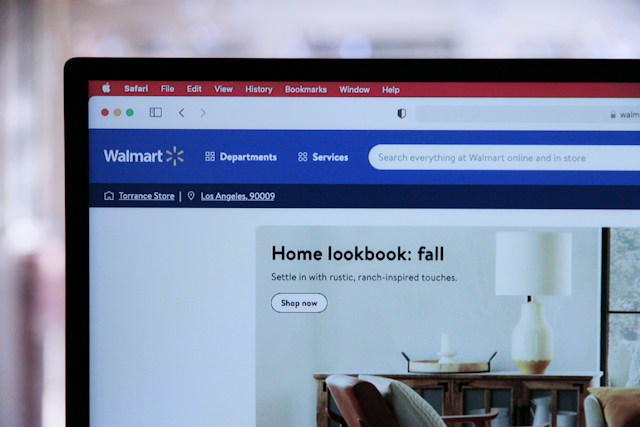
For Walmart, separate online checkout expectations from in-store expectations. An online workaround does not mean the physical register or point-of-sale terminal will accept Bitcoin directly.
Path A: Buy a Walmart gift card with BTC → redeem or apply it at Walmart → pay with balance
Best for:
- Walmart.com orders where a gift card balance can be applied during checkout.
- In-store purchases only when the card format is accepted at the register and you have the correct barcode, PIN, or account wallet setup.
What can go wrong:
- Online and in-store redemption rules may differ, so a method that works on Walmart.com may not behave the same at a store register.
- Gift card balance may not cover the full cart after tax, substitutions, or pickup/delivery adjustments.
What to check before paying:
- Confirm whether the gift card is intended for Walmart.com, in-store use, or both.
- Check the balance against the estimated order total, including delivery fees, pickup substitutions, taxes, and tips where applicable.
Path B: Buy from a third-party seller on Walmart Marketplace who accepts crypto off-platform
Best for:
- Marketplace items sold by independent sellers that are willing to invoice separately.
- Cases where the seller’s own payment and fulfillment terms are clear before checkout.
What can go wrong:
- Leaving Walmart checkout can change the support path, especially for refunds, cancellations, or damaged items.
- The seller may use invoice links, manual confirmations, or crypto payment timing that does not match Walmart’s standard order flow.
What to check before paying:
- Confirm whether the transaction remains under Walmart Marketplace support or becomes a separate seller transaction.
- Review shipping responsibility, return windows, and who issues the refund if the item is not delivered.
Path C: Use a payment intermediary or debit-card rail
Best for:
- Walmart.com carts where the retailer only needs a standard card-style payment.
- In-store purchases where the intermediary presents as a normal card to the point-of-sale terminal.
What can go wrong:
- Prepaid or intermediary balances can fail when Walmart places a hold or adjusts the final charge.
- Some pickup, delivery, grocery, or marketplace orders may capture funds differently from a simple in-store purchase.
What to check before paying:
- Confirm the payment method works for the channel you are using: online checkout or in-store checkout.
- Keep extra available balance for substitutions, weighted grocery items, delivery changes, or partial shipments.
When a Walmart purchase is funded indirectly, returns typically go back to the original instrument used at checkout, such as store credit, gift card balance, or the card balance, rather than back to BTC.
Target and IKEA Purchases
Target and IKEA are usually more predictable when you choose the indirect method based on the order type rather than the brand name alone.
| Purchase type | Most reliable indirect method | Main limitation |
|---|---|---|
| Online-only purchase | Gift card or card-based rail | Balance may not apply to every digital, marketplace, or promotional item. |
| In-store purchase | Card-based rail | The store’s point-of-sale terminal must accept the card-style payment cleanly. |
| Delivery or large-item orders | Card-based rail | Holds, delivery changes, partial refunds, and re-stocking or return shipping can create friction. |
| Buy-online-pickup-in-store | Gift card or card-based rail | Final totals can change if items are substituted, canceled, or adjusted before pickup. |
Large-item delivery orders and returns are where indirect methods create the most friction. Holds, partial refunds, re-stocking fees, and return shipping can all make a clean “spend Bitcoin, receive item” plan feel more complicated than a standard checkout.
Marketplace Limits and Card Restrictions
This is the failure-mode hub for indirect marketplace spending. Most problems are not about Bitcoin itself; they happen because the marketplace sees a gift card, stored balance, prepaid credential, or card-style payment rail with rules attached.
- Region and currency mismatches: A U.S. gift card may not work on a non-U.S. account, and account country settings can block redemption even when the retailer name looks correct.
- Split tender limitations: A gift card balance may not cover the full cart, and some checkouts limit whether you can combine balances with certain cards, promos, coupons, or financing offers.
- Subscription and digital goods edge cases: Some stored balances cannot be used for third-party subscriptions, marketplace digital items, app-store-style purchases, or recurring charges.
- Authorization holds and partial captures: Shipped goods, grocery orders, and large-item delivery can create holds or multiple captures, which can fail if the prepaid or intermediary balance is too tight.
- Refund path realities: Refunds often return to the original instrument, such as gift card balance, store credit, or card balance, and they can be slower or non-reversible once a code has been redeemed.
How to reduce failure rates in 60 seconds:
- Confirm the marketplace account region matches the gift card or payment method country.
- Compare the cart total against the available balance after tax, shipping, delivery fees, and possible holds.
- Check that the shipping address country matches the marketplace site and payment method rules.
- Review whether the item is sold by the marketplace itself or by a third-party seller.
- Choose the delivery method first, then confirm the payment method still works for pickup, shipping, or in-store checkout.
Crypto Debit Cards and Payment Apps
It is not a secret that even the best crypto cards and app rails are not the same as paying a merchant directly in BTC. However, in a way, this is also a legitimate method to spend crypto. With a crypto debit card or payment app, the checkout usually looks like a normal card or app payment, while the provider sells or converts BTC behind the scenes so the merchant receives fiat. Direct BTC payment is different: you scan a Bitcoin or Lightning invoice, send from your wallet, and the merchant or processor recognizes the crypto payment itself.
This distinction is where many checkout assumptions go wrong. The merchant may accept your card transaction while having no direct relationship with Bitcoin at all.
Visa and Mastercard Crypto Cards
A crypto debit card connected to Visa or Mastercard is designed to make Bitcoin-funded spending look familiar at checkout. The merchant does not need to accept BTC directly; the card network and provider handle the crypto-to-fiat settlement so the transaction can run through ordinary card infrastructure.

How the transaction actually routes:
- Funding source: Your BTC balance, crypto account balance, or linked app balance is the source of value behind the purchase.
- Conversion: The provider converts BTC to fiat at authorization or settlement, depending on the card program and provider rules.
- Merchant receives: The merchant receives local fiat through the normal Visa or Mastercard card rails.
- What you see: The receipt and card activity usually show a fiat amount, the merchant name, and a provider or card reference rather than a Bitcoin transaction ID.
Where these cards fail most often:
- Offline terminals: Some card rails need live authorization, so offline transit, vending, or remote terminals may reject the transaction.
- Pay-at-pump fuel: Fuel pumps often pre-authorize more than the final amount, which can fail if the available card balance is too tight.
- Hotels and car rentals: Deposits and holds can be larger than the room, rental, or booking price you expected to pay.
- Tipped transactions: Restaurants, bars, salons, and delivery services may authorize one amount first and adjust the final amount later.
- Strict online checks: Some online merchants reject payments when AVS, billing address, card country, or account country details do not line up.
- Merchant category restrictions: The issuer may block certain merchant category codes, even when the merchant accepts Visa or Mastercard generally.
- Unsupported recurring charges: Some subscriptions or trial-based purchases may fail if the card provider treats them as higher-risk or unsupported.
Additionally, there are costs you are almost guaranteed to feel in practice:
- Provider spread: Check the preview screen or transaction estimate before confirming; the BTC sale price may include a spread between the market rate and the rate you receive.
- Network or issuer fees: Look for provider disclosures inside the app, card terms, or confirmation page before spending, especially if the card draws from a crypto balance.
- FX conversion: Cross-border purchases may add a currency conversion layer if the merchant charges in a different fiat currency from the card account.
- ATM withdrawals: If supported, cash withdrawals can add ATM operator fees, issuer fees, and conversion costs, so check both the app estimate and the ATM screen before accepting.
In practice, some users prefer a crypto credit card or branded programs such as Coinbase Card or Crypto.com depending on where they live, supported currencies, and whether the program behaves more like a prepaid debit balance or a credit-style line with different authorization and refund behavior.
PayPal Bitcoin Payments
When a merchant offers PayPal at checkout, the buyer may be able to authorize a fiat checkout funded by a crypto sale inside PayPal, depending on availability and account settings. The merchant receives fiat through PayPal, not BTC, so the experience is closer to a normal PayPal transaction than a direct Bitcoin invoice.
Using PayPal to buy or hold BTC is a different intent. You are using PayPal as a place to buy, sell, or hold BTC, and any later checkout funded by that value is still typically a fiat payment authorized by the buyer after crypto is sold or converted inside the PayPal environment.

Best for:
- Fast online checkout where PayPal is already displayed as a supported payment option.
- Buyers who want a familiar app flow instead of scanning a BTC invoice.
- Purchases where the merchant only needs a standard fiat PayPal payment.
Not ideal for:
- Situations where you need a true BTC payment receipt or on-chain transaction record from the merchant.
- Bookings or orders likely to involve large holds, partial captures, or refund adjustments.
- Merchants that do not offer PayPal at checkout or accounts where crypto-funded checkout is unavailable.
Cash App Bitcoin Payments
Similarly, Cash App can be involved in Bitcoin spending in more than one way, and availability can depend on region, account status, app version, and product support. Treat each route separately before assuming it will work at checkout.
3 ways people try to pay:
- Cash App Card spending funded by balance — common: The Cash App Card can be used like a card where supported, with spending drawn from the available Cash App balance. If BTC is sold into the balance first, the merchant still sees a card-style fiat payment rather than a direct BTC payment.
- Sending BTC on-chain to a recipient who requests it — common when the recipient accepts BTC: This is a wallet-style transfer, not a card checkout. The recipient must provide a valid Bitcoin address, and the sender must confirm the address, amount, network, and any transfer requirements before sending. Check our guide on how to send BTC from Cash App for more.
- Lightning payments — limited and conditional: Lightning may be available only if supported in the user’s region and current app state. If available, it can work for small, fast payments to a Lightning invoice, but you should not assume every Cash App account or merchant supports it.
Mind these transfer and checkout gotchas:
- Check purchase limits before buying BTC for a payment you plan to make immediately.
- Check withdrawal or transfer limits before assuming you can move the full amount out.
- Watch for delays, review periods, or holds that can interrupt time-sensitive purchases.
- Confirm whether the recipient is asking for an on-chain Bitcoin address or a Lightning invoice.
- For card-based purchases, refunds normally post according to the card transaction flow, which may mean a fiat balance credit rather than BTC returning to the original wallet value.
- Keep enough available balance for adjustments, especially when the final card charge may differ from the first authorization.
Wallet Apps and Lightning Payments
Readers often mix up two patterns that feel similar because both can start in an app, despite them being operationally different at checkout.
Pattern 1: Wallet-to-merchant BTC payment, or QR invoice
This is a direct wallet payment. You need a Bitcoin wallet that supports the invoice type the merchant presents, and for Lightning you need a Lightning-capable wallet with enough usable liquidity to send the payment. Confirmation feels like the invoice changing to paid, often quickly for Lightning, rather than a card authorization.

Pattern 2: Wallet as a funding source for a card/app rail
This is not direct merchant BTC acceptance. You need sufficient app balance, card balance, or convertible BTC behind the card/app, and the merchant sees a fiat card or app payment. Confirmation feels like a normal point-of-sale terminal approval or online card authorization.
Lightning checkout sequence:
- The merchant displays a Lightning invoice as a QR code or payment request.
- You scan it with a Lightning-capable wallet and confirm the amount before the invoice expires.
- The wallet attempts the payment; failures can come from insufficient outbound liquidity, wrong network selection, expired invoice, or POS connectivity issues.
- You wait for the merchant screen to show paid before leaving or closing the order.
| Which rail should I use? | Recommended option | Biggest gotcha to check |
|---|---|---|
| In-store everyday spend | Visa or Mastercard crypto debit card | The point-of-sale terminal must support live card authorization. |
| Online checkout at a merchant that does not take BTC | PayPal or crypto debit card | Billing country, AVS, and account-region checks can block the payment. |
| Travel or hotel bookings with holds | Traditional card rail only if your balance can cover holds | Deposits and delayed adjustments may exceed the listed booking price. |
| Peer-to-peer payments | Direct BTC transfer or Lightning, if both sides support it | Confirm the recipient’s network and address or invoice before sending. |
| Quick small purchases | Lightning wallet payment where accepted | Invoice expiry, liquidity, or POS connectivity can cause a failed payment. |
Digital Goods and Online Services
Circling back to what you can spend Bitcoin on, digital goods are often the fastest things to buy with it because fulfillment can happen as soon as the payment invoice is recognized. At the same time, they also have higher failure rates than physical products because account-region rules, anti-fraud checks, and non-refundable delivery can matter once a code, license, or account entitlement has been issued.
VPN and Privacy Tools
VPNs, password managers, encrypted email, and other privacy tools may often support Bitcoin directly, through a crypto processor, or through a reseller. Before paying, confirm the checkout page itself shows current merchant acceptance and that the plan you selected matches the account you intend to use.
What you’re actually buying:
- Subscription time on an account: The payment adds a month, year, or multi-year term to a specific login. Check refund rules, whether the term can be moved to another account, and whether the plan includes all advertised devices.
- Redeemable code or voucher: You receive a redemption code that must be applied later. Check whether the code is refundable before reveal, whether it expires, and whether it is locked to a country, currency, or provider store.
- Multi-device license: You are buying activation rights for a defined number of devices or users. Check device limits, reset rules, transferability, and whether reinstalling on a new phone or laptop consumes another seat.
Purchase friction checklist:
- Do you need to create an account or verify an email address before the VPN subscription activates?
- Is renewal manual, automatic, or unavailable with Bitcoin after the first term?
- Can you pay again in BTC at renewal, or will the provider ask for a card or another payment method later?
- How are upgrades, downgrades, plan changes, and unused time handled?
- What proof will support ask for: order ID, payment hash, invoice screenshot, wallet transaction ID, or the QR code invoice details?
- Does the provider apply anti-fraud review before activating privacy-related services?
Domains, Hosting, and Software
A domain purchase is not just a one-time name claim; it is a registration with renewal, transfer, and registrar-lock rules attached. Before paying with Bitcoin, check the renewal price, renewal payment options, transfer waiting periods, WHOIS/privacy settings, and whether the registrar will let you keep paying the same way in future years.
Hosting and VPS plans behave like recurring infrastructure, so the main gotcha is billing-cycle behavior. Check whether the provider bills monthly or annually, whether upgrades are prorated, what happens to unused prepaid time, and whether suspension begins immediately if a renewal invoice is missed.
As for software, it can be sold as a perpetual license, annual subscription, seat-based business plan, or activation key. Before paying, verify activation limits, seat counts, operating-system compatibility, transfer rules, and whether reinstalling after a hardware change requires support approval.
Games and In-App Credits
When shopping for games, keep separate tabs on platform wallet balance, direct game keys, and in-app currency top-ups before you send Bitcoin. Each of these purchases commonly fail in quite different ways.
Platform gift card balance / store wallet:
- The card or wallet credit is locked to a different country, currency, or platform store.
- The account country does not match the balance region, even if the platform brand is correct.
- Age, family, or parental controls block adding funds or spending the balance.
Direct game codes / keys:
- The key is for the wrong platform, launcher, edition, or downloadable content version.
- The code is region locked and cannot be activated on the buyer’s account.
- The code has already been redeemed or is flagged during platform activation.
In-app currency top-ups:
- The top-up is tied to the wrong account, server, game region, or character ID.
- The currency works only on one platform version, such as mobile instead of console or PC.
- Account-country mismatch, age limits, or parental spending controls block the credit from appearing.
It gets even more complicated once refunds or chargebacks are involved. Digital delivery changes the refund conversation. Once a code, key, wallet credit, or in-app top-up is delivered and revealed, the seller’s ability to reverse it is limited, so verify the platform, region, edition, and account details before paying.
Costs, Taxes, and Transaction Checks
The same item can cost more, take longer, or become harder to unwind depending on how you spend Bitcoin. Fees, exchange-rate spreads, confirmation timing, tax reporting, and refund rules can all change the real outcome of a purchase.
The next layer to spending Bitcoin with different rails is less visible but just as important: what the payment costs, how it settles, and what records you will need later.
Capital Gains Tax Events
| What counts as a taxable moment | What is happening for tax purposes |
|---|---|
| Paying a merchant directly from a BTC wallet | You are disposing of a digital asset when you send Bitcoin for goods or services, not just “paying” in a different format. |
| Buying a gift card with BTC | You are disposing of a digital asset to acquire a prepaid value or code, even if the final retailer never sees Bitcoin. |
| Spending via a card/app that converts BTC to fiat at checkout | You are disposing of a digital asset when the provider sells or converts BTC to fund the fiat payment. |
For example, in the U.S., the IRS treats using cryptocurrency to pay for goods or services as a reportable digital-asset transaction under its Digital assets guidance. In plain terms, spending Bitcoin can create a taxable event because the transaction may involve a capital gain or loss, not just a purchase receipt.
Therefore, record these details at checkout so you can reconcile later:
- Timestamp of the purchase.
- BTC amount sent or converted.
- USD/fiat value at the time of spend, as shown on the invoice or receipt.
- Transaction hash or payment reference.
- Fees, markup, or spread paid.
Cost basis is the practical reason these records matter. Conceptually, the gain or loss is tied to what the Bitcoin cost you when you acquired it compared with its value when you spent it. This is why everyday spending can still create capital gains reporting, even when the purchase itself feels as ordinary as buying a product or service.
Network Fees and Conversion Rates
| Rail | What you pay | What merchant receives | Main cost drivers | Most common surprise |
|---|---|---|---|---|
| On-chain BTC payment | BTC amount plus network fee, and possibly a processor rate if the invoice is fiat-priced | BTC or fiat-equivalent settlement through the merchant’s processor | Network congestion, wallet fee setting, invoice pricing method, processor exchange rate | A slow confirmation can delay fulfillment or cause a timed invoice to fail if the payment is not recognized in time. |
| Lightning payment | Invoice amount, usually with routing costs handled inside the wallet experience | BTC over Lightning or fiat-equivalent settlement if a processor is involved | Wallet support, payment route availability, invoice timer, merchant processor rules | The payment may fail if the invoice expires, the route cannot complete, or the merchant’s point-of-sale screen does not update. |
| Card/app conversion | Fiat checkout amount funded by BTC sale or conversion | Fiat through card, app, or payment network | Provider spread, card/app fees, foreign exchange layer, authorization and settlement timing | The merchant sees a normal fiat payment, while your BTC balance may be reduced based on the provider’s conversion rate. |
Before you hit pay:
- Confirm the network: on-chain Bitcoin or Lightning.
- Check the invoice expiry window before opening your wallet.
- Look for the processor exchange rate, markup, or card/app spread.
- Confirm whether the merchant is charging in fiat with BTC conversion or denominating the invoice in BTC.
For on-chain payments, treat mempool and confirmation expectations as a purchase-success issue. Slower confirmations can cause invoice expiry, delayed order status, or manual review, so check what payment status the merchant requires before assuming the order is complete. The miner fee you choose can materially affect whether the transaction confirms in time.
Refunds and Price Volatility
| Payment type | Where the refund goes | What can change vs your original BTC spend |
|---|---|---|
| Direct BTC invoice | Back to a wallet address, merchant account credit, or fiat-equivalent refund path depending on the merchant and processor | Even when refunds are allowed, the refunded value may be based on fiat terms rather than the exact BTC amount originally sent. |
| Gift card or prepaid code purchase | Usually back to store credit, gift card balance, provider credit, or no refund once the code is delivered or revealed | The BTC you spent bought a fiat-denominated code, so the refund path may not track Bitcoin price changes. |
| Card or app purchase funded by BTC conversion | Usually back through the card/app transaction flow as fiat balance, account credit, or provider-controlled refund | The refund may match the merchant’s fiat amount while your original BTC conversion amount is not recreated. |
If Bitcoin’s price changes between purchase and refund, the fiat-equivalent refund may not match what you mentally expect from the BTC amount you originally spent. This is a budgeting issue more than a trading issue: read the merchant’s refund terms before checkout so you know whether the refund is calculated in fiat value, BTC amount, store credit, or another method.
Refund friction triggers to watch out for before the purchase:
- Invoice-based payments treated as final after payment.
- Digital delivery, codes, keys, or vouchers revealed.
- Partial refunds where shipping, service fees, or processing fees are excluded.
- Merchant policy requiring manual review before a refund is approved.
Merchant Verification and Wallet Security
Bitcoin or crypto do not change what ecommerce transactions are vulnerable to. Exercise the usual security measures:
- Verify the domain or app identity before interacting with the payment request.
- Verify the invoice amount and currency against the cart total.
- Send a small test only when feasible for a new merchant; this is usually not feasible with fixed invoices because the invoice expects an exact amount.
- Confirm success through the merchant receipt or confirmation screen and your wallet status.
Merchant verification signals should match the checkout reality in front of you. Look for consistent branding and domain, a clear refund or support policy, and a payment request that matches the cart total and currency. Mismatches are a red flag, especially if the invoice amount, merchant name, domain, or currency changes unexpectedly.
Custodial and non-custodial wallets matter here because they affect transaction control during the purchase. A non-custodial wallet may give you more direct control over fee level and transaction hash access, while a custodial app may rely more on provider status screens and support response time. For time-sensitive checkout, choose the wallet setup that lets you verify the payment status quickly and provide the merchant with usable proof if something stalls. For direct payments, your wallet’s ability to display the transaction clearly on the blockchain can also help resolve disputes.
Conclusion
So, what can I buy with Bitcoin in 2026? It can buy you electronics, travel bookings, clothing, luxury goods, food at selected venues, VPNs, hosting, software, games, mobile top-ups, and many ordinary retail items through gift cards or card/app conversion rails. However, the method matters as much as the item.
Direct Bitcoin checkout is cleanest when the merchant genuinely supports BTC or Lightning and the invoice details are clear. Gift cards are useful when the retailer does not take Bitcoin, but they introduce region, redemption, and refund constraints. Crypto debit cards and payment apps are the broadest compatibility layer, but the merchant is usually receiving fiat, not BTC.
Feel free to share more ideas about merchants who accept Bitcoin payments with other crypto enthusiasts on our social media! Subscribe to ChangeHero on Telegram, X, and Facebook. Learn more about the cryptocurrency world in the articles from the ChangeHero blog.
Frequently Asked Questions
Can you buy a house with Bitcoin?
Can you buy real estate with Bitcoin? Yes, but typically only when the seller, escrow, title company, and closing process agree to an arranged payment workflow rather than a normal retail checkout. Expect extra process friction versus a standard purchase, including longer timelines, more documentation, and more parties involved, so this is less “scan-to-pay” and more “arranged payment.”
Can I use Bitcoin on Amazon?
No, Amazon does not offer native “pay with Bitcoin” at its checkout, so users generally pay indirectly. The realistic path is usually a gift card balance or a card/app rail that converts value before Amazon sees the payment.
Does Walmart accept Bitcoin?
No, Walmart does not generally provide native BTC checkout, so people typically use indirect methods. Separate online from in-store expectations: a workaround that works on Walmart.com does not mean the physical register will accept Bitcoin directly.
Can you buy groceries with Bitcoin?
Yes, but the most reliable method depends on whether you need in-store speed or are comfortable with an indirect purchase. For register practicality, card/app conversion is often the smoother route because acceptance and speed matter more at checkout than the fact that the purchase started with BTC.