
Best Solana Wallet in 2026: Phantom, Solflare, Backpack, and Ledger Compared

Key Takeaways
- 🔝 The best Solana wallet is really a case-by-case fit: Phantom is the strongest default for most users, Solflare is better for staking, Backpack fits power users, and Ledger Wallet is the cold storage choice;
- 🔝 Hot wallets are more convenient for DeFi, NFTs, SPL tokens, and daily dApp activity, while cold wallets reduce exposure by keeping private keys offline;
- 🔝 Wallet security depends less on the brand name and more on seed phrase protection, hardware wallet pairing, approval discipline, and on-chain verification;
- 🔝 Additionally, Solana wallet tracking tools serve different jobs: wallet tracker bots are for alerts, PnL trackers are for performance, balance checkers are for snapshots, and portfolio dashboards are for broader review.
Disclaimer
This guide is for informational purposes only and does not constitute investment, legal, tax, or security advice. Non-custodial wallets place recovery responsibility entirely on the user. If you lose your seed phrase, approve a malicious transaction, or send funds to the wrong address, transactions cannot be reversed by a wallet provider. When in doubt, verify balances, token mints, and transaction status directly on-chain before making decisions.
With Solana’s ecosystem busier than ever in 2026, there are more apps, tokens, collectibles, and workflows to manage than before. Choosing the best Solana wallet now matters because the wallet is no longer just a place to hold SOL: it is the interface for DeFi, NFT minting, SPL tokens, staking, portfolio tracking, and transaction approvals.
Long story short: recommendations depend on your primary use case. A daily trader does not need the same setup as a long-term holder. A staking-focused user does not need the same workflow as someone minting NFTs or switching between several dApps every week. In any case, wallet selection is risk management, not just interface preference.
Best Solana Wallets by Use Case
Phantom for Most Users
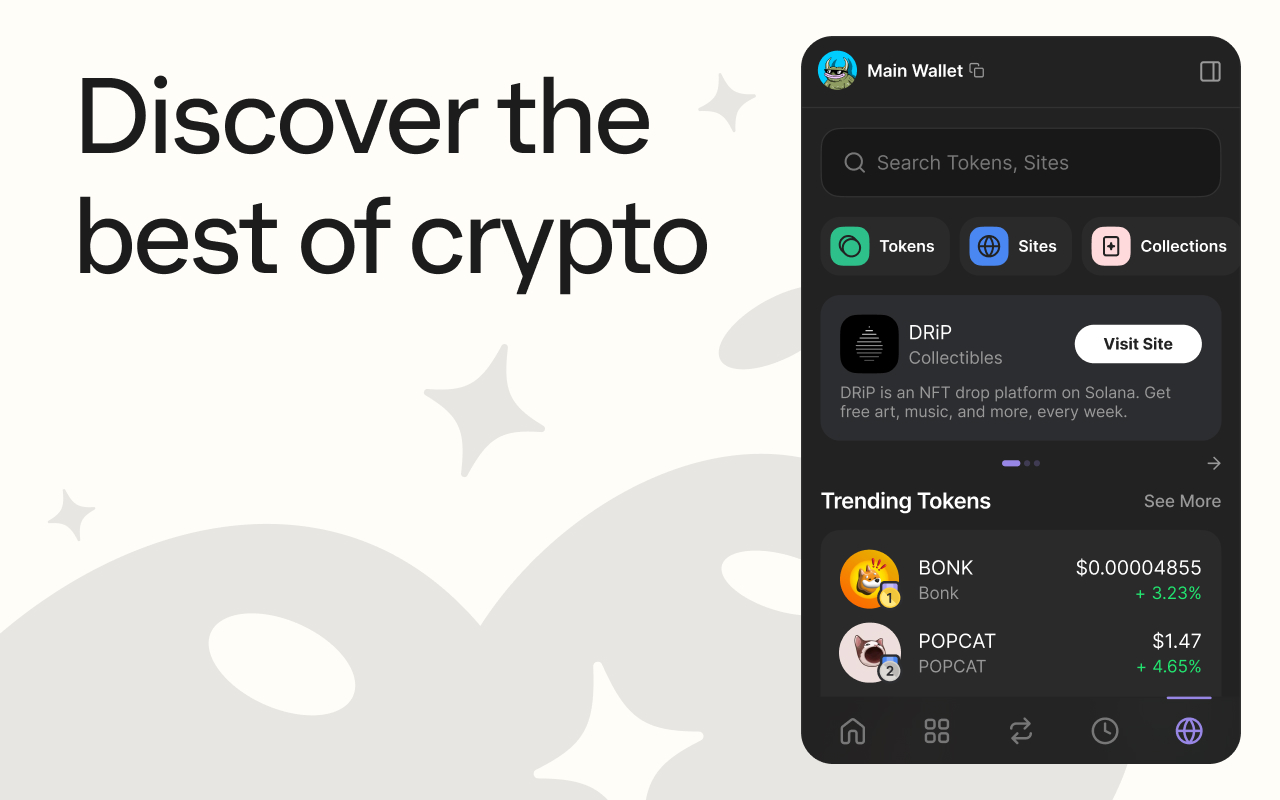
Phantom is the best Solana wallet for most users who want a reliable, easy-to-use non-custodial wallet for everyday on-chain activity. With more than 20 million users, it is the most widely adopted option in the Solana ecosystem, which also means broad dApp compatibility and more community support when something looks unfamiliar.
Why it is the default pick:
- Sends and receives SOL with a simple interface that does not require technical background to use correctly;
- Connects smoothly to most popular Solana dApps, so you are rarely stuck troubleshooting a wallet-side compatibility issue;
- Manages SPL tokens and NFTs in one unified view, making it easier to track a growing portfolio without extra tools;
- Works well as a hot wallet for daily spending, swaps, and minting, where convenience matters more than maximum isolation.
The tradeoff is specialization. Phantom prioritizes accessibility over advanced controls, so if you need detailed staking management or multi-account power workflows, you may outgrow it sooner than later.
Quick fit check: If you check your wallet daily, interact with a handful of dApps, and hold a mix of SOL/NFTs/SPL tokens, Phantom is likely your pick. If your priority is maximum isolation for long-term holdings, skip to Ledger Wallet.
Solflare for Staking
Solflare is the best Solana wallet for users whose primary goal is earning staking rewards. We have even highlighted it in our Solana staking guide. That includes both passive delegation and more hands-on validator management. Used by over 4 million people, Solflare has built its staking-first UX around making reward tracking and validator selection more straightforward.
There are two staking paths to consider:
- Stake and forget: If you want to delegate SOL once and check back occasionally, Solflare’s native staking dashboard shows rewards accrual and validator performance without a third-party explorer.
- Active staking management: If you rotate between validators, split stake across multiple accounts, or monitor commission changes, Solflare’s dedicated staking support and clearer validator metrics give it an edge over general-purpose wallets.
Solflare also functions as a non-custodial wallet with staking built directly into the core app, not bolted on as an afterthought. Additionally, its support channels are more responsive to staking-specific questions, which matters when rewards do not show up as expected.
When not to choose it: If staking is not your main goal and you are mostly trading or NFT-flipping, Phantom’s broader dApp ecosystem will likely serve you better.
Quick fit check: If you delegate SOL and want staking-specific tools baked into your wallet rather than a separate dashboard, Solflare is the fit.
Backpack for Power Users
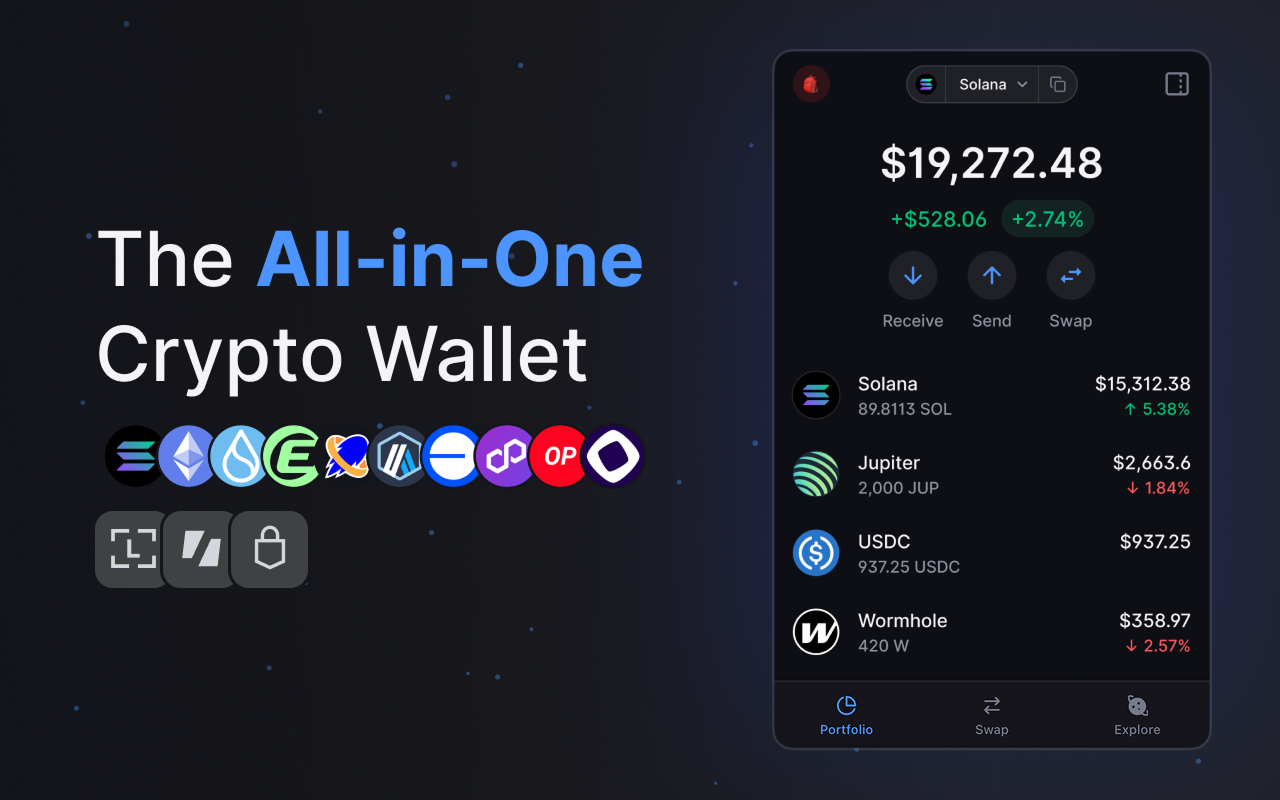
Backpack is the best Solana wallet for power users running workflows that go beyond basic sending and swapping. Particularly, it works for frequent dApp switching across multiple protocols in a single session, managing several accounts or addresses at once, and handling rapid-fire signing and approvals without friction.
Backpack is especially useful because it:
- Supports NFT-heavy activity, including minting, listing, and managing collections across marketplaces without leaving the app;
- Supports multiple accounts natively, so juggling a trading wallet, an NFT wallet, and a testing wallet does not require switching apps;
- Streamlines transaction signing for users who approve dozens of prompts per session;
- Integrates with an xNFT ecosystem that lets power users run wallet-native apps directly inside Backpack.
The tradeoff is the learning curve. Configuring multiple accounts and understanding xNFTs is not worth the setup cost if you are not already doing high-frequency, multi-protocol activity.
Quick fit check: If you switch between five or more dApps weekly, manage multiple addresses, or mint and trade NFTs daily, Backpack’s power-user design can save real time.
Ledger Wallet for Cold Storage
Last but not least, Ledger Wallet is the best Solana wallet for long-term storage. More precisely, it functions as the vault layer in a two-wallet setup rather than a daily-use tool. The operational model is simple: hold the bulk of your long-term SOL and SPL tokens on Ledger, connect it only when you need to move funds or re-stake, and keep a smaller balance in a hot wallet like Phantom or Solflare for everyday transactions.
Ledger Wallet is useful because it:
- Keeps private keys offline in a cold wallet, so your largest holdings are not exposed to a browser or internet-connected device during normal use;
- Pairs with Phantom or Solflare as a hardware signer, letting you use familiar interfaces while keys stay on the device;
- Supports staking directly from cold storage, so you do not have to move funds to a hot wallet just to earn rewards;
- Requires physical access to approve transactions, which adds a deliberate friction step that prevents remote draining.
The tradeoff is usability. Ledger is impractical for frequent, small transactions; plugging in a hardware device for every swap defeats the purpose of convenience-focused daily use. For broader asset visibility and firmware/account management, many users also rely on Ledger Live alongside their Solana wallet interface. If you consider the option, though, in light of recent supply chain attacks, make absolutely sure you are getting a safe device.
Quick fit check: If you are holding SOL or SPL tokens you do not plan to touch for months, or your balance is large enough that losing it would hurt, route it through Ledger Wallet and keep only spending money in a hot wallet.
Hot Wallets vs Cold Wallets
A Solana wallet is defined less by its branding than by where its keys live and how often it touches the internet. That distinction separates hot wallets from cold wallets.
| Wallet Type | Where Keys Live | Best For | Main Failure Mode | Recovery Responsibility | Typical Daily Flow |
|---|---|---|---|---|---|
| Browser Extension | Device, connected to browser | DeFi, NFT minting, frequent dApp use | Phishing sites, malicious approvals | You, via seed phrase | Connect, sign, disconnect |
| Mobile App | Device, connected via app | On-the-go sends/receives, balance checks | Device loss or theft | You, via seed phrase | Scan QR, approve, done |
| Hardware | Offline, on physical device | Large holdings, long-term storage | Physical loss/damage if backup missing | You, via seed phrase + device | Plug in, confirm, unplug |
| Custodial | Exchange’s servers | Active trading, fiat on/off ramps | Platform freeze, insolvency, hack | Exchange’s support team | Log in, trade, withdraw |
Browser Extension Wallets
A browser extension wallet is a hot wallet in the truest sense: it sits in your browser, stays connected to the sites you use should you authorize it, and signs transactions almost instantly. That immediacy is the appeal. If you are minting an NFT the moment a mint goes live or approving a swap mid-trade on a laptop, you do not want to wait on a hardware confirmation.
However, the same always-on connection that makes it convenient also makes it the easiest target for phishing pages and malicious approval requests. The wallet is primed to sign whatever is put in front of it. For that reason, a browser extension wallet is a strong tool for active daily work but a poor long-term vault for holdings you do not plan to touch for months.
Mobile Wallet Apps
Where a browser extension wallet lives inside your desktop workflow, a mobile wallet app is built around phone-native habits: scanning a QR code to receive SOL, sharing an address with a tap, or checking balances away from a computer.
For example, if a friend needs to send you SOL in an offline setting, pulling out your phone and scanning a code is faster than opening a laptop. The tradeoff is a different risk model. Losing a phone is more common than losing a laptop, so lock screens, biometrics, and timely wallet recovery matter more here.
Mobile also falls short when the job calls for juggling several dApp tabs at once. Comparing swap rates across three protocols while monitoring an NFT mint is still smoother on desktop. Popular mobile-first options like Trust Wallet can work well for quick sends and balance checks, but the same device-loss and phishing-link risks apply as with any hot wallet.
Hardware Wallets
A hardware wallet keeps private keys offline on a physical device, which makes it a genuinely cold option rather than just a more cautious hot wallet. The practical model is pairing a hardware wallet with a hot wallet like a browser extension: let the hardware device sign larger or infrequent transactions while a smaller hot-wallet balance handles daily DeFi and NFT activity.
The friction cost is real. Every transaction needs the physical device plugged in and confirmed, so it is noticeably slower than tapping “approve” in a browser. As a rule of thumb, if you are holding SOL or SPL tokens you do not plan to move for months, or the value at risk is high enough that losing it would actually hurt, that friction is worth accepting.
Custodial Wallets
A custodial wallet, the kind you get by default on most centralized exchanges, trades control for convenience. The platform holds your private keys, which means it can freeze, limit, or restrict withdrawals without you holding any key to override that.
This is different from a non-custodial wallet, also called self-custody, where you alone control the keys and no third party can intervene. Custodial setups make sense for short-term balances you are actively trading or moving through a fiat on/off ramp. They are a poor choice for long-term storage, since you are trusting the platform’s solvency and uptime rather than controlling the asset directly.
Feature Comparison Across Leading Solana Wallets
| Wallet | dApp Connectivity | SPL Token Support | NFT Management | Multichain Support | Mobile Performance | Best if you… |
|---|---|---|---|---|---|---|
| Phantom | Browser extension + in-app mobile browser; broadest dApp compatibility | Full SPL support, including newer token standards | Unified NFT + token view, easy bulk viewing | 7 chains including Bitcoin and Ethereum | Smooth deep-linking, fast biometric unlock | Split activity across multiple ecosystems |
| Solflare | Browser extension + mobile; strong with staking-focused dApps | Full SPL support, reliable balance/decimal display | Basic NFT viewing, less built for heavy collection management | Mostly Solana-centric | Solid mobile staking dashboard | Want staking tools without extra friction |
| Backpack | Browser extension + mobile; built for fast multi-dApp switching | Full SPL support, including xNFT-adjacent token types | Strong bulk NFT management, built for frequent minting/trading | Mostly Solana-centric | Fast signing flow, less polished on mobile-only tasks | Run high-frequency, multi-protocol sessions |
| Ledger Wallet | Hardware pairing flow with Phantom/Solflare as signer | Token-2022 support added, but variance exists by firmware | Best for isolated “vault” storage, not daily browsing | Multichain via companion app, not native wallet UI | No native mobile app; relies on paired hot wallet | Hold long-term “grail” assets you rarely touch |
dApp Connectivity
Connecting to a decentralized application is not a single, uniform action across surfaces and platforms.
A browser extension wallet connects through a pop-up modal directly in your desktop browser. A mobile app usually connects through an in-app browser or a wallet-connect style handoff, since phones do not run extensions the same way. A hardware wallet like Ledger does not connect directly to dApps at all; instead, it pairs with a hot wallet such as Phantom or Solflare and acts as the signer, approving what the hot wallet initiates.
Before trusting any wallet for a new dApp session, see if you can answer these questions to satisfaction:
- Does your wallet actually appear as an option in the dApp’s connect modal, not just a generic “WalletConnect” placeholder?
- When you approve the connection, does the prompt show the expected program or dApp name, not an unfamiliar or truncated one?
- Can you switch accounts within the wallet without breaking the active dApp session?
If any of these fail, treat it as a compatibility flag before signing anything.
SPL Token Support
SPL is Solana’s token standard umbrella akin to Ethereum’s ERCs; similarly, not all SPL token support is equal. Basic SPL tokens, the original standard, display and transfer predictably across Phantom, Solflare, and Backpack with no major differences. Newer token variants built on another, Token-2022 standard introduce features like transfer fees and confidential transfers, and that is where support gaps appear.
When a wallet has not fully integrated Token-2022, one of three failures usually appears:
- The token does not display at all;
- Transfers fail silently or get rejected;
- The balance shows with incorrect decimals in the UI.
Before moving a newer SPL token in bulk, send a small test amount first and confirm that it displays correctly on the receiving end.
NFT Management
How a wallet handles NFTs can depend on what you actually do with them. Viewing a collection is table stakes. Sending, organizing by collection, and filtering spam or hidden items is where the gap widens.
Phantom and Backpack both offer cleaner collection organization and spam-NFT hiding, which matters once your wallet starts accumulating airdropped junk. Backpack goes further with bulk management tools built for frequent minting and listing across marketplaces.
The practical distinction is whether a wallet functions as a daily NFT wallet or a vault. Phantom and Backpack are built for daily use: fast review, quick listing, and easy switching between pieces. Ledger Wallet is built for isolation: NFTs sit there, untouched, with no fast workflow for active trading. If you mint or claim often, prioritize fast review and bulk management. If you are holding valuables you do not plan to move, prioritize isolation.
Multichain Support
It’s rarely just Solana for most users. “Multichain” inside a wallet app means three distinct things:
- Holding and viewing assets from multiple chains in one interface;
- Generating receiving addresses for those chains;
- Offering a token swap or cross-chain bridge to move value between them.
Not every wallet does all three equally well. Phantom supports 7 chains, including Bitcoin and Ethereum alongside Solana, which makes it a genuine multichain wallet rather than a Solana-only app with extra labels. That breadth is useful if you split activity across ecosystems and do not want separate apps for each.
Solflare and Backpack remain largely Solana-centric, with limited or no native multichain asset management. Ledger supports multichain holdings through its companion app, but that is a different interface than the Solana-focused signing flow most readers will use day to day.
The practical gotcha is simple: seeing multiple chains listed in the same wallet app does not mean those assets are interchangeable. Moving value from Ethereum to Solana still requires an actual cross-chain bridge or swap. The wallet displaying both balances does not create a shortcut around that step.
Mobile Performance and Feature Differences
It warrants a mention that mobile and desktop versions of the same wallet do not always behave identically. A few frictions show up consistently across Phantom, Solflare, and Backpack:
- Deep-linking into a dApp from mobile can drop you into a wallet-connect style handoff instead of a direct in-app connection;
- Biometric unlock is fast for a single check-in, but repeated signing can turn convenience into signing fatigue;
- Multi-tab DeFi workflows, such as comparing swap rates across protocols or monitoring several positions at once, are still cramped on a phone screen.
For active users, a two-device operating model works better than forcing one device to do everything: desktop for heavier dApp sessions and mobile for quick balance checks or fast sends when you are away from a computer.
Solana Wallet Security
Even the best Solana wallet cannot protect you from losses that come from exposing your seed phrase, skipping a backup test, or blindly approving a malicious transaction.
Security is a workflow, no matter which app you use. The wallet provides the tool, but the user controls the signing behavior.
Seed Phrase Protection
Your seed phrase, also called a recovery phrase or mnemonic phrase, is the master key to every address it generates. Anyone who has it can recreate your wallet on another device and move funds out, instantly and irreversibly.
Most seed phrase compromises do not come from exotic hacks. They come from repeatable mistakes:
- Entering it into a website or app: No legitimate Solana wallet, dApp, or support tool will ever ask you to type your recovery phrase into a form. If a page asks for it to “verify” or “reconnect” your wallet, that is a phishing attempt.
- Storing it in cloud notes or screenshots: Notes apps, photo libraries, and cloud backups sync to multiple devices and servers you do not fully control.
- Clipboard or keylogger exposure on infected devices: If malware is already on your computer or phone, typing or pasting your seed phrase anywhere can be captured silently.
- Fake support or scam DMs: Scammers impersonating wallet support staff on Discord, Telegram, or X will ask you to “share your phrase to fix an issue.” Real support never needs it.
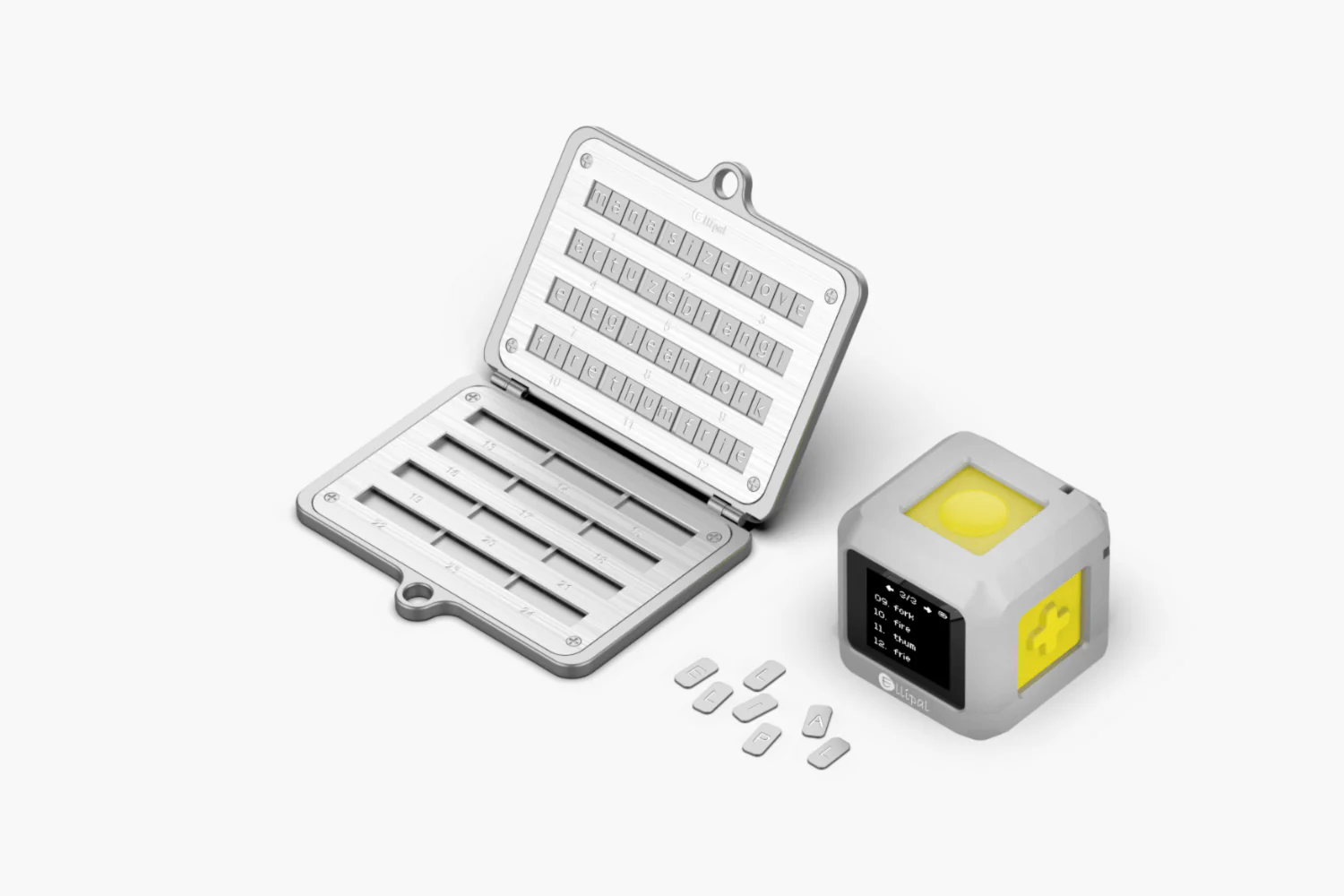
The gold standard storage pattern is simple: write the recovery phrase by hand on paper or a metal backup plate, keep it entirely offline, and store it somewhere protected from fire and water damage, such as a safe or safety deposit box. It should never exist as a digital file, photo, or cloud-synced note.
For more seed phrase security tips, see our guide on this topic.
Wallet Backup
“Backing up a wallet” actually covers three different things, and conflating them is a common mistake.
- Seed phrase backup: This is the recovery mechanism for the wallet itself. It is the offline, handwritten copy that lets you restore access if your device is lost, stolen, or wiped.
- Device/app access backup, such as PIN/biometrics: This protects the wallet app on your current device, not the underlying keys. Losing your PIN or biometric access without a seed phrase backup still leaves you locked out permanently.
- Account labeling and address book entries: This is convenience data. Labeled accounts and saved addresses make daily use easier, but none of it is recoverable through the seed phrase. If you rely on labels to track multiple accounts, note them down separately.
Before depositing meaningful funds, test your seed phrase backup on a clean device or a fresh wallet profile. A successful test means the same addresses and accounts reappear exactly as before, balances display accurately, and you can sign a small transaction without errors. If any of those three fail, do not fund the wallet until the issue is resolved.
Hardware Wallet Pairing
For regular Solana dApp use, the practical model is a daily hot wallet for browsing paired with a hardware wallet acting as the signing authority, or vault, for anything of real value. The hot wallet handles connections, approvals, and session browsing; the hardware wallet steps in only to authorize the transactions that matter.
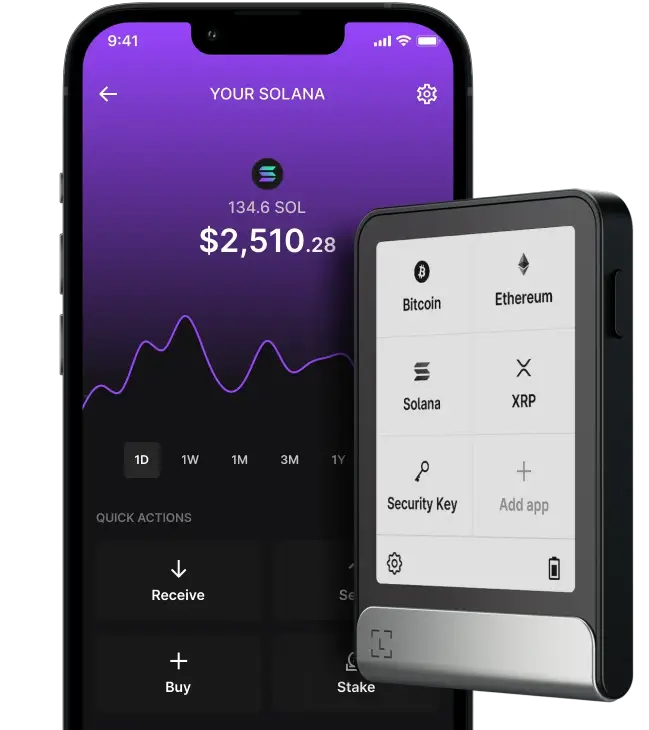
When pairing a hardware wallet, look for these exact behaviors in the wallet UI:
- The hardware device connects explicitly as a signer, not just as another account;
- The receiving address is verifiable directly on the hardware device’s screen, not only in the software interface;
- Transaction details, amount, destination, and program are shown and must be confirmed on the device itself before signing.
The gotcha is obvious but important: this workflow only works if you physically have the hardware device with you. If you are traveling or away from it for any other reason, you cannot authorize anything. That is the tradeoff for stronger isolation.
As a rule of thumb, route anything through hardware signing if the value at risk is high enough to hurt if lost, or if you interact with DeFi and NFT platforms frequently enough that a compromised hot wallet could drain real funds.
Scam and Approval Protection
Most Solana losses that are not seed-phrase related come from approving something malicious without realizing it. Before confirming any transaction, run through this checklist:
- Confirm the dApp domain: Check the actual URL, not just the page branding, especially if you arrived through a link.
- Sanity-check the action type: Know whether you are approving a transfer, a swap, an NFT mint, or a token approval, and whether that matches what you intended.
- Scrutinize the destination address or program label: If your wallet surfaces a program name or address, verify that it looks consistent with the dApp you are using.
- Watch for unexpected multi-step prompts: A simple swap that suddenly asks for multiple signatures in sequence is a common sign of a malicious batch approval.
- Use a small test transaction first: When interacting with a new app for the first time, send a minimal amount before committing larger funds.
Wallet-level tooling can add a meaningful layer here. Solflare Shield, for example, uses an EAL6+ certified secure chip to isolate and verify signing operations, an example of how wallet-integrated security features can reduce approval risk without changing your workflow.
To read more on how to secure your crypto wallet and avoid crypto wallet scams, see our other guides.
Solana Wallet Tracking and Analytics
Once a wallet is set up and secured, monitoring it becomes its own discipline. There are four distinct jobs: alerts, performance reporting, balance snapshots, and portfolio review. Picking the wrong tool for the job is the most common mistake.
For a quick reference: wallet tracker bots push alerts the moment something happens on a watched wallet address. PnL trackers generate performance reporting after the fact. Balance checkers give a point-in-time snapshot with no real history attached. Portfolio dashboards aggregate multiple wallets into one Solana-only or multichain view.
Wallet Tracker Bots
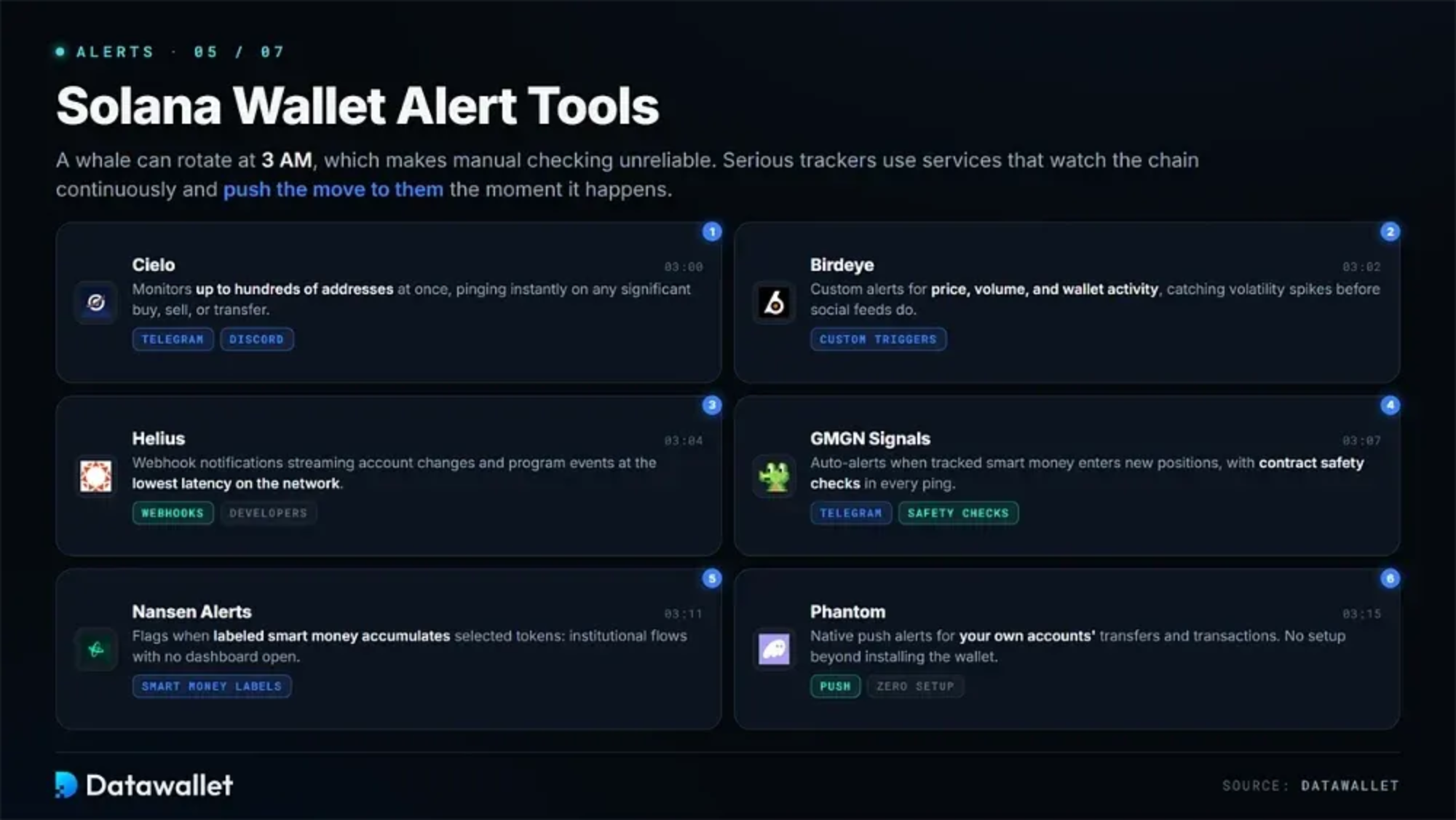
First, a wallet tracker bot watches one or more Solana wallet addresses and sends a notification when a qualifying on-chain event happens.
The alert types worth configuring are:
- Inbound and outbound transfers: Any SOL or SPL token moving in or out of the watched address.
- Large balance deltas: A single transaction or cumulative change above a threshold you set.
- New token receipt: Useful for noticing new SPL tokens, but spam airdrops trigger the same alert as legitimate transfers.
- NFT mint or transfer: Useful for tracking when a watched wallet mints, receives, or moves an NFT.
- First interaction with a new program or dApp: If supported, this can flag the earliest signal of a new DeFi position or an unfamiliar interaction.
The main limitation with bots is noise, not accuracy. They are fast, but a busy wallet interacting with several protocols can generate a flood of alerts that buries the one that matters.
Luckily, one noise-reduction tactic is thresholding. Limit alerts to transfers above a set SOL amount, or scope the bot to specific token mints or wallets you actually care about rather than trying to catch everything.
PnL Trackers
Secondly, PnL trackers report performance, but “PnL” can mean three different things depending on the tool.
- Realized PnL: Profit or loss locked in from completed sells or swaps.
- Unrealized PnL: The paper gain or loss on assets you still hold, based on current price versus cost basis.
- Cashflow-based views: A simpler ledger of deposits and withdrawals without assigning a cost basis to individual assets.
Numbers can differ meaningfully across Solana PnL tools because of how the chain itself works. DEX routing can send a single swap through multiple pools. Partial fills from aggregators can split one trade into several on-chain records. Token decimals and price-source variance can change the dollar value assigned to the same trade. Moving assets between your own wallets can also reset cost basis in tools that do not recognize the transfer as internal movement.
Before trusting any PnL figure, ask four questions:
- Which wallets are included in the calculation?
- What time range is the report covering?
- Does the tool treat wallet-to-wallet transfers as buys/sells, or recognize them as internal movement?
- What price source is it pulling from?
Balance Checkers
Thirdly, a good Solana balance checker shows three things clearly: your SOL balance, your SPL tokens broken out by mint address, and recent changes to those balances.
The gotcha is that a balance can look missing or wrong simply because the checker does not recognize a particular token standard or metadata. That does not mean the funds are gone. When a token display looks off, verify the mint address and the transaction directly on a block explorer rather than assuming the tool’s display is the on-chain truth.
Portfolio Dashboards
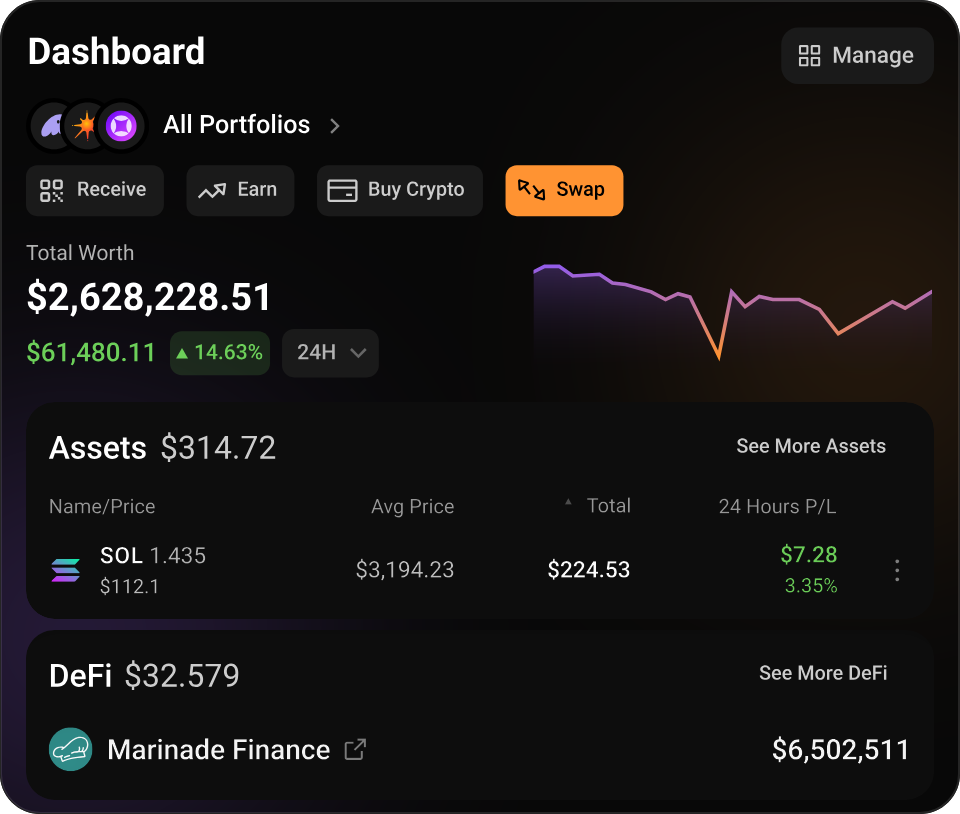
Fourth, portfolio dashboards split along two axes: single wallet versus multi-wallet, and Solana-only versus multichain. A single-wallet, Solana-only dashboard is enough if you track one address and do not hold assets elsewhere. A multi-wallet, multichain dashboard makes more sense once you are running separate trading, NFT, and vault wallets, possibly alongside non-Solana holdings.
When choosing a dashboard, three criteria matter most:
- Does it support all accounts you actually use, not just your primary wallet?
- Does it handle DeFi positions and NFTs, if those make up part of your holdings?
- Does it offer export or reporting features, such as CSV or tax-ready output, if you need that level of record-keeping?
The practical workflow pattern is simple: use a dashboard for weekly review and leave real-time alerts for inbound transfers, large deltas, or new program interactions to wallet tracker bots.
Conclusion
To nobody’s surprise, what is best for you is not universal, and it is okay. Wallet apps are tailored to specific use cases and needs, and Solana’s ecosystem in particular can boast a strong selection of genuinely useful choices.
Learn more about Solana or branch out to other crypto ecosystems with the ChangeHero blog! Follow ChangeHero on X, Facebook, and Telegram for daily updates, tips, and more content.
Frequently Asked Questions
Can a Solana wallet hold SPL tokens?
Yes. SPL tokens are Solana’s native token standard, and most Solana wallets support them by default alongside SOL. The nuance is that some newer or less common SPL tokens may not display correctly if your wallet does not recognize their metadata or standard. If a token looks missing or wrong, verify it by its mint address rather than assuming the funds are not there.
Is Phantom the only Solana wallet?
No. Phantom is one of several non-custodial options, alongside other software wallets and hardware devices built for different priorities. Even outside the Solana-native ecosystem, support keeps expanding: MetaMask has supported Solana natively since May 2025, which underscores that Phantom is not the only option for accessing the chain.
Whether you want a staking-first experience, a power-user workflow, or cold storage, the right choice depends on your use case.
Can I stake SOL directly from my wallet?
Yes. Most Solana wallets let you delegate SOL to a validator directly from the wallet interface, with no separate staking platform required. The practical constraint is liquidity: once SOL is staked, it is locked and requires an unstaking period before it becomes available again. Do not stake funds you may need on short notice.
Do I need a hardware wallet for Solana?
It depends on how much value is at risk and how often you interact on-chain. As a rule of thumb, a hardware wallet is most useful for long-term storage or larger balances, while a hot wallet is generally fine for small, everyday spending.
Are Solana wallets safe to use?
Yes, Solana wallets can be safe when used correctly. However, the real risk level depends on whether you are using a hot wallet or cold wallet, how you protect your seed phrase, and how carefully you approve transactions. The safest setup for many users is a two-wallet model: a hot wallet for daily activity and Ledger Wallet or another hardware wallet for long-term holdings.