
How to Swap Crypto with ChangeHero in OneKey App?

Whether you are an owner of a OneKey cold wallet or use their software without any device, you can avail of dozens of features in the free OneKey app. Instant crypto exchange is one of them, and in this guide we will show you how it stands above similar integrations in other wallet apps and why you should opt for ChangeHero when using it.
Why OneKey?
First and foremost, OneKey is a hardware crypto wallet manufacturer. Their mission can be described as making self-custody and cold storage of crypto, widely considered to be the safest option, as accessible as possible. Their product lineup proves this: from an advanced OneKey Pro to more simple and economical OneKey Classic devices, this brand offers solutions in a wide price range that caters to crypto users of all levels of experience.
Beyond the hardware, OneKey offers one-on-one onboarding sessions (OneKey Sifu) to assist users with handling self-custody, as well as supplementary products such as OneKey Lite and KeyTag for extra secure backups. Last but definitely not the least, the companion app which this guide will talk about next, OneKey App, is completely free and can be used as a standalone software wallet.
With a product lineup like OneKey’s, it is safe to say they can provide something for virtually any kind of crypto user.
Why ChangeHero?
Since the ChangeHero integration in OneKey App, users can choose this provider for swapping supported cryptocurrency pairs. If you use the feature, you may have already done so: the app automatically chooses the best quote, and ChangeHero dedicates much of the work to consistently provide the best live exchange rates.
OneKey and ChangeHero also align in the approach to self-custody: whether you manage cryptocurrencies from cold storage in a hardware device or hot storage in OneKey App, your funds move straight from and to addresses you control. There are no bridging or wallet approvals involved.
Despite the breadth of audiences OneKey caters to, the one that gets the most from its products are more advanced users. They can appreciate a great variety of portfolio management tools built into the app, as well as DeFi integrations. The Trade tab incorporates instant swapping, best for portfolio rebalancing, bridging for sophisticated DeFi strategies, and even tokenized stock trading for those who want the convenience of blockchain-based technology for traditional assets.
The ChangeHero integration lives in the swapping portion of this extensive part of the wallet app. As the experience shows, even beginners are no strangers to the handiness of this functionality, and ChangeHero is equipped to handle swapping for more than 400+ assets, making it over 150,000 possible pairs for any kind of strategy.
Exchanging Cryptocurrency in OneKey App: Step-by-Step Tutorial
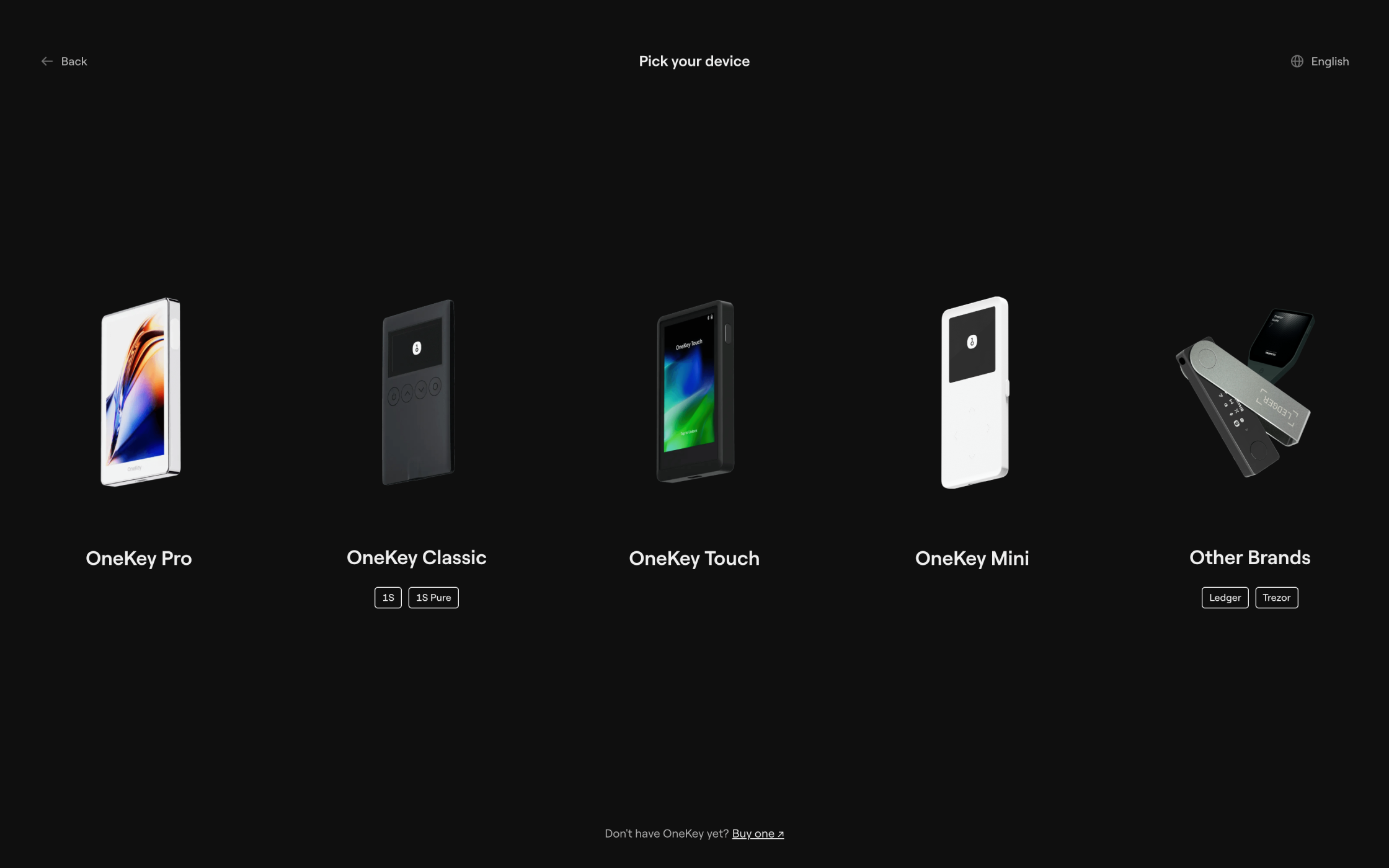
First things first: if you own a OneKey device or even a Ledger or Trezor hardware wallet, do not skip this step. Upon initialization of the OneKey app on a new device, you will be prompted to create a new wallet, import an existing one via a recovery phrase, or connect a hardware wallet. These steps are not interchangeable: the interface discourages the users from importing a seed stored on a cold wallet that can be connected, which will lead to it moving to hot storage.
We imported an HD wallet that already had some TRON for gas and USDT on the corresponding network. Let’s try swapping the stablecoin for more TRX: to start a swap, multiple routes are available. Before we review how to choose a provider, let’s focus on the first step. It can be initiated from the Trade tab of the desktop wallet, as well as in the Wallet tab, accessible through a three-dot button under the total balance.
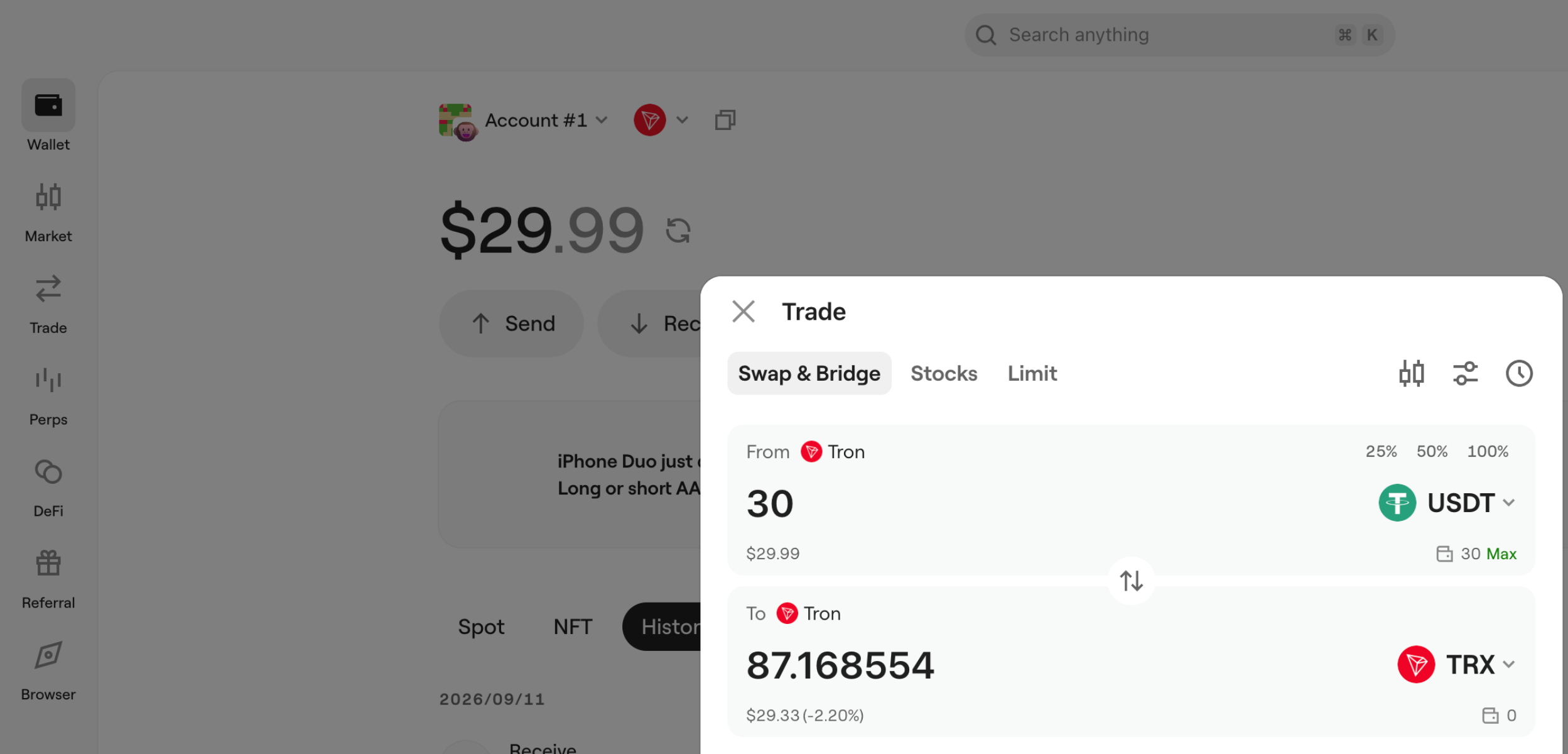
The window that pops up is identical, so you are not missing any features by using either route.
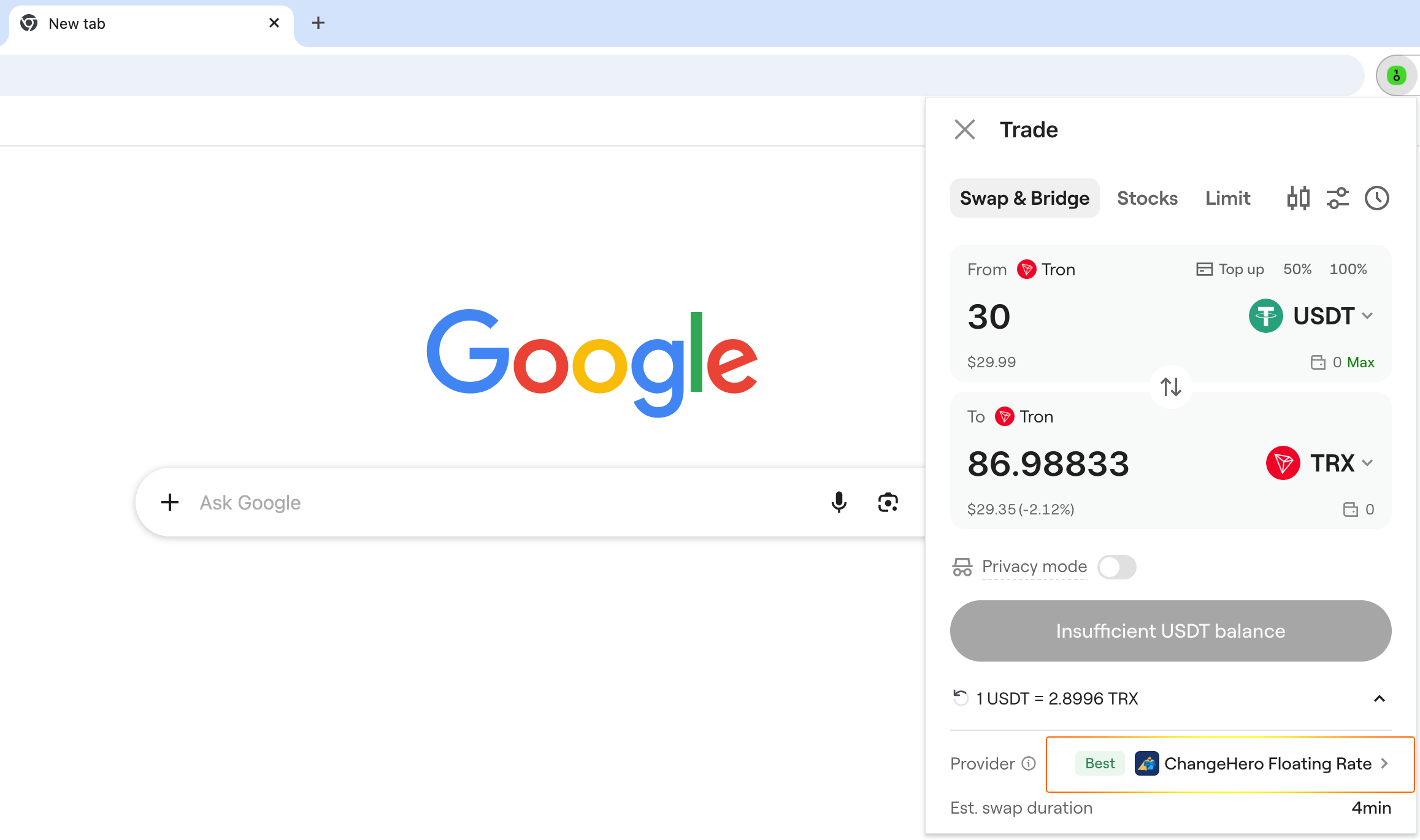
In the Chrome extension version, the swapping menu is opened with the same three-dot button on the initial page (for the lack of a dedicated Trade tab). Now, let’s review how providers are chosen: likewise, the process is very similar across versions, so the extension works as a universal example.
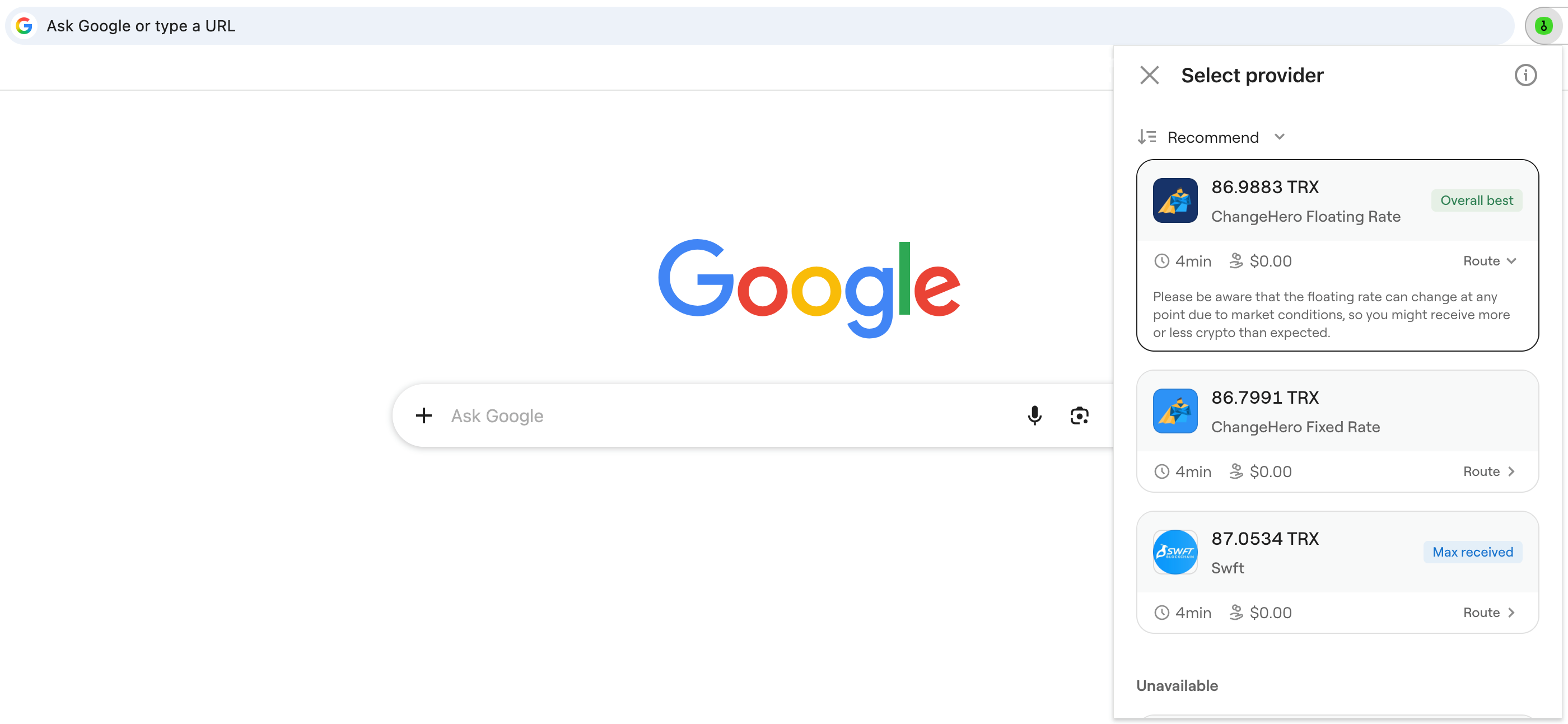
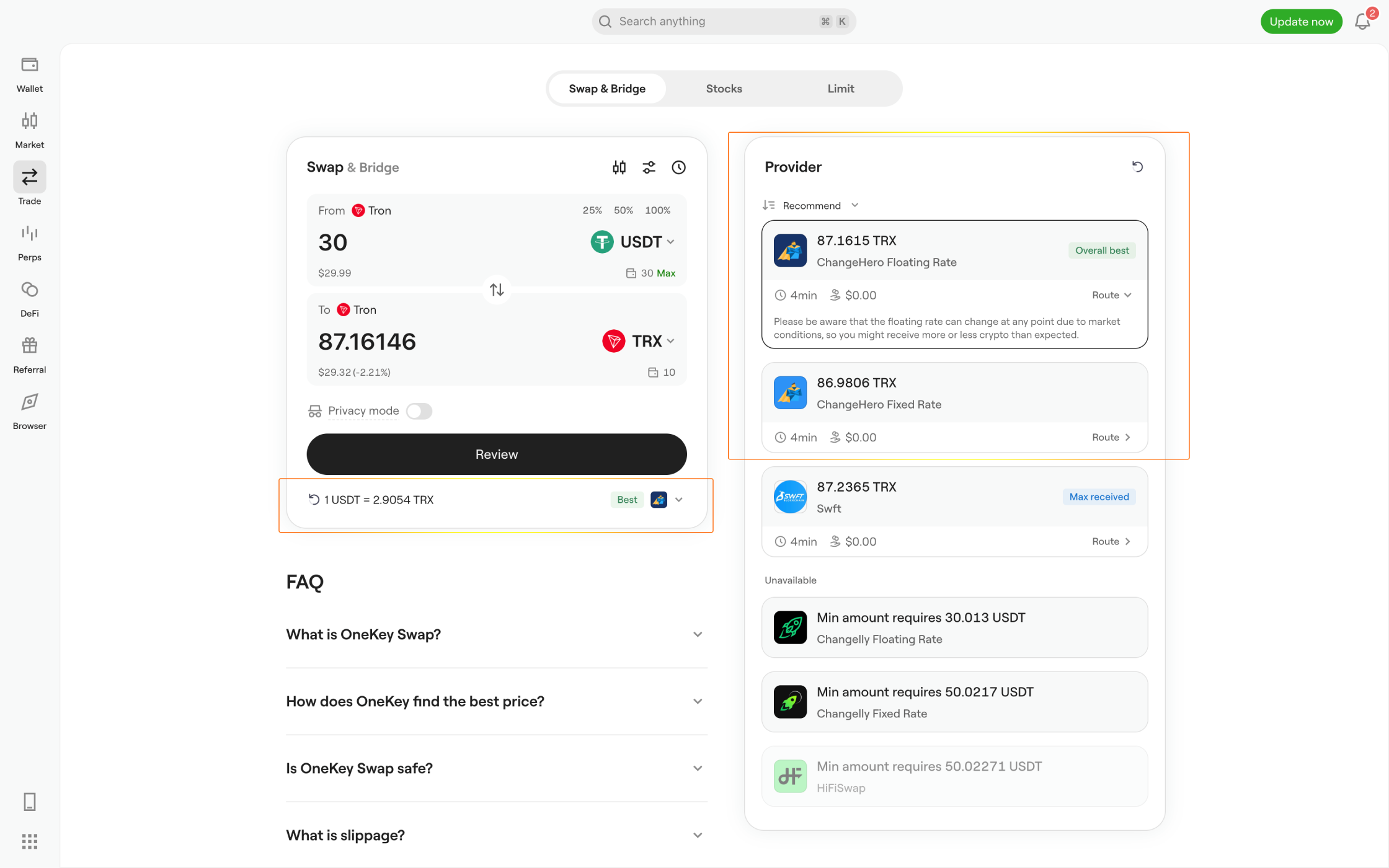
By default, you are given the best offer, so you do not have to manually choose between quotes but you do have that option. In the desktop version, the menu is to the right of the widget, and in the extension it is collapsed and requires opening.
OneKey uses various labels to help you compare offers by rates and ETA. Floating and fixed rates are clearly separated as well: the decision whether you can accept the result changing or would rather, as a rule, pay a slightly higher commission to keep it predictable, is up to you.
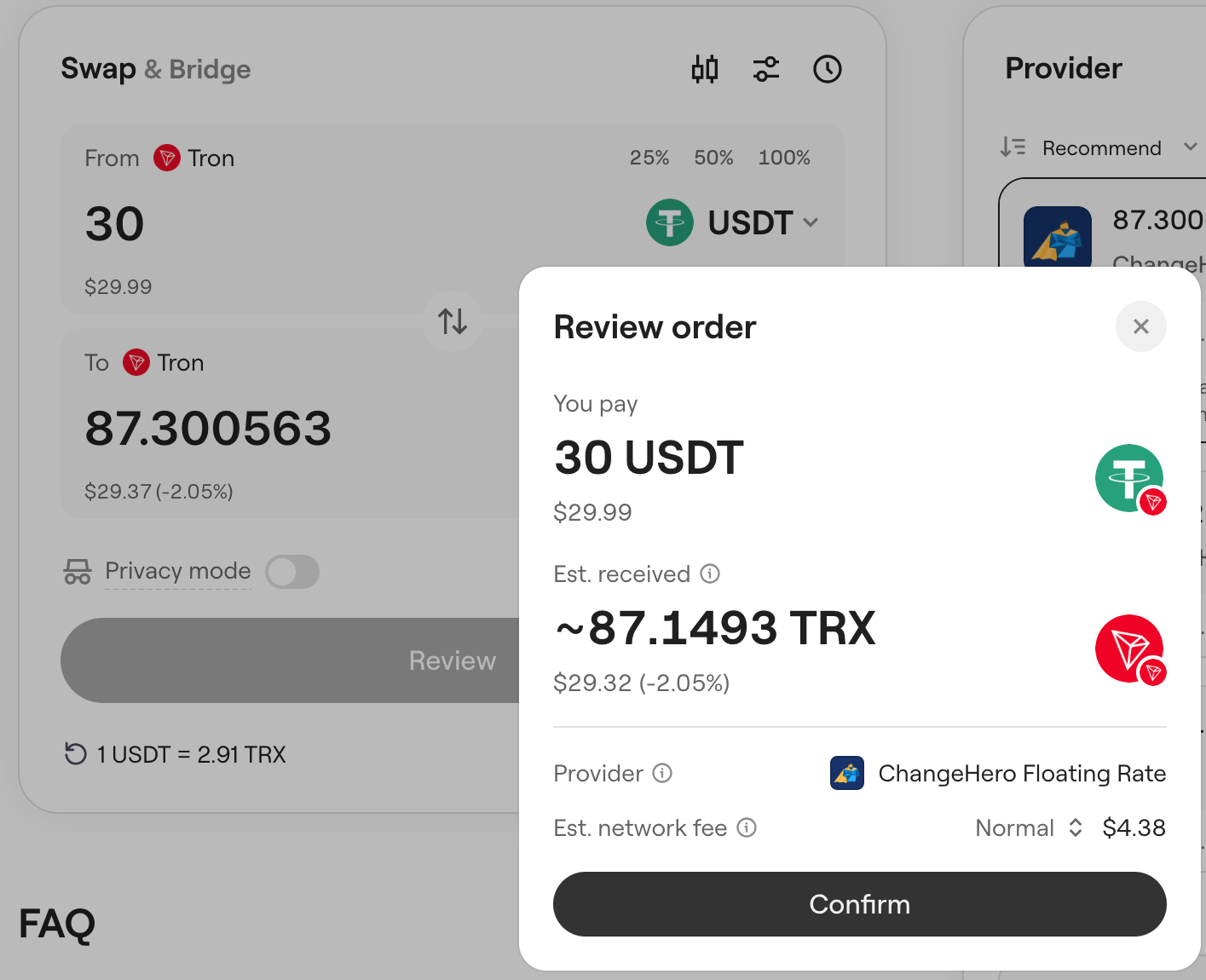
When you are ready to proceed, you will be prompted to confirm the details of your order again. You may notice that since clicking ‘Review’ and taking the screenshot, the estimate has been updated.
At this point, the wallet app assembles a transaction to broadcast, so if a cold wallet is involved, this is when extra authentication kicks in.
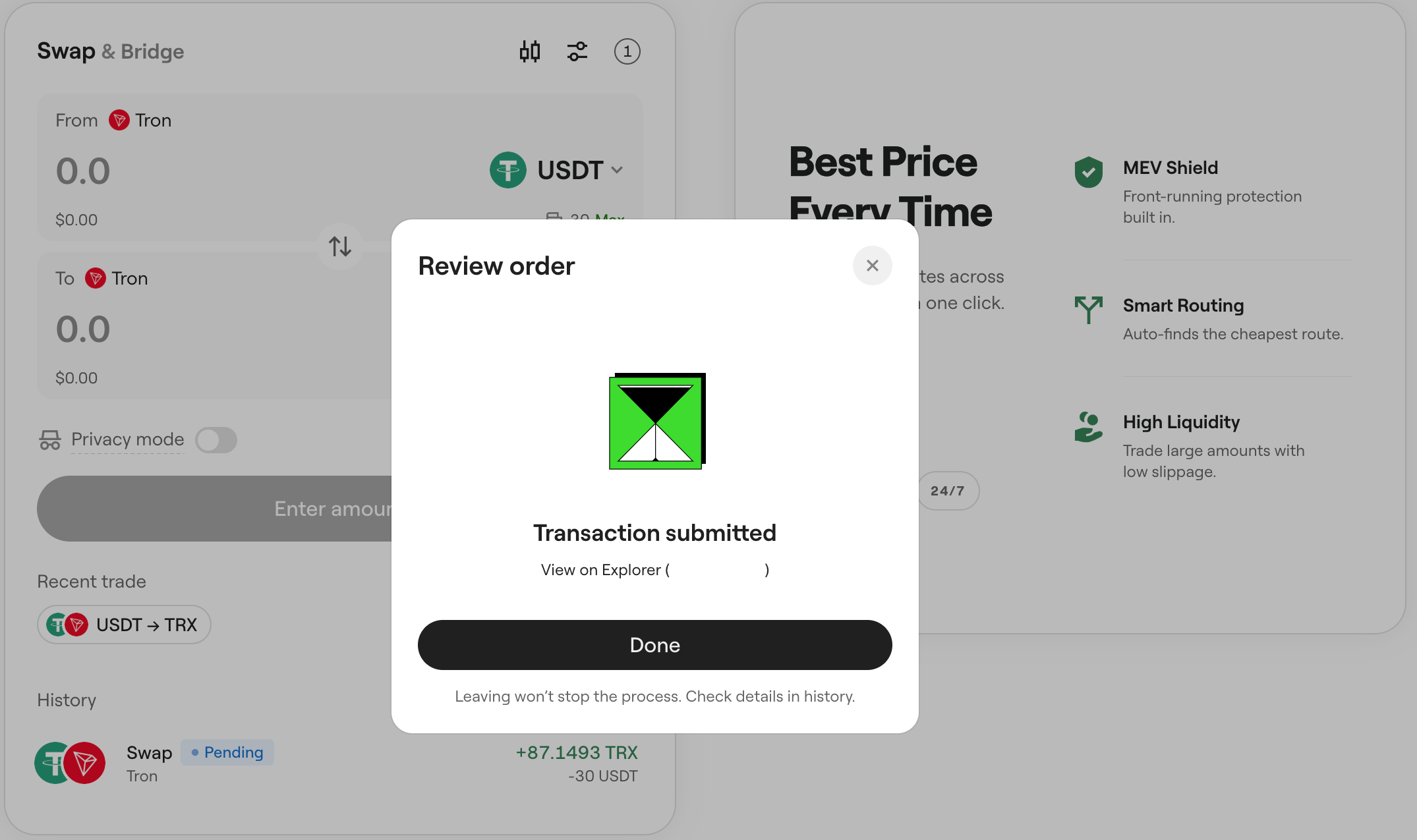
If your transaction is valid and you have enough for gas, the exchange will be confirmed and submitted. OneKey app also provides you with an external link to check an outgoing transaction in a third-party blockchain explorer. As the popup says, you can close the window and continue using the app as normal.
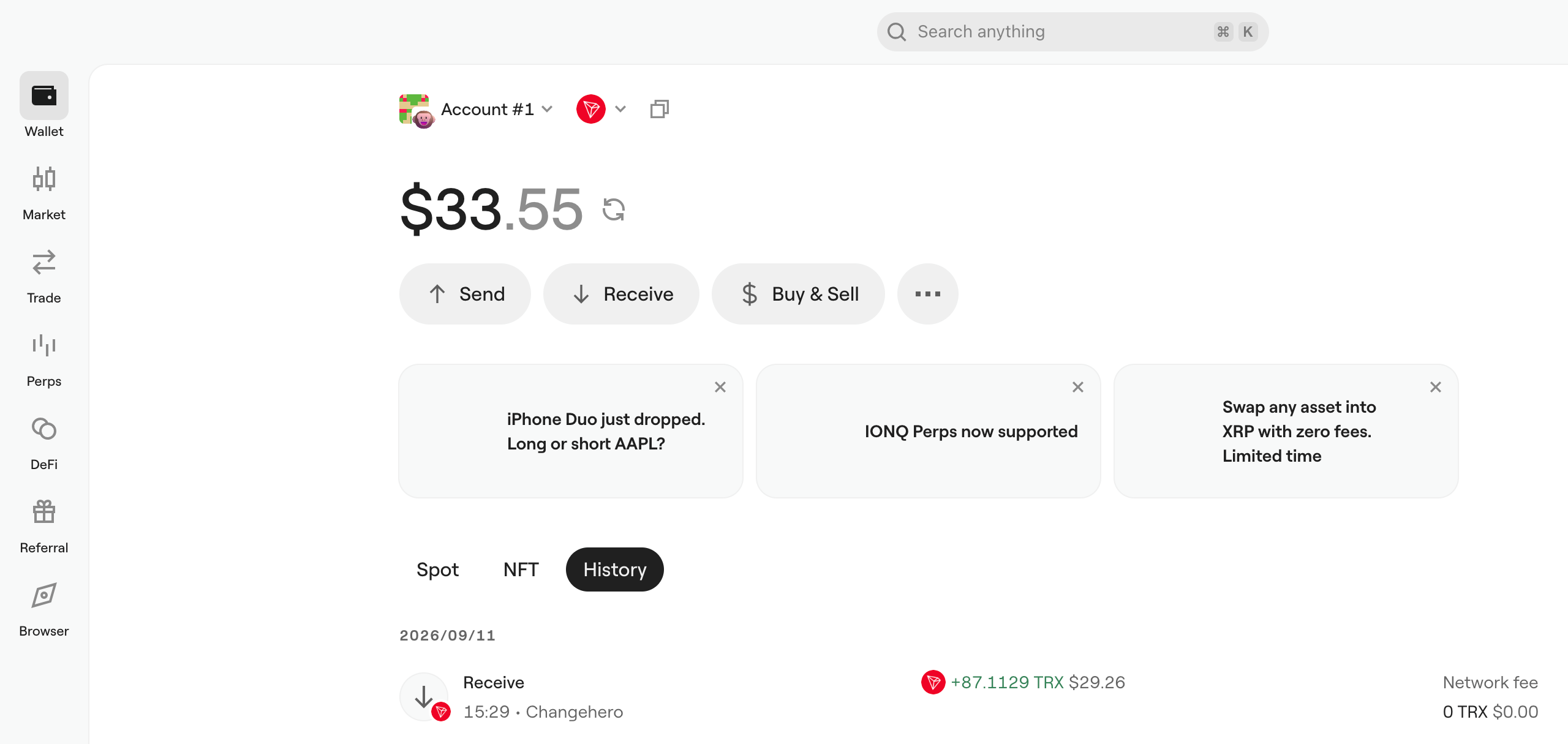
Like starting the swap, looking up its details is possible in at least a couple of ways:
- In the transaction history in the Wallet tab, or
- Under the widget in the Trade tab (the shortcut under ‘History’, ‘Recent trade’ is for repeating).
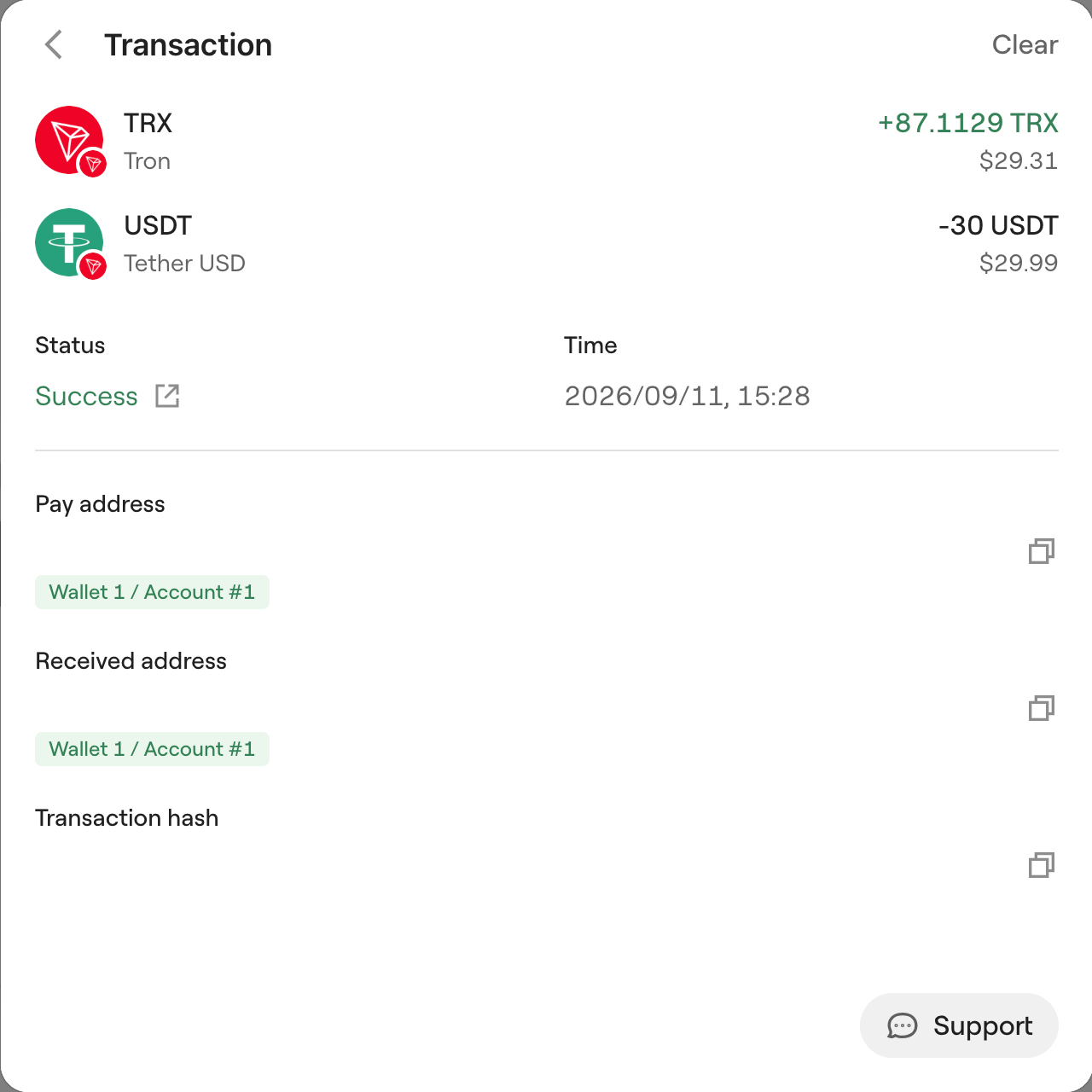
Our swap was rather quick, so neither cross-referencing the status in a blockchain explorer or contacting support was necessary but just in case, both options are available.
Overall, even though OneKey seems to prioritize a number of features over simplicity, once you know where to start, it is easy and self-evident what to do. The offers work out exactly as labeled, and if you want to for any reason, tweaking is possible thanks to a nice breadth of quotes and providers.
Conclusion
OneKey App includes dozens of providers to ensure users can always access the swap functionality on their own terms. Even though our single trial swap is no indication that ChangeHero always comes out on top, it probably played no small part in the test having gone smoothly.
The ChangeHero blog too has something to offer for absolute beginners in crypto and experienced users. For updates and extra helpful content, follow us on Telegram, X, Facebook, and LinkedIn.
Get updates from the OneKey team in their X account.