
How to Swap Crypto with ChangeHero in Tangem?
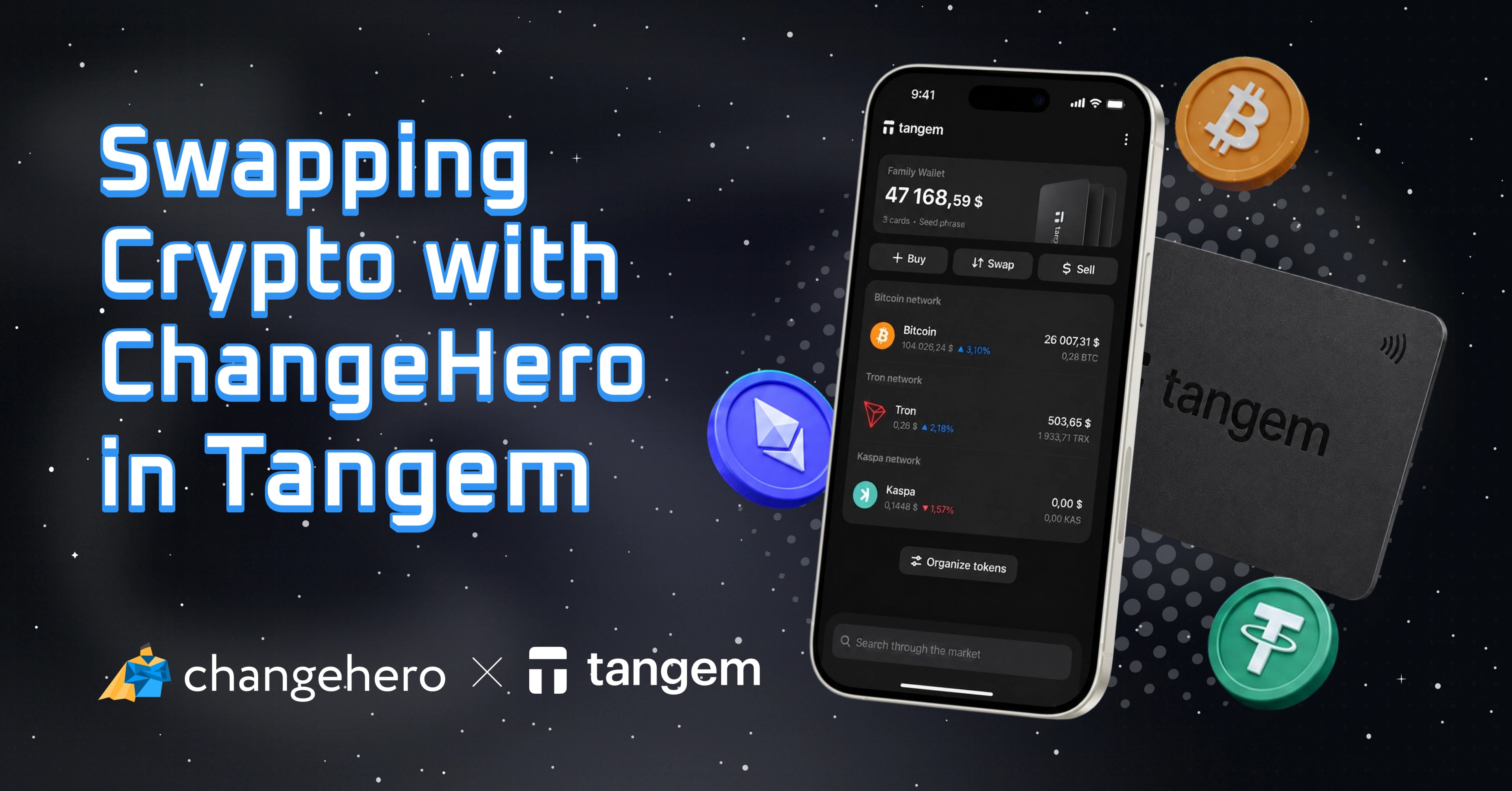

You might already know that ChangeHero is integrated in a number of popular crypto wallets, including Tangem. But not every ChangeHero user has used Tangem and it is possible not every Tangem user knows everything about swapping crypto with ChangeHero. In this guide, we’ll highlight why this combination works so well.
Why Tangem?
Most crypto hardware wallets utilize chips to store the most important data related to crypto assets: cryptographic key pairs and recovery seed. Tangem takes this core component and puts state-of-the-art Samsung chips into the stylish and conspicuous form factor of a card.
Unlike other popular hardware wallets, Tangem cards have no power element and do not require wire connection, increasing their lifetime and convenience. Signing a transaction requires NFC connection with a smartphone with the companion app.
The smartphone app does not require a Tangem device to use, although to manage several HD wallets, one or more cards may be necessary. Even on its own, it offers a great variety of features for portfolio management: live prices, swapping, buying and selling, and WalletConnect for Web3 and DeFi interactions.
Tangem cards utilize seedless design, lowering the threshold to self-custody. Storing a seed phrase securely is one of the main hurdles, and a faulty or lost backup can mean loss of funds forever. Tangem addresses this by offering packages of multiple cards which serve as backup copies, intuitively much more familiar even to the newest crypto users.
Why ChangeHero?
Instant crypto exchange ChangeHero is one of the providers available in the in-app crypto swap feature of Tangem’s software wallet. The ChangeHero integration in Tangem did not happen to have one more line in the menu but for tangible benefits that the service provider brings to wallet users.
First of all, ChangeHero is a non-custodial service that does not hold user’s crypto assets. This is especially relevant for those who use hardware wallets such as Tangem: their funds remain in their custody, never exposed to online threats.
Secondly, being established in 2018, ChangeHero team has spent years refining the service with particular focus on rate engine to reliably offer the most competitive live exchange rates. This also translates into a 99% success rate and the fastest swaps in comparison to competitors.
Thirdly, as we are about to see, swapping crypto with ChangeHero in the Tangem app is even more convenient than using it on the web! Without further ado, let’s move to the walkthrough.
Step-by-Step: How to Exchange Crypto with ChangeHero
The Tangem app makes it as straightforward as possible to exchange crypto assets with the in-app feature but if you are here to learn how exactly it works, we are here to deliver.
You can access the Swap tab from the home page with a button right below the total balance. It opens the interface where you can specify the asset pair and amounts: how much you will send and an estimate of how much you will receive. In Tangem in particular, you have an additional choice: who will process the exchange.
To choose a provider, tap the Providers button. By default, it is one that offers the best current rate for your swap. However, the choice is yours: keep the offer or pick another provider. Tangem even labels those who were not approved by the UK FCA.
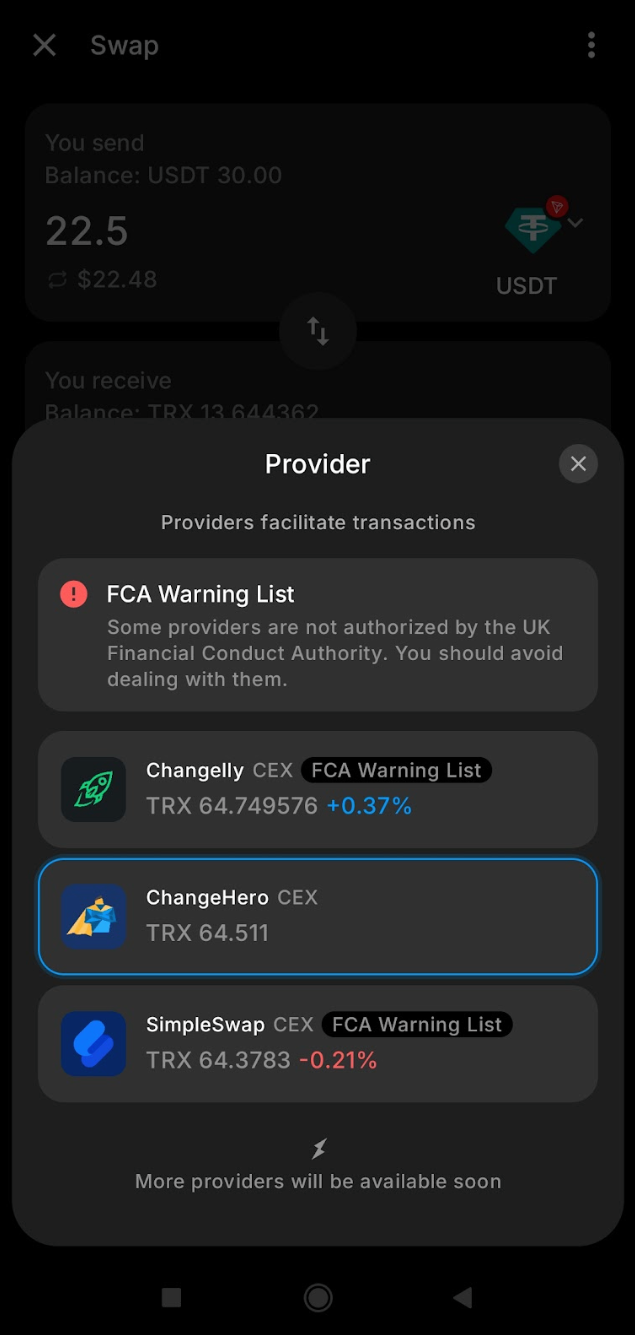
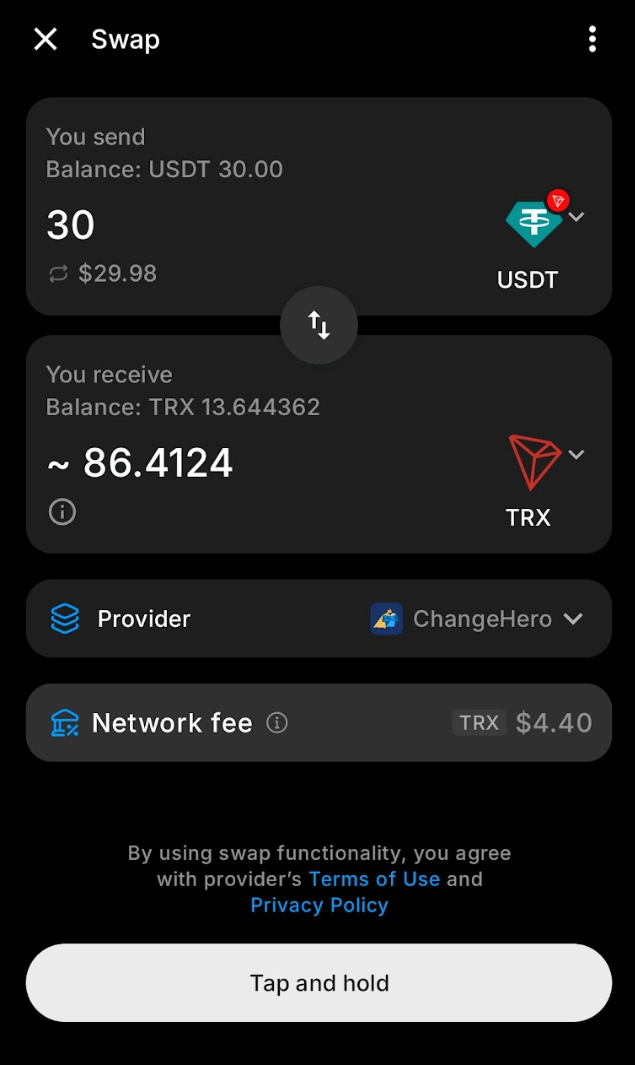
We chose to swap USDT on Tron for some TRX. This pair had three offers to choose from, and we went with ChangeHero. Before you confirm the transaction, read the Terms of use and Privacy policy of the chosen provider, even if it is not your first time using their service.
To make extra sure you do not tap absent-mindedly, the Tangem app will require you to tap and hold the Swap button for a couple of seconds. After that, the second step of authentication kicks in: you will be asked to provide a PIN, biometric authentication, or scan your Tangem card to sign the transaction.
The next screen will let you know that the swap has been started. You will be able to review the details once again and open external web pages or exit the screen.
Meanwhile, the app will build the transaction and submit it without extra inputs needed from your end. The TRX that we are supposed to receive will land into a brand new address that the wallet generates behind the scenes. If you already have one, it will use the existing address. In any case, you will not be required to provide a destination or refund addresses, which makes the in-app swap feature extra convenient.
As for the buttons that lead to external web pages, clicking Explore will redirect you to a blockchain explorer page where you can see the details of the on-chain transfer.
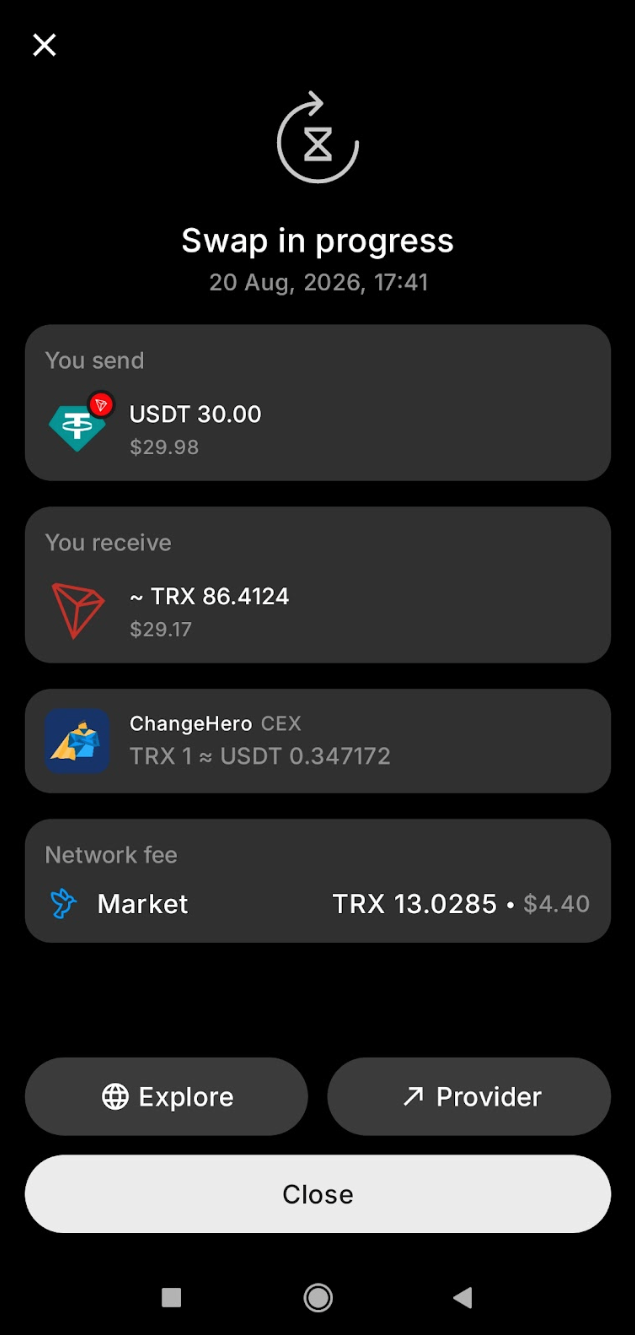
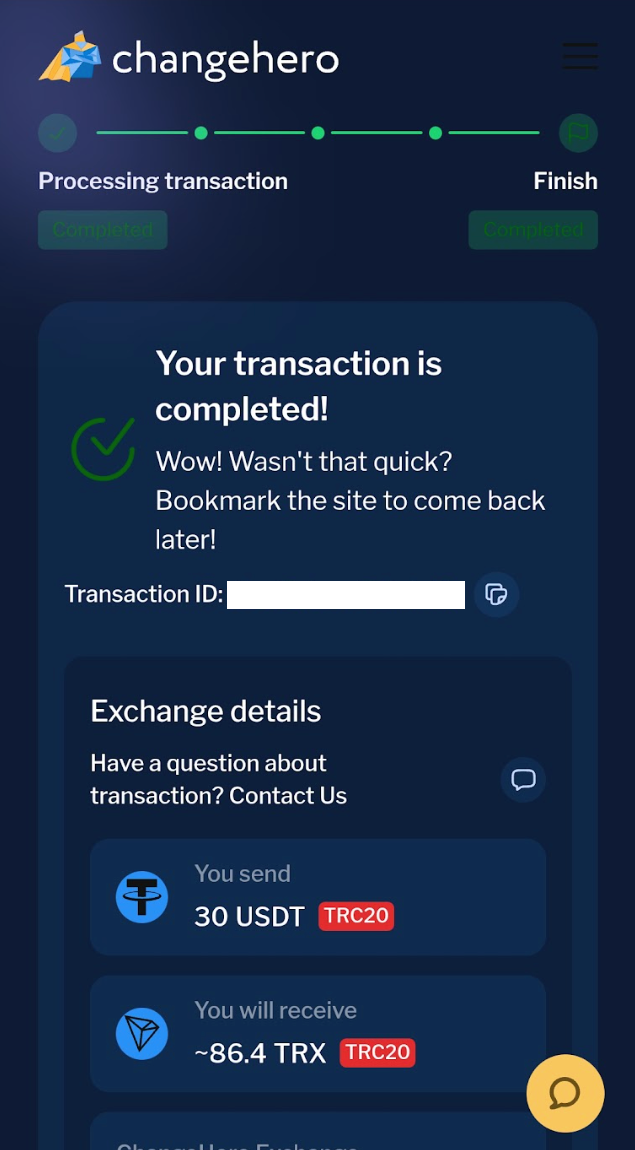
Clicking Provider not just redirects you to ChangeHero’s website; it opens the web page with your transaction’s details and status. The cherry on top: the swap was over even before we reviewed all its details. Neat!
Bottom Line
Now you hopefully know the answer to the titular question and why this works so particularly well. With Tangem’s security and convenience coupled with ChangeHero’s efficiency and reliability, the users get the best from both worlds.
For more helpful content, connect with ChangeHero on social media: Telegram | X | Facebook | LinkedIn
Tangem on social media: X | Telegram | Discord | Reddit | Instagram | Facebook | LinkedIn | YouTube