Best USDT Wallet in 2026: Rating & Guide

Key Takeaways
- 🧮 USDT does not have one official standalone wallet. It exists as a token across multiple blockchains, including Tron, Ethereum, and Solana;
- 🧮 The best USDT wallet depends first on network support, then on custody model: self-custody if you want to control the private keys, custodial if you prefer an exchange or provider to manage access;
- 🧮 Most failed USDT transfers come from network mismatches, missing native gas coins, or rushed confirmation habits rather than from USDT itself;
- 🧮 “Wallet fees” are not universal “USDT fees.” They come from the underlying blockchain network;
- 🧮 For larger balances, security discipline matters more than convenience: seed phrase protection, address verification, blind signing awareness, and phishing resistance are not optional.
Disclaimer
This guide is for informational purposes only and does not constitute financial, investment, legal, or security advice. Stablecoins, wallets, exchanges, and blockchain networks carry operational and market risks. Always verify network labels, address formats, transaction hashes, and wallet custody models before sending funds. When in doubt, the blockchain record and the receiving platform’s official deposit instructions are the primary sources.
It would be much easier if there was one best USDT wallet in 2026 but as you can suspect, this is not the case. USDT does not even have an official standalone wallet, since it exists across multiple blockchains as different tokens: TRC20, ERC20, and on Solana, among many more options. That means the decision comes down to two mechanical questions: which network your USDT runs on, and whether you want self-custody — you control the private keys — or a custodial setup, where an exchange or third party holds them for you.
This guide approaches wallet selection from that starting point: not “which wallet is popular,” but “which wallet fits the chain, custody model, and operating workflow you actually use.”
Best USDT Wallets by Use Case

How to choose in 30 seconds:
- Which device will you reach for most often — phone, desktop, or a hardware device for cold storage?
- Is this USDT sitting untouched for months, or moving in and out frequently?
- What network does your USDT actually live on — TRC20, ERC20, or Solana?
- Need a single wallet that balances both security and daily usability? Start with Best Overall.
- Already decided on mobile-first, hardware-first, or desktop-first? Use the category that matches that workflow.
USDT transaction costs come from the underlying blockchain network, not from a universal “USDT wallet fee” set by the wallet itself. A wallet that feels cheap on TRC20 can be noticeably more expensive when the same user moves ERC20 USDT on the Ethereum network. In other words, “best by use case” is also “best for the chain you are actually using.”
Exodus — Best Overall USDT Wallet
Best for: Users who want one wallet that handles daily use and reasonable security without specializing in either extreme.
Must support: Network-first gating matters here. Confirm the wallet supports your primary USDT network before anything else. The three most common options are TRC20, ERC20, and Solana; Exodus supports them all as well as nine more blockchains but feature support (Buy/Sell, Swap, Ledger) varies.
Decision-critical criteria:
- Self-custody, meaning you hold the private keys rather than being locked into a custodial-only model;
- Multi-network support, so you are not forced to juggle separate apps for TRC20 vs ERC20 balances;
- Reasonable learning curve — setup and recovery do not require deep technical knowledge;
- Active development and updates, because a stale app is a long-term liability;
- In-app swap or send/receive flow that does not bury network selection in a confusing menu.
Good fit if: You want a single app for both holding and spending USDT without maintaining multiple wallets. By the way, check out our guide to swapping crypto in Exodus for a walkthrough of this feature.
Avoid if: You exclusively trade on one exchange and have no need to self-custody at all. In that case, a custodial wallet may be simpler.
Trust Wallet — Best Mobile USDT Wallet
Best for: On-the-go payments and frequent sending or receiving from your phone.
Must support: TRC20 is the most common choice for low-cost mobile transfers, although ERC20 and Solana USDT are also widely supported on major mobile apps like Trust Wallet.
Decision-critical criteria:
- Biometric unlock, such as fingerprint or face ID, layered on top of app-level security;
- OS-level secure storage expectations — keys should not simply sit in plain app storage;
- Smooth QR scan/send UX, since most mobile USDT activity involves scanning rather than typing addresses;
- Safe handling of frequently generated receiving addresses, so you are not reusing or misreading one by mistake.
Travel scenario: Imagine you land abroad, need liquidity quickly, and have an exchange send USDT straight to your phone wallet. A well-designed mobile wallet lets you scan the receiving QR code, confirm the network matches, and then forward or spend that USDT within minutes. No desktop is required.
Good fit if: You regularly receive or pay with USDT while away from a computer.
Avoid if: You are storing a large, long-term balance. A phone is practical, but it is not the ideal home for cold storage.
Trezor — Best Hardware USDT Wallet

Best for: Long-term storage of USDT you do not plan to touch often.
Must support: Look for on-device or companion-app support for multiple USDT networks — TRC20, ERC20, and increasingly Solana — rather than a device locked to a single chain. For many users, a Trezor setup is the default reference point for this style of cold storage.
Decision-critical criteria:
- Clear separation between the signing device, which stays offline, and the internet-connected device used to build transactions;
- Practical multi-network support, either natively or through a paired companion app;
- Manageable firmware update process, since frequent, confusing updates add friction over time;
- On-screen address verification before confirming a send, reducing the risk of a tampered address slipping through;
- A learning curve that is acceptable given how infrequently you will use the device.
Good fit if: You are holding USDT for months or years and rarely need to move it.
Avoid if: You need fast, frequent access for daily spending. Hardware wallets intentionally add friction.
Guarda — Best Desktop USDT Wallet
Best for: Users managing larger balances or more frequent transactions from a workstation. Guarda also has mobile and browser extension versions but when it comes to desktop, it is one of the top picks as well.
Must support: Desktop wallets generally offer the broadest visibility across token standards, so confirm yours can display and send USDT on networks you need side by side if you hold more than one.
Decision-critical criteria:
- Portfolio visibility across multiple USDT token standards in a single dashboard;
- Address book or whitelisting features to reduce copy/paste mistakes on frequent sends;
- Browser extension pairing for dApp access, if you plan to interact with DeFi platforms, for example with MetaMask on EVM networks;
- Export and reporting tools useful for tracking transaction history over time.
Good fit if: You actively manage USDT across networks and want a full view from one screen.
Avoid if: Your workstation is not consistently secured. Desktop wallets inherit whatever risks exist on that machine.
USDT Wallet Types
Every USDT wallet can be classified along two axes: where the private keys are held, and how much online exposure the wallet has during everyday use. A wallet that holds keys locally but stays connected to the internet behaves very differently from one that signs transactions offline, even if both are technically self-custody.
These categories are not mutually exclusive. A single product can blend models: a hot, non-custodial software wallet keeps keys on your device but stays online; a custodial mobile wallet app may look similar on the surface but places the private keys entirely under a provider’s control. Understanding this distinction first makes specific wallet comparisons much easier.
Hot Wallets
A hot wallet is any wallet that stays connected to the internet most or all of the time, allowing for quick signing and near-instant transaction broadcasting.
Best for: Day-to-day USDT transfers, swaps, and exchange withdrawals where speed matters more than maximum security.
Main trade-off: Constant connectivity means the private keys are always reachable by anything that compromises the device itself.
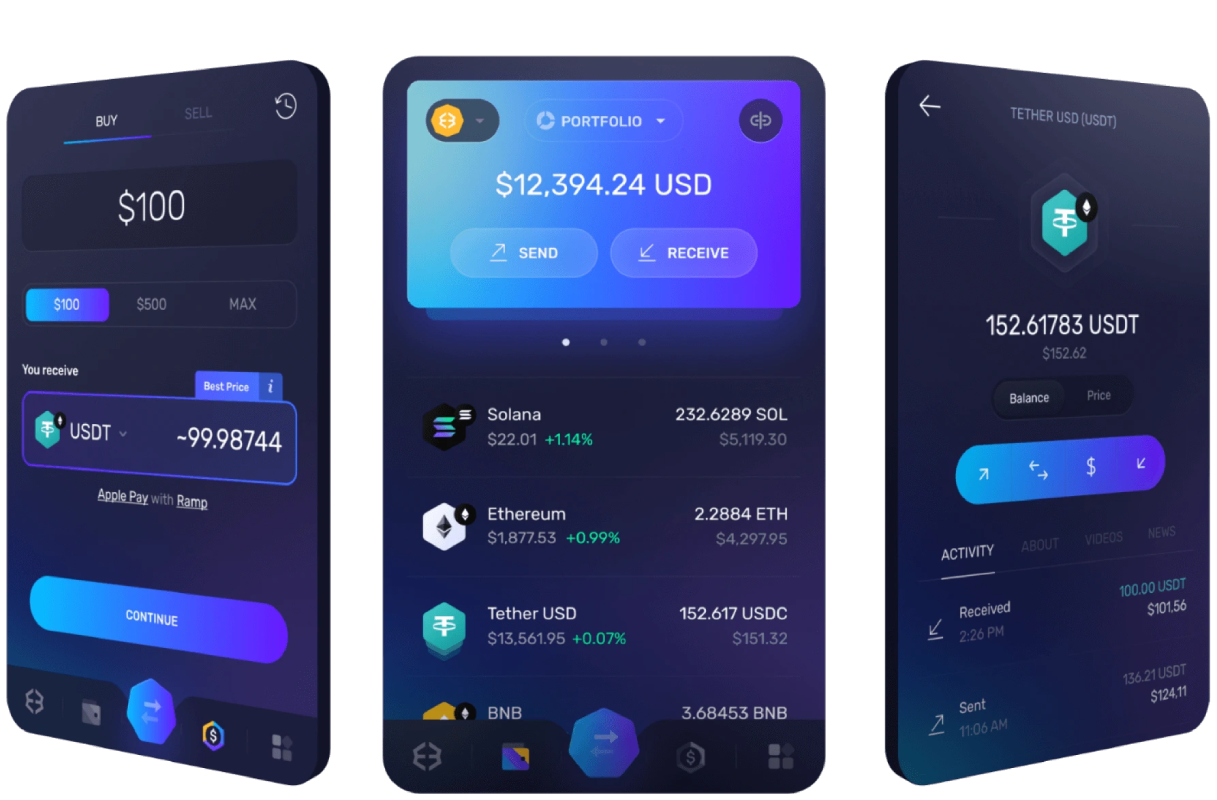
Operational reality check: You will typically open the app, scan or paste a receiving address, and confirm a send within seconds. No separate signing device is involved.
Common failure mode: Leaving large balances parked in a hot wallet out of convenience, simply because it is the one already open.
Hot wallets usually appear in three forms:
- Mobile software wallets built for scanning QR codes and quick payments;
- Desktop wallets suited to managing larger or more frequent transfers from a workstation;
- Browser extension wallets designed mainly for interacting with exchanges or decentralized apps rather than long-term holding.
Cold Storage Wallets
Cold storage keeps private keys offline. In practice, this splits into two setups: hardware wallets that connect only occasionally to sign a transaction, and true offline storage, such as an air-gapped device or paper backup, that almost never touches an internet-connected machine.
Best for: USDT you intend to hold for months or years without regular movement.
Main trade-off: The same offline posture that improves security makes frequent transfers noticeably slower.
Operational reality check: Sending USDT usually means retrieving the device, connecting it temporarily, verifying the address on-screen, signing, and disconnecting again.
Common failure mode: Underestimating how much friction this adds, then getting frustrated when a “quick transfer” takes longer than expected.
The friction is not accidental. Device access, the connection step, and manual address verification all add time. That is precisely why cold storage does not suit anyone moving USDT on a weekly or daily basis.
MPC Wallets
MPC, or multi-party computation, wallets split the private key into multiple key shares, so no single device ever holds the complete key on its own. If we could be here all day listing examples of hot and cold wallets, MPC products are a lot more rare: Zengo is one of the most prominent names.
Best for: Users who want strong security without relying on one physical device or a single point of failure.
Main trade-off: Approvals and recovery typically require coordination across multiple devices or a supporting service, rather than one straightforward signature.
Operational reality check: Sending USDT often involves approving the transaction from more than one registered device, or through a service-assisted flow that recombines key shares behind the scenes.
Common failure mode: Losing access to one of the required devices and not knowing in advance what the recovery path actually looks like.
Before choosing an MPC wallet, check exactly what happens if you lose a phone. Specifically, confirm what additional device, factor, or service step is needed to restore access.
Custodial Wallets
A custodial wallet is one where a third party — usually an exchange — holds the private keys on your behalf. Your access depends entirely on that provider’s systems and policies.
Best for: USDT users who want simplicity and do not want to manage keys themselves.
Main trade-off: The provider can freeze, hold, or restrict your funds, and any access issue runs through its support process instead of a recovery phrase you control.
Operational reality check: Sending or receiving USDT happens through the provider’s interface, and withdrawals may be subject to holds, limits, or manual review.
Common failure mode: Assuming a custodial balance behaves like a self-custody wallet, then being surprised by a support ticket queue when something needs manual resolution.
Custodial makes sense when:
- You want built-in on/off-ramps without managing a separate non-custodial wallet;
- Your priority is simplicity over control of the private keys;
- You need compliance-friendly account history for reporting or business purposes.
It makes less sense when you have a strong preference for self-custody, or when censorship-resistance — being able to move USDT regardless of any provider’s policies — is a priority.
USDT Networks, Fees, and Address Formats
Picking a USDT wallet is only half the equation. Every transfer also depends on which blockchain is carrying that USDT. The token itself does not set transfer costs or address rules; the network it rides on does.
That is why the same USDT balance can move cheaply on one chain and expensively on another, and why getting the network right — both the token standard and the wallet address format — matters more than almost anything else in this guide.
TRC20 USDT
What it is in wallet UIs: Usually labeled as “TRON” or “TRC20” in a network-selection dropdown, representing USDT issued under TRON’s token standard.
Address format quick check: TRON wallet addresses typically start with a capital T. If you see that prefix, you are looking at a TRC20-compatible address, not an Ethereum or Solana one.
Fee model in practice: Moving TRC20 USDT requires a small network fee paid in TRX, TRON’s native coin, not in USDT itself. In other words, you need a small amount of TRX sitting in the wallet before you can send.
Common transfer workflow: Withdraw USDT from your exchange, select “TRC20/TRON” as the network, paste or scan the receiving T… address, then confirm the send.
Most common mistake: Selecting “TRC20” on the withdrawal screen when the receiving wallet or exchange only expects ERC20 deposits, which can cause the transfer to fail or get stuck.
Why people pick it: TRC20 tends to appeal to users making frequent or smaller transfers, since TRON’s low-cost structure keeps per-transaction costs relatively down. That cost advantage comes from how TRON operates as a network, not from any special property of USDT. The token behaves identically across chains; only the underlying blockchain’s fee model changes.
ERC20 USDT
What it is in wallet UIs: Usually shown as “Ethereum” or “ERC-20” in network menus, reflecting USDT issued under Ethereum’s token standard.
Address format quick check: Ethereum network addresses begin with 0x, a format shared across ERC-20 tokens and not unique to USDT.
Fee model in practice: Every ERC20 USDT transfer requires a gas fee paid in ETH, Ethereum’s native coin, calculated separately from your USDT balance.
Common transfer workflow: Withdraw from the exchange, choose “Ethereum/ERC20” as the network, paste or scan the 0x… address, and confirm.
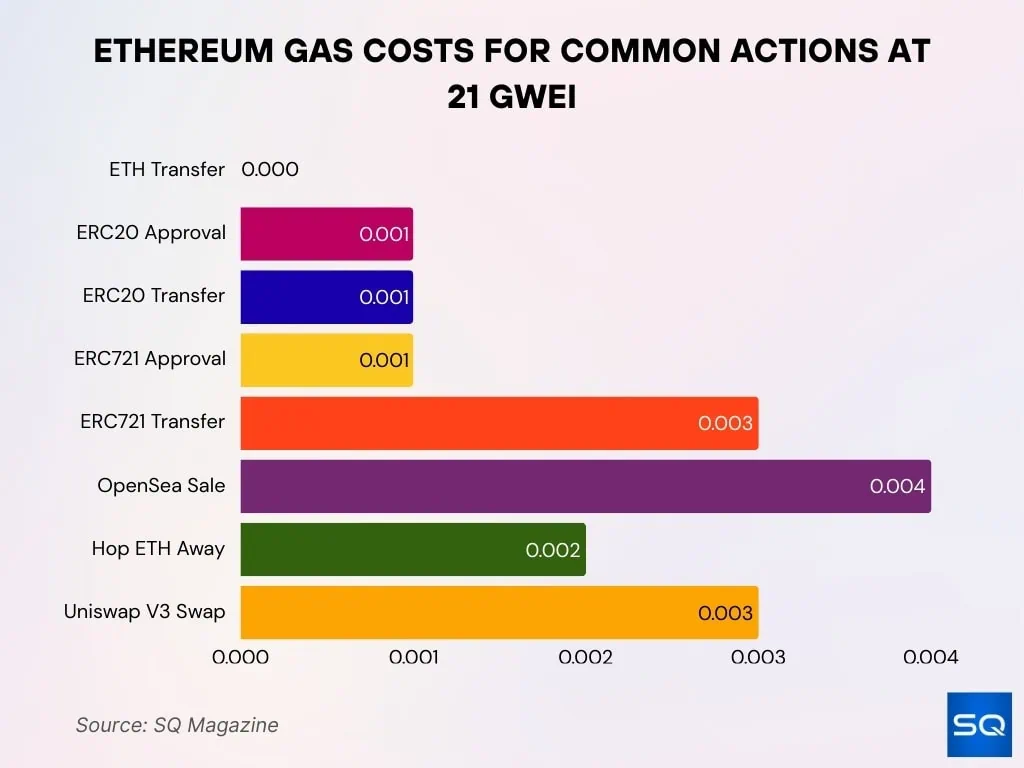
Most common mistake: Confusing “ERC20” with other token-standard labels in a dropdown menu, including Ethereum Layer-2 networks, which can route funds to an incompatible destination.
Operational note: A transfer can fail even when your USDT balance looks sufficient if your wallet does not hold enough ETH to cover the gas fee. If this happens, the fix is straightforward: top up a small amount of ETH in the sending wallet and retry the transaction.
Solana USDT
What it is in wallet UIs: Labeled simply as “Solana” in network selectors (the actual technically correct label ‘SLP’ is rare). This version of USDT runs on Solana’s own token standard rather than an EVM-based one.
Address format quick check: Solana wallet addresses use a base58-style format, for example something resembling 7xKX…. Do not assume 0x… equals Solana; that prefix belongs to Ethereum-compatible chains, and pasting an EVM address into a Solana field, or vice versa, will not work.
Fee model in practice: Sending Solana USDT requires a small amount of SOL, Solana’s native coin, to cover the network fee. USDT itself does not carry its own fee mechanism.
Common transfer workflow: Withdraw from the exchange, select “Solana” as the network, paste or scan the base58-style address, then confirm.
Most common mistake: Assuming address formats are interchangeable across chains and pasting a 0x… or T… address into a Solana-only field. The network will typically reject this outright rather than process it incorrectly.
Network Selection Criteria
Before moving USDT, run through this checklist:
- Current location: Is the USDT sitting on an exchange or already in a self-custody wallet? This determines your starting point for the withdrawal.
- Receiving-side support: Does the destination wallet or platform explicitly list the network you are about to use? Do not assume. Confirm it supports that exact token standard.
- Confirmation speed: Expect noticeable variability between networks. Some confirm quickly under normal conditions; others can take longer depending on network congestion.
- Cost drivers: Factor in both the blockchain’s network fee and any separate withdrawal fee your exchange charges. These are two distinct costs, not one combined figure.
- Future native-coin needs: If you will need to move this USDT again later, make sure you will have the matching native coin — ETH, TRX, or SOL — on hand to cover that future transfer.
- Compatibility constraints: If you plan to interact with DeFi platforms, dApps, or bridges, confirm the network you choose is actually supported by those tools before committing.
Deposit Address Verification
To verify a USDT deposit route independently, follow this procedure:
- Confirm the network label on the receiving side. It should name the exact network and token standard, such as “TRC20/TRON,” “ERC-20/Ethereum,” or “Solana.”
- Match the address format to the network. A T… prefix signals TRC20, 0x… signals an Ethereum-based network. Solana wallet address format is trickier to distinguish but once you know what base58-format strings look like, you will be able to recognize them too.
- Sanity-check using the correct block explorer for whichever network you selected, verifying the wallet address or transaction hash after sending.
- Send a small test transfer first when the amount involved is large enough that a mistake would be costly. This adds a few minutes but confirms the full path works.
- Document the transaction hash and timestamp immediately after sending, so you have the exact records needed if you ever need to open a support ticket or pursue a recovery process.

Network mismatch outcomes, from best to worst:
- The transaction is rejected or never initiated by the platform. This is the safest outcome, since your funds never leave the original wallet.
- The funds arrive but require manual recovery coordinated with the custodian or exchange support team. Recoverable, but slow and not guaranteed.
- The funds are irrecoverable. This happens only in specific mismatch scenarios, but it is the outcome you are trying to avoid.
USDT Wallet Security
A surprisingly large chunk of USDT losses trace back to four avoidable mistakes: exposing a seed phrase through careless backup habits, signing a blind contract approval without understanding what it grants, clicking a phishing or drainer link that requests wallet access, or rushing a transaction confirmation without checking the basics.
None of these even require sophisticated hacking. They rely on users skipping a step they already knew mattered.
Seed Phrase Protection
Your seed phrase, also called a recovery phrase, is the master key to every asset in your wallet, including USDT. Unlike a password, it cannot be reset if exposed. Anyone holding a copy can re-generate your private key and move your USDT balance out immediately, with no delay and no recovery window on your side.
Treat the setup moment as the single highest-stakes step in using any wallet.
Step 1: Create the backup offline, at setup. Write the phrase on paper or a metal backup plate the moment your wallet generates it (you can always make the sturdier copy later). Some wallets will call this a mnemonic phrase during onboarding. Never screenshot it, never paste it into a notes app, and never store it in email or cloud storage. Any copy exposed to the internet is a copy a remote attacker can eventually reach.
Step 2: Store it deliberately. A single copy in a fireproof safe works for smaller balances. Splitting the phrase across two physical locations, or using a multi-location metal backup, reduces single-point-of-failure risk for larger holdings. Avoid storing it anywhere near the device that holds the wallet itself.
Step 3: Test the recovery before you rely on it. Do a dry-run restore on a spare device, or set up a watch-only version of the wallet first to confirm the phrase and derivation path actually work. Discovering a transcription error during a real emergency is far worse than catching it during a test.
Step 4: If you suspect exposure, act immediately. Do not wait for proof. Create a brand-new wallet with a freshly generated seed phrase, then move all USDT and any other assets out of the old wallet right away. Never continue using a phrase you believe may be compromised.
Hopefully, this was not too overwhelming because this was the short version; for a complete rundown, see our crypto recovery phrase storage guide.
Blind Signing Protection
Blind signing happens when your wallet shows a confirmation screen with raw, unreadable contract call data — hex strings, generic “Sign Message,” or “Confirm Transaction” labels — instead of a plain-language summary of what you are authorizing.
This is especially dangerous with token approvals, because an approval is not a one-time transfer. It is a standing permission that lets a contract move your USDT whenever it wants, until you revoke it.
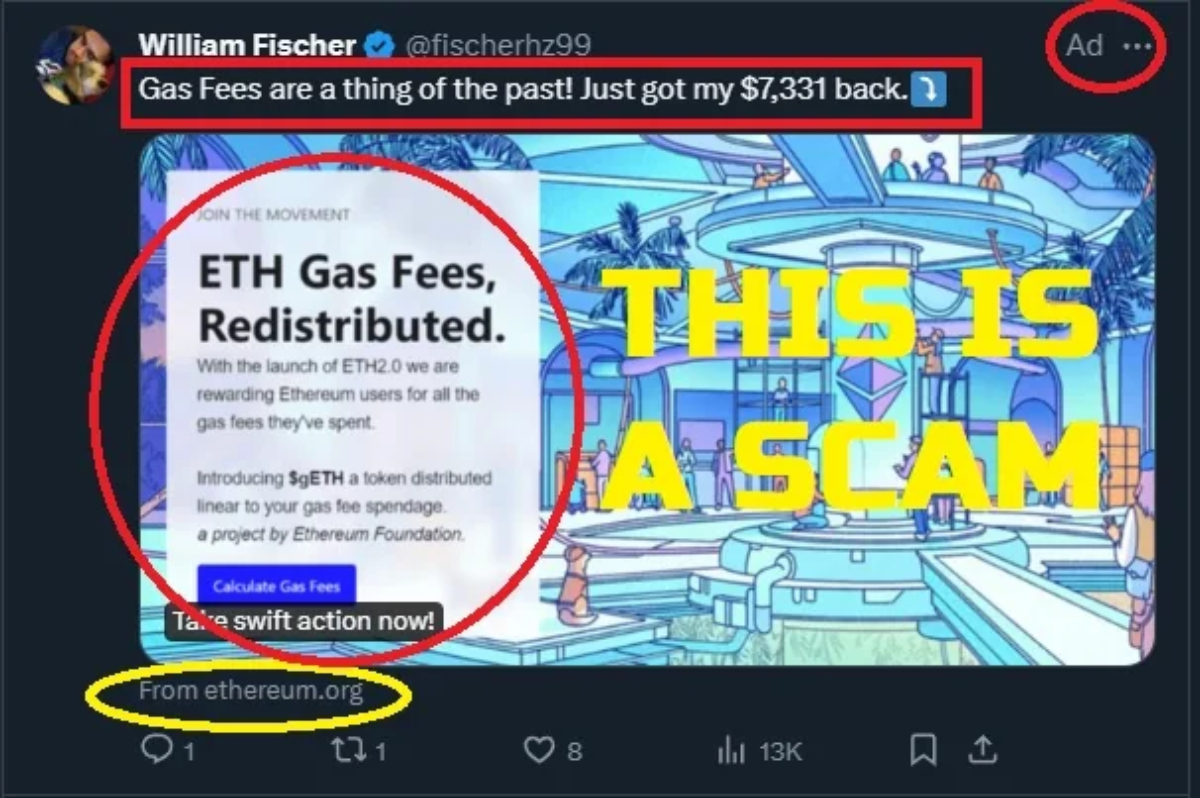
How it usually goes is a user connects their wallet to a site promising a free claim or airdrop, sees a routine-looking signature request, approves it without reading the details, and within minutes their USDT balance is drained. The “claim” was actually an unlimited spending approval handed to a malicious contract.
Approval hygiene checklist:
- Prefer wallets and dApp interfaces that translate contract calls into human-readable summaries rather than raw hex before you sign;
- Treat any prompt requesting “Set Approval For All” or an unlimited/uncapped spending allowance as a high-risk decision by default;
- After interacting with any new dApp, open your wallet’s approval or allowance manager and revoke permissions you no longer need.
Phishing and Drainer Scams
Drainer scams, similarly to one described above, rely on getting you to connect a wallet and sign something. The entry point varies, but the structure is usually the same.
- Fake wallet app clones: Listed in official-looking app stores with near-identical branding.
Check: Developer name and download count against the wallet’s official website.
If clicked or installed: Uninstall immediately and never enter a seed phrase into it. - Search-ad and lookalike domains: Sponsored search results or typo-squatted URLs mimicking a real wallet or exchange site.
Check: The exact domain spelling before entering credentials.
If connected: Disconnect the site from your wallet and move funds if any approval was granted. - Fake support DMs and “verification” forms: Messages claiming to be official support asking you to “verify” your wallet through a form or link.
Check: Legitimate support never asks for a seed phrase or private key.
If submitted: Assume compromise and migrate to a new wallet immediately. - Airdrop and NFT bait links: Unsolicited messages announcing a surprise token or NFT claim.
Check: Whether the project is one you actually follow or interacted with before.
If clicked: Avoid signing anything, close the tab, and revoke any approval granted. - Compromised influencer or Discord/Twitter links: Legitimate accounts hijacked to post malicious links, often during hype moments.
Check: Whether the link matches the project’s official pinned or verified channel.
If connected: Revoke approvals and warn others in the same channel.
High-signal warning pattern to remember: connect wallet → sign a message or transaction → approvals or transfers execute without further confirmation. If a site pushes you straight from “connect” to “sign” without explaining what the signature does, that sequence alone is reason enough to stop.
Transaction Confirmation Checks

Run this pre-flight checklist before pressing Confirm or Send. Once it becomes a habit, it takes under 20 seconds.
- Network match: Confirm the network selected for the send matches what the recipient wallet or exchange actually supports. TRC20, ERC20, and Solana are not interchangeable.
- Address integrity: Check the first and last few characters of the recipient address against the source you copied it from. Clipboard-hijacking malware can silently swap a copied address, so a quick visual match matters even when pasting. Use a saved address book or whitelist entry when the wallet supports one.
- Amount and fee sanity: Double-check the amount field, especially on swap or bridge routes that show multiple intermediate steps. An extra zero or misread decimal is easy to miss when a transaction involves more than one hop.
- Test transfer rule of thumb: For any send large enough that a mistake would hurt, send a small test amount first and confirm it arrives before moving the full balance.
After sending: Confirm the transaction hash shown in your wallet, then check that hash’s status on a block explorer to verify it confirmed and landed at the intended address. Do not close the app and assume success just because the wallet stopped showing a pending indicator.
Community-Vetted USDT Wallet Feedback
Across app stores, forums, and support threads, the same complaints and praises resurface regardless of which specific wallet is being discussed. Treating these as a pattern library, rather than isolated anecdotes, helps you predict how a wallet will actually behave before you commit funds to it.
Common User Complaints
1. “I can’t send USDT / transaction fails.”
Likely root cause: Missing native gas coin in the wallet, or the wrong network selected for the send.
Mitigation: Before retrying, confirm you hold a small balance of the required native coin — ETH, TRX, or SOL — and that the selected network matches the recipient’s expectation.
2. “Deposit didn’t arrive.”
Likely root cause: A network mismatch between sender and receiver, or a custodial platform’s manual recovery pipeline for unusual transfers.
Mitigation: Before assuming funds are lost, check the transaction hash on a block explorer for the network you selected, then contact support with that hash in hand if it genuinely has not landed.
3. “Fees are higher than expected.”
Likely root cause: Chain-level gas dynamics, especially on congested networks, and/or a separate exchange withdrawal fee. This is not a wallet-imposed surcharge on USDT itself.
Mitigation: Before sending, check the live network fee for your chosen chain separately from any exchange withdrawal fee, so you know which cost is which.
4. “App is slow / pending forever.”
Likely root cause: Normal mempool or confirmation variance on the underlying network, occasionally compounded by a wallet’s broadcast or refresh delay.
Mitigation: Before concluding the wallet is broken, check the transaction hash on a block explorer to see whether the delay is on-chain or specific to the app’s status display.

5. “Support won’t help / account locked.”
Likely root cause: Custodial holds, KYC verification steps, or manual review triggers. These are factual parts of how custodial wallets operate, not necessarily a sign of mishandling.
Mitigation: Before escalating, check whether the lock is tied to a stated verification or review process, and have your account and transaction details ready when you contact support.
When you see complaints, weigh those that are repeatable, come with clear steps, and show up across many unrelated users as high-signal. Treat isolated reports tied to a single device, an outdated app version, or unclear circumstances as low-signal. They are worth noting, but they should not drive your decision on their own.
Conclusion
The best USDT wallet in 2026 is not the wallet with the most aggressive marketing or the longest feature list. It is the wallet that matches your network, custody preference, device habits, and security discipline.
For daily use, prioritize network clarity, QR-code usability, and small native gas balances. For long-term holding, prioritize seed phrase discipline, cold storage, and address verification. For exchange-heavy users, understand exactly where custodial convenience ends and provider control begins.
In summary, choose the wallet only after you choose the network. That one ordering decision prevents most avoidable USDT mistakes.
Frequently Asked Questions
Which wallet is best for USDT?
There is no universal “USDT wallet app.” USDT exists across multiple networks, so the best choice depends on which network your balance lives on — TRC20, ERC20, Solana, or on BNB Chain as BEP20 — and whether you prefer a non-custodial wallet, where you hold the keys, or a custodial wallet, where a provider holds them for you.
As a decision rule: match your device and workflow against the “Best USDT Wallets by Use Case” section first, then confirm network compatibility using “USDT Networks, Fees, and Address Formats.” Skipping either check is how users end up with a wallet that is technically fine but wrong for their situation.
Can I send USDT TRC20 to an ERC20 wallet address?
No. Sending TRC20 USDT to an ERC20 address, or vice versa, mismatches the token standard on each end. The transfer can fail outright or get stuck pending manual recovery.
The one thing to check in the send or withdraw UI before confirming is the network label. Your selected network must match the token standard the receiving wallet or exchange actually expects. Do not assume they are interchangeable just because the asset says “USDT” on both ends.
Are USDT wallets safe from hacks and phishing?
Safety splits into two risk models. In a non-custodial wallet, you are responsible for protecting your own keys. In a custodial wallet, the provider protects keys and controls access on your behalf. A non-custodial loss is usually permanent; a custodial loss often runs through a provider’s support or security process instead.
The nuance is important: “safe” has far more to do with your confirmation discipline and workflow habits than with USDT itself, since the token behaves identically regardless of wallet type. For the actionable checklist, focus on seed phrase handling, blind signing protection, phishing patterns, and transaction confirmation checks.
Why is my USDT transaction failing or stuck?
In order of likelihood, the top causes are: selecting the wrong network during send, not holding enough of the native gas coin — ETH, TRX, or SOL — to cover the fee, or hitting network congestion that delays confirmation.
One nuance worth separating out: this can be a wallet issue or a network/platform issue. An exchange withdrawal, for instance, can sit pending inside the exchange’s own queue before it even reaches the blockchain. The fastest diagnostic step is to locate the transaction hash and check it on the correct block explorer.