
Best Litecoin Wallet in 2026: Review & Guide

Key Takeaways
- 🔘 The best Litecoin wallet in 2026 depends on the job: long-term storage, everyday payments, beginner onboarding, or advanced Litecoin control;
- 🔘 Hardware wallets such as Trezor, Ledger, and Ballet are stronger fits for cold wallet setup and long-term LTC custody, while mobile and desktop wallets are better for regular transactions;
- 🔘 Before depositing meaningful Litecoin, verify the custody model, recovery method, download source, app permissions, and reputation signals;
- 🔘 Features like “buy,” “sell,” and “swap” can depend on third-party providers, so always separate wallet functionality from external exchange services.
Disclaimer
This guide is for informational purposes only and does not constitute investment, security, tax, or legal advice. Wallet features, app availability, fee controls, supported platforms, and recovery models can change over time. Before using any Litecoin wallet, verify the current release, download source, custody model, and recovery process directly with the provider. When in doubt, test with a small amount of LTC first.
Following up on our Litecoin guide, the best wallet for it in 2026 depends on how you use LTC: long-term storage, regular transfers, or daily spending. The two main decision axes are security vs convenience and control vs simplicity. If you are holding a large balance, the answer will not be the same as if you are scanning QR codes for routine payments.
In this guide, we will evaluate hardware wallets, software wallet options, mobile wallet flows, desktop wallet or client choices, and wallets by use case. By the end, you should be able to choose a wallet category, verify core features like send, receive, and fee control, and avoid the selection mistakes that usually happen before a user ever broadcasts a Litecoin transaction.
Best Litecoin Wallets by Use Case

A Litecoin wallet is not just an app where LTC appears on a balance screen. It is the operational layer between your private keys, your recovery method, and the Litecoin network. Therefore, the first question is not “Which brand is best?” but “What am I trying to do with this LTC?”
Long-Term Litecoin Storage
Best for: Users who plan to hold Litecoin for months or years and care more about isolation, backup quality, and verification than daily convenience.
Priorities:
- Cold wallet setup: A hardware wallet keeps private keys off your phone or computer and reduces exposure to malware.
- Dedicated offline device: Some users prefer an offline laptop or phone running a software wallet, which can work as cold storage if it never reconnects to the internet.
- Full node verification: Running Litecoin Core as a full node lets you verify your own transactions instead of relying on a third-party server.
- Backup durability: Seed phrase storage, passphrase handling, and recovery testing matter more than fast access.
- Device surface area: Fewer connected apps, browser extensions, and daily-use devices usually means fewer attack paths.
Tradeoffs:
- Hardware wallets add purchase cost and require careful setup.
- Offline software setups take more discipline because the security model depends on keeping the device offline.
- Full node storage adds overhead: Litecoin Core requires downloading and verifying the full blockchain, and first sync is described as around 40 GB. That overhead is worth it if you want independent verification or stronger privacy assumptions, but usually not necessary if you only make rare, small transfers.
Quick fit check:
- Do you plan to hold most of your LTC without frequent spending?
- Are you willing to manage backups and recovery steps before moving serious funds?
If yes, start with Best Hardware Wallets for Litecoin.
Everyday Litecoin Payments
Best for: Users who send or receive Litecoin regularly and need a hot wallet that makes payments fast without hiding the important details.
Priorities:
- QR scanning: Mobile payment flows are much smoother when scanning and confirming a recipient address takes only a few taps.
- Address book and labels: Saved contacts and labeled transactions help prevent repeat address mistakes and simplify records.
- Fee speed controls: During busy mempool moments, the wallet should let you adjust the miner fee instead of guessing.
- Exchange top-ups: If you refill from an exchange often, choose a wallet that makes receiving, confirming, and tracking incoming LTC simple.
- Low-friction send/receive UX: The wallet should be quick enough that you do not abandon self-custody for a custodial app.
Tradeoffs:
- A hot wallet is more exposed than a cold wallet because it lives on an internet-connected device.
- Faster payment access usually means accepting more device and app surface area.
- Some simple payment wallets reduce control over fees, labels, or the UTXO model.
Quick fit check:
- Will you use this wallet for regular payments rather than long-term storage?
- Do you need quick QR-based sending more than advanced privacy or accounting tools?
Mistake to avoid: Do not choose a payment wallet with so much friction that you stop using it and revert to custodial apps for convenience.
If this describes your use case, move to Best Software, Mobile, and Desktop Litecoin Wallets.
Beginner-Friendly Wallets

Best for: Users who want a non-custodial wallet that explains each step clearly and reduces the chance of setup or recovery mistakes.
Priorities:
- Guided backup: The wallet should walk you through seed phrase creation, confirmation, and safe storage.
- Human-readable prompts: Send, receive, backup, and restore screens should explain what is happening without vague warnings.
- Simple send/receive UX: Copying an address, scanning a QR code, and checking transaction status should be obvious.
- Clear fee preview: The wallet should show the estimated miner fee before you approve a Litecoin transaction.
- Easy restore: A beginner-friendly wallet should make recovery testing understandable, not intimidating.
Tradeoffs:
- Beginner-friendly interfaces may hide advanced controls like coin control or detailed address management.
- Some simplified wallets offer fewer customization options for fees or privacy.
- Alternative recovery models can be easier to use, but they may involve different trust or account-recovery assumptions.
Quick fit check:
- Are you setting up your first Litecoin wallet or helping someone else do it?
- Would clear prompts and guided backup matter more to you than advanced controls?
Most beginners start with standard seed phrase onboarding, where the wallet gives you recovery words to back up. Some wallets use alternative recovery models, which can feel more familiar, but the key point here is usability: choose the path you can restore correctly.
Advanced Litecoin Control
Best for: Users who want deeper transaction control for privacy, accounting, fee management, or independent verification.
Priorities:
- Coin control: Lets you choose specific UTXOs under Litecoin’s UTXO model, which matters when separating funds for privacy or accounting.
- Custom fees: Lit/vB-style control or an equivalent fee setting helps when you need to handle a stuck transaction or avoid overpaying.
- Watch-only wallets: Let you monitor balances and receive payments without keeping private keys on the viewing device.
- Address management and labels: Helps track income sources, invoices, and change outputs without mixing everything together.
- Full-node verification: If supported by your setup, connecting to your own full node reduces reliance on third-party infrastructure.
Tradeoffs:
- More control usually means more settings to understand before sending funds.
- Advanced desktop wallets can feel less polished than mobile-first wallets.
- Using coin control poorly can create confusing change outputs or weaken privacy instead of improving it.
Quick fit check:
- Do you need to choose which coins are spent, label addresses, or manage change outputs?
- Are you comfortable reviewing fee settings and transaction details before broadcasting?
For this path, compare Electrum-LTC, Litecoin Core, and the feature table carefully before sending meaningful funds.
Best Hardware Wallets for Litecoin
A hardware wallet helps Litecoin holders keep private keys isolated offline while confirming critical transaction details on the device screen. The main choice is not only brand preference. It is the signing model, recovery workflow, and how usable the device feels when you receive, verify, send, and monitor LTC over time.
Here are the top hardware wallets picked for Litecoin specifically,
Trezor

Best for: Trezor is best for Litecoin holders who want a transparent hardware wallet model and are comfortable prioritizing inspectability over sealed-chip security claims.
How it secures LTC:
- Private keys are generated and stored on the Trezor device, not on the computer or phone used to manage the wallet.
- Litecoin transactions are prepared in the companion interface, then signed on the device after you review the address and amount.
- Recovery depends on your seed phrase backup, with optional passphrase use for users who want an additional recovery factor.
Day-to-day flow:
- Receive LTC by generating a Litecoin address in the wallet interface.
- Verify the receiving address on the Trezor screen before sharing it or sending funds to it.
- Send LTC by creating the transaction in the app, then confirming the destination and amount on the device.
- Track balances and transaction history through the companion software while keeping signing keys offline.
Tradeoffs and watchouts:
- Trezor’s appeal for some LTC holders is its transparency-oriented design: users who prefer auditable firmware and less reliance on secure-element claims may value being able to inspect more of the security model.
- This can fit long-term holding where inspectability matters more than rugged physical tamper resistance.
- The device still depends on careful seed phrase storage; losing the backup can mean losing access to Litecoin.
Choose this if…
- Yes/no: Do you prefer a hardware wallet with a transparency-first security philosophy?
- Yes/no: Are you storing LTC for the long term and willing to manage your recovery phrase carefully?
Ledger
Best for: Ledger is best for Litecoin holders who want hardware isolation plus a broad companion-app ecosystem for managing assets over time.
How it secures LTC:
- Ledger devices use hardware isolation, including a Secure Element chip, to keep private keys separated from the internet-connected device running the wallet software.
- Litecoin transactions are built in Ledger Wallet software such as Ledger Live, but the private key stays on the device.
- Spending requires on-device approval, so the user should verify the address and amount on the Ledger screen before signing.
Day-to-day flow:
- Receive LTC by adding or opening a Litecoin account in the companion app.
- Verify the receiving address on-device before copying it, scanning it, or sending funds to it.
- Send LTC by entering the recipient and amount in the app, then approving the transaction on the hardware wallet.
- Track portfolio balances and transaction history in the companion app without exposing the signing keys.
Tradeoffs and watchouts:
- Separate device security from ecosystem convenience: the hardware wallet protects keys, while the companion app determines how easy it is to view accounts, update apps, and manage routine activity.
- Before committing, test LTC account visibility, address verification on-device, and how firmware/app updates fit into your long-term storage routine.
- The broader ecosystem can be convenient, but it also means you should stay disciplined about update sources, device prompts, and phishing-resistant habits.
Choose this if…
- Yes/no: Do you want a hardware wallet where device-level isolation is paired with a full-featured companion app?
- Yes/no: Are you willing to make firmware and app updates part of your cold storage maintenance routine?
Ballet
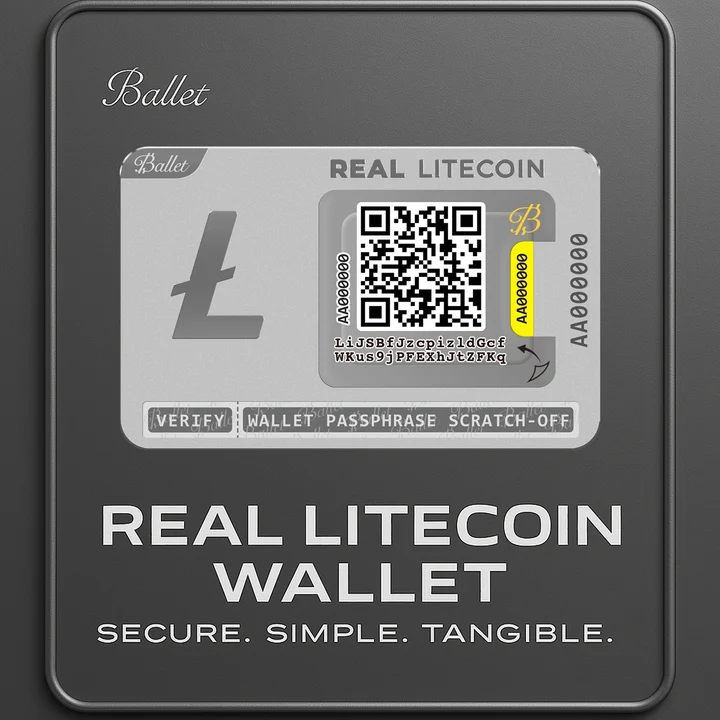
Best for: Ballet is best for Litecoin holders who want a physical wallet experience for gifting, simple custody, or deep cold storage with minimal daily device interaction.
How it secures LTC:
- Ballet’s model is closer to a physical wallet: the user typically receives LTC to a pre-generated Litecoin address associated with the card or physical product.
- The private key material is not used for routine app-based signing until the owner decides to redeem or import it.
- Redeeming or importing means exposing the wallet’s private key or recovery material to compatible software so the LTC can be spent, transferred, or moved to another wallet.
Day-to-day flow:
- Receive LTC by sending funds to the pre-generated address shown for the Ballet wallet.
- Verify the address carefully before funding it, especially if the wallet is being gifted or stored for a long period.
- Spend by redeeming/importing the wallet into software, then creating and broadcasting the Litecoin transaction from that software environment.
- Track portfolio value or balance through the associated app or a block explorer without making frequent sends from the physical wallet itself.
Tradeoffs and watchouts:
- This model can be attractive for gifting because the recipient can hold a tangible item rather than setting up a full hardware wallet immediately.
- It can also work for deep cold storage, where the goal is to fund the wallet and avoid touching it often.
- It is less ideal for frequent sends because spending generally involves redeeming/importing, which changes the security posture once the private key material is exposed.
Choose this if…
- Yes/no: Do you want a physical cold storage format for Litecoin rather than a signing device used for regular transactions?
- Yes/no: Are you comfortable treating redemption/import as a one-way operational step before spending or moving funds?
In summary, hardware wallets fit the cold-storage side of Litecoin custody. For regular transfers, however, you will usually want a software wallet with faster send/receive access and a clear recovery path.
Best Software, Mobile, and Desktop Litecoin Wallets
As opposed to cold wallets, hot wallets sit on internet-connected devices. That makes them more convenient but more exposed at the same time. The right fit depends on whether you need a software wallet on a desktop, a mobile wallet for QR-based payments, or a desktop wallet/client with deeper controls.
Trust Wallet
Best for: Trust Wallet is best for users who want a widely used mobile wallet for simple Litecoin sending, receiving, and portfolio access.
Platforms: iOS and Android.
Custody model: Non-custodial seed phrase.
Standout LTC features:
- Trust Wallet lists Litecoin support directly and positions the app as a Litecoin wallet for mobile use.
- Trust Wallet’s Litecoin page publishes app-store social proof, including a 4.7 rating and 9M+ verified reviews, so use that track record as a practical filter if you value a broadly used mobile app before testing it yourself.
- It is listed for iOS and Android, which makes it a mobile-first pick rather than a desktop client.
Tradeoffs and watchouts:
- It is not the right fit if you specifically want a desktop wallet workflow.
- Its broad multi-asset design may feel busier than a Litecoin-only wallet if you want minimal screens.
Choose this if…
- Yes/no: Do you want a mobile wallet with a large app-store footprint?
- Yes/no: Are you mainly sending, receiving, and checking LTC from a phone?
Exodus
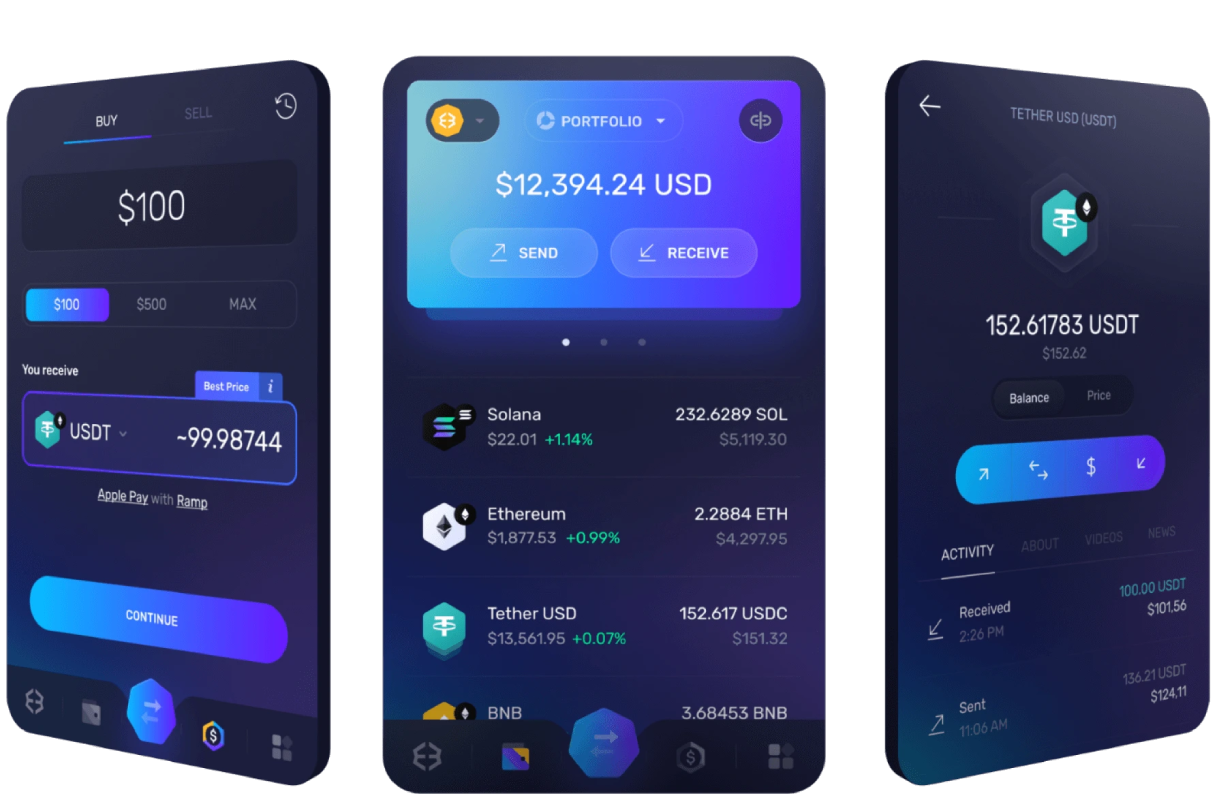
Best for: Exodus is best for users who want a polished software wallet that works across desktop and mobile without feeling like a power-user tool.
Platforms: iOS, Android, Windows, macOS, and Linux; Exodus is available for desktop and mobile.
Custody model: Non-custodial seed phrase.
Standout LTC features:
- It gives Litecoin users one interface across desktop and phone, which helps if you switch devices often.
- The desktop app makes portfolio viewing and transaction history easier to review on a larger screen.
- The mobile app keeps basic LTC send/receive flows accessible without forcing a desktop setup.
Tradeoffs and watchouts:
- It is not for readers seeking full-node verification; consider Litecoin Core for that path.
- It is also not the best match for deep power-user controls; consider Electrum-LTC if that is the priority.
Choose this if…
- Yes/no: Do you want the same wallet brand on desktop and mobile?
- Yes/no: Would a guided interface matter more to you than advanced transaction controls?
Zengo
Best for: Zengo is best for users who want a mobile wallet experience without managing a traditional seed phrase.
Platforms: iOS and Android.
Custody model: Seedless/MPC-style recovery model.
Standout LTC features:
- Zengo uses a seedless/MPC-style recovery model, so the practical difference from seed-phrase wallets is a different recovery workflow rather than writing down recovery words.
- It is designed around mobile onboarding, which can suit users who want account-style recovery steps.
- Its model can reduce the chance of losing access because of one misplaced paper backup, as long as you are comfortable following its recovery process.
Tradeoffs and watchouts:
- It is not a desktop wallet, so it does not fit users who want Windows, macOS, or Linux wallet management.
- The recovery workflow is different from standard seed-phrase wallets, so you should test restore steps before relying on it.
Choose this if…
- Yes/no: Do you prefer a seedless recovery workflow over writing down a seed phrase?
- Yes/no: Are you comfortable using a mobile-first wallet model for LTC?
Litewallet
Best for: Litewallet is best for users who want a Litecoin-focused wallet rather than a general multi-chain app.
Platforms: Windows, macOS, Linux, iOS, and Android.
Custody model: Non-custodial seed phrase.
Standout LTC features:
- Litewallet is Litecoin-focused, open source under the MIT license, supports MWEB, and supports Windows/macOS/Linux/iOS/Android as a compact LTC-specific package.
- Its identity is narrower than a broad multi-asset wallet, which helps if you want the app centered on Litecoin.
- Platform coverage makes it a fit for both mobile wallet and desktop wallet use instead of forcing one device type.
Tradeoffs and watchouts:
- It is less suitable if you want one app for many unrelated blockchains.
- Litecoin-specific focus is a strength, but it can be limiting if your main need is broad portfolio management.
Choose this if…
- Yes/no: Do you want a Litecoin-first wallet rather than a general multi-chain app?
- Yes/no: Do you need both desktop and mobile platform coverage?
Electrum-LTC
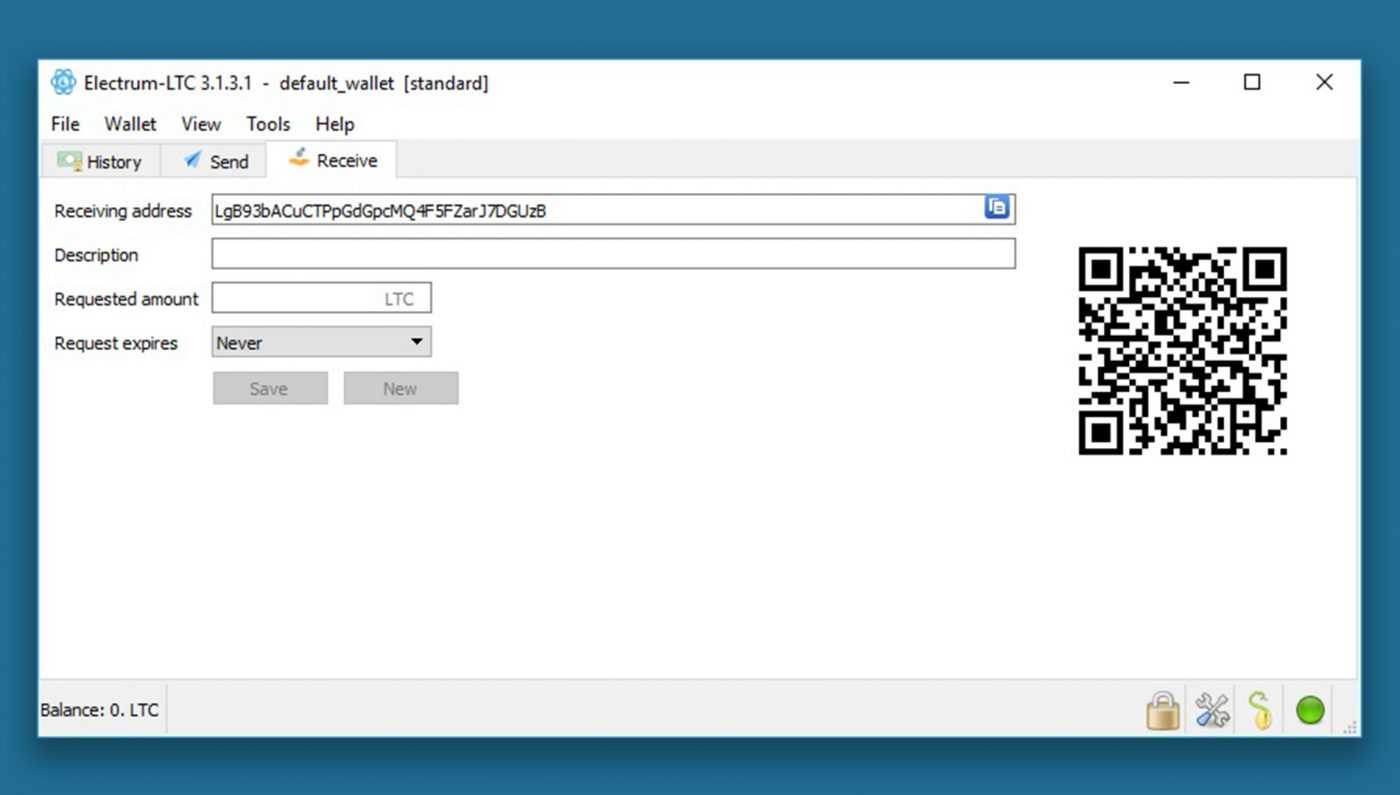
Best for: Electrum-LTC is best for users who want advanced Litecoin controls in a lightweight desktop wallet.
Platforms: Windows, macOS, and Linux.
Custody model: Non-custodial seed phrase.
Standout LTC features:
- Electrum-LTC is aimed at users who want more direct control over wallet behavior than a beginner-first app usually exposes.
- It is a desktop-oriented option for users who prefer managing LTC from a computer.
- As a maintenance check, Atomic Wallet’s Litecoin wallet research reports Electrum-LTC’s latest release as version 4.2.2.1 dated 6 September 2022; verify current release activity before committing to it.
Tradeoffs and watchouts:
- It can feel technical if you only need occasional send/receive activity.
- Release recency matters more here because desktop wallet maintenance affects whether you should treat it as a current daily-use option.
Choose this if…
- Yes/no: Do you want more advanced controls than a simple mobile wallet offers?
- Yes/no: Are you willing to verify release activity before using it for serious LTC management?
Litecoin Core
Best for: Litecoin Core is best for users who want independent verification through a full node rather than a lightweight wallet connection.
Platforms: Windows, macOS, and Linux.
Custody model: Full node wallet/client.
Standout LTC features:
- Litecoin Core is fundamentally different from the other software wallets here because it downloads and verifies the Litecoin blockchain locally, giving you independent verification at the cost of more setup friction.
- A 2026 comparison reports MWEB support for Litecoin Core, which should be evaluated specifically within this wallet’s feature set.
- Litecoin Core version 0.21.5.8 is listed as available on 12 September 2026, giving readers a concrete version-recency signal to check against the current release page.
Tradeoffs and watchouts:
- It is heavier to set up than a mobile wallet or lightweight desktop wallet.
- It is not the simplest choice if you only want quick everyday LTC payments.
Choose this if…
- Yes/no: Do you specifically want a full node for independent transaction verification?
- Yes/no: Are you willing to accept setup friction for stronger self-verification?
Atomic Wallet
Best for: Atomic Wallet is best for users considering a multi-asset software wallet who want to confirm the LTC basics before choosing it.
Platforms: iOS, Android, Windows, macOS, and Linux.
Custody model: Non-custodial seed phrase.
Standout LTC features:
- For LTC usage, verify send/receive basics, fee or network-control availability, and how transaction details are shown before relying on it.
- It is primarily a multi-asset wallet, so evaluate its Litecoin experience specifically rather than assuming every supported coin has the same depth.
Tradeoffs and watchouts:
- Its broad asset coverage can be useful, but it may add interface complexity if you only care about Litecoin.
- Do not choose it on brand familiarity alone; test the LTC send/receive and fee workflow first.
Choose this if…
- Yes/no: Do you want one multi-asset app that also supports Litecoin?
- Yes/no: Are you willing to confirm the LTC-specific controls before using it regularly?
Cake Wallet
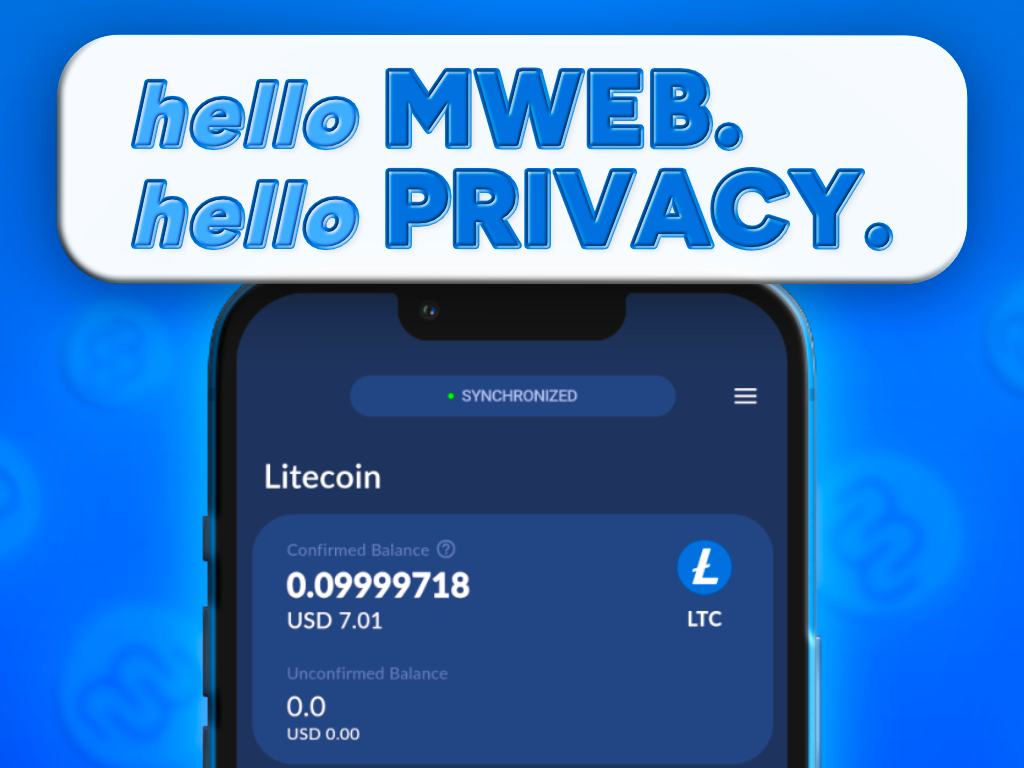
Best for: Cake Wallet is best for users who want a mobile-first wallet with Litecoin-specific feature support that may appeal to privacy-conscious users.
Platforms: iOS, Android, macOS, and Linux.
Custody model: Non-custodial seed phrase.
Standout LTC features:
- A 2026 comparison reports MWEB support for Cake Wallet, which is the Litecoin-specific differentiator to verify if privacy-related LTC features matter to you.
- It is a stronger fit for users who want more coin-specific capability than a basic send/receive app.
- Its mobile-first design can work well if you expect to manage LTC from a phone more often than a desktop.
Tradeoffs and watchouts:
- MWEB-related workflows may add a learning curve if you only want basic payments.
- Platform fit should be checked before choosing it, especially if your main device is a Windows desktop.
Choose this if…
- Yes/no: Do you want a wallet where reported MWEB support is part of the Litecoin feature set?
- Yes/no: Are you comfortable learning a few Litecoin-specific features instead of using the simplest possible wallet?
So far we have established the broad fit: hardware wallets for stronger isolation, mobile wallets for daily payments, and desktop/full node clients for more control. The next layer is feature verification.
Litecoin Wallet Feature Comparison
Use this comparison to check what each Litecoin wallet lets you do in practice: send and receive LTC, buy/sell/swap, manage more than one asset, and control the transaction fee or network settings. The point is to separate “available in the wallet” from “requires another provider,” because those are not the same thing.
| Feature check | Trezor | Ledger | Ballet | Trust Wallet | Exodus | Zengo | Litewallet | Electrum-LTC | Litecoin Core | Atomic Wallet | Cake Wallet |
|---|---|---|---|---|---|---|---|---|---|---|---|
| Send and Receive Litecoin | |||||||||||
| Send LTC | Yes | Yes | Partial: redeem/import | Yes | Yes | Yes | Yes | Yes | Yes | Varies/Check in-app | Yes |
| Receive LTC | Yes | Yes | Yes | Yes | Yes | Yes | Yes | Yes | Yes | Varies/Check in-app | Yes |
| Address verification flow | Yes: device screen | Yes: device screen | Varies/Check in-app | Varies/Check in-app | Varies/Check in-app | Varies/Check in-app | Varies/Check in-app | Varies/Check in-app | Varies/Check in-app | Varies/Check in-app | Varies/Check in-app |
| QR scan or QR display | Varies/Check in-app | ||||||||||
| Transaction history visibility/export | Varies/Check in-app | ||||||||||
| Block confirmation display | Varies/Check in-app | ||||||||||
| Multi-Asset Support | |||||||||||
| Multi-asset wallet fit | Varies/Check in-app | Yes | Varies/Check in-app | Yes | Yes | Varies/Check in-app | Partial: Litecoin-focused | No: Litecoin-focused | No: Litecoin client | Yes | Varies/Check in-app |
| Portfolio view across assets | Varies/Check in-app | Yes | Varies/Check in-app | Yes | Yes | Varies/Check in-app | No/Partial | No/Partial | No | Yes | Varies/Check in-app |
| Litecoin-specific focus | Partial | Partial | Yes | Partial | Partial | Partial | Yes | Yes | Yes | Partial | Partial |
| Fees and Network Controls | |||||||||||
| Miner fee preview before sending | Varies/Check in-app | ||||||||||
| Highest fee-control level supported | Unknown | Unknown | N/A until redeem/import | Unknown | Unknown | Unknown | Unknown | Unknown | Unknown | Unknown | Unknown |
| Coin control / UTXO selection | Varies/Check in-app | Varies/Check in-app | No routine app flow | Varies/Check in-app | Varies/Check in-app | Varies/Check in-app | Varies/Check in-app | Varies/Check in-app | Varies/Check in-app | Varies/Check in-app | Varies/Check in-app |
Send and Receive Litecoin
Before choosing any Litecoin wallet, test the actual send/receive screen rather than assuming every wallet handles payments the same way. Check whether you can:
- choose or recognize address formats, including legacy and bech32 where applicable.
- save labels or use an address book for repeat recipients.
- scan a QR code and display your own receive QR code.
- view or export transaction history clearly enough for your records.
- see the block confirmation count after receiving LTC.
Buying, Selling, and Swapping
Wallet-native exchange buttons are not always wallet-controlled trading. In many wallets, buy, sell, or swap flows depend on an external provider even if the button appears inside the app. Therefore,
- Confirm geographic availability before assuming the route works in your country or state.
- Confirm whether KYC is required before you start the buy, sell, or swap process.
- Confirm whether the spread and provider fee are separated from the Litecoin network fee.
- Confirm whether the LTC swap route is direct or routed through another asset first.
- If you are comparing multi-asset apps, you can apply the same checklist to other wallet brands you may see recommended elsewhere, such as Guarda, so you evaluate the provider dependencies and fee disclosures consistently.
Multi-Asset Support
Multi-asset support is useful when you want one place to view and move a broader portfolio. It can also be a liability if the interface becomes busier, adds more chains to manage, or makes the Litecoin flow harder to verify.
If you only want LTC, prioritize a clean Litecoin send/receive flow and visible fee controls. If you manage multiple assets, prioritize portfolio visibility and clear per-chain transaction details.
Fees and Network Controls
Map fee controls to your own skill level before choosing:
- Automatic fees only: the wallet chooses the transaction fee for you.
- Fee presets: the wallet offers options such as slow, normal, or fast.
- Custom fee entry: you can enter the fee manually.
- Advanced controls: the wallet may expose coin control/UTXO selection, RBF, or CPFP if supported.
Remember that wallet fee settings control the miner fee you choose for the Litecoin transaction, not the exchange or provider fees charged during buy, sell, or swap flows.
Once the feature fit is clear, the remaining question is trust. A wallet with every feature you want is still not usable if you cannot verify the download, restore the backup, or understand who controls the private key.
Security and Trust Signals
Before depositing meaningful Litecoin into any wallet, validate the wallet’s custody model, recovery path, download source, and reputation signals. A wallet can have a clean interface and still be a poor fit if you cannot restore access, verify who controls the private key, or confirm that the app you installed is the real one.
Self-Custody and Private Keys
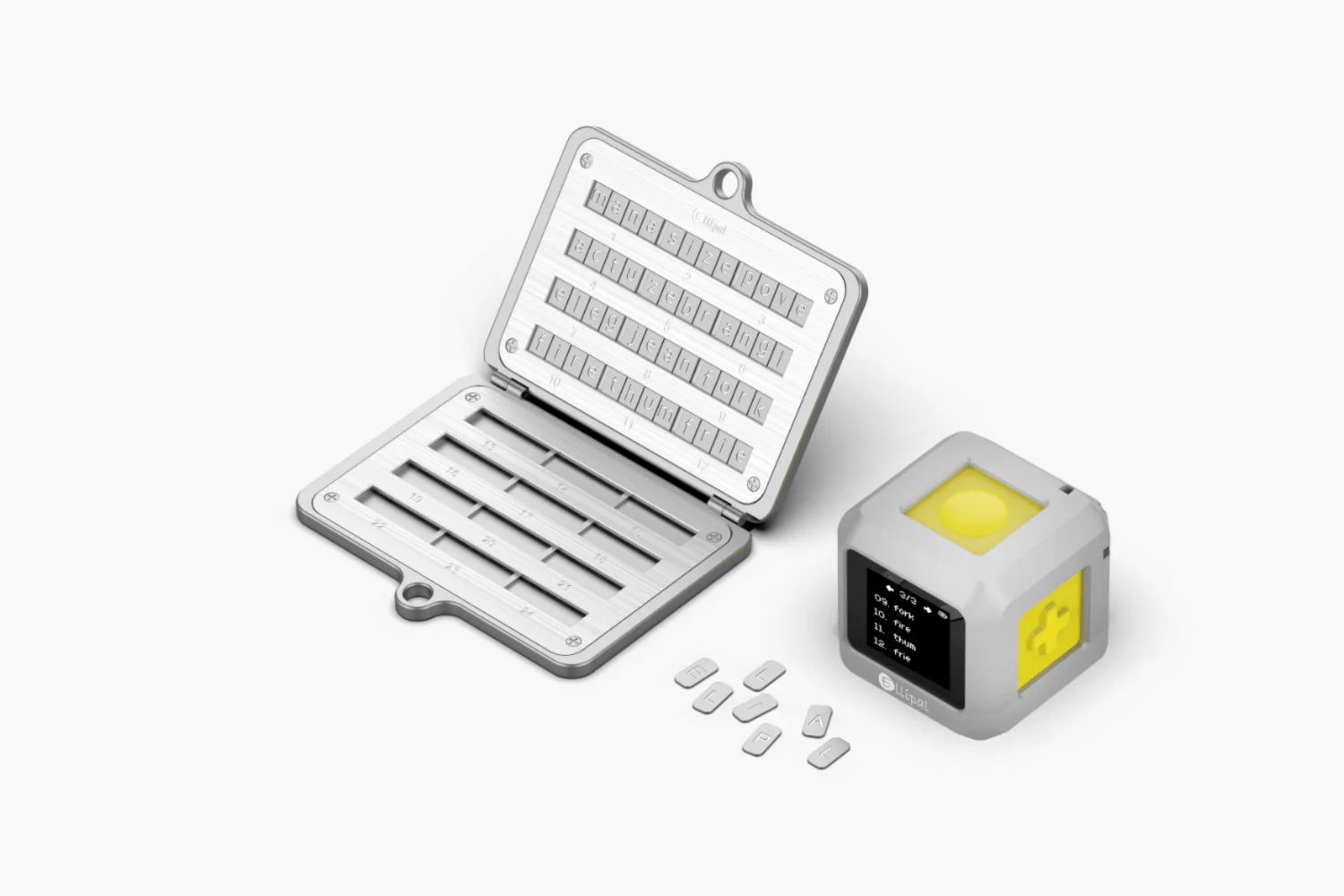
Start by identifying who controls the keys. This is the most important trust question because it tells you what happens if your phone is lost, your account is locked, or the provider disappears.
- Non-custodial wallet / self-custody
- What to look for in-app: onboarding language such as “write down your recovery phrase,” “backup your seed phrase,” “export private key,” or “you are responsible for your wallet backup.”
- What it means in practice: if your phone breaks, you should be able to restore the same Litecoin wallet on a new device using the recovery phrase or mnemonic phrase. The provider should not need to approve the restore.
- Custodial wallet
- What to look for in-app: language such as “account,” “login,” “password reset,” “we secure your assets,” “custody provided by,” or no option to export a recovery phrase, seed phrase, or private key.
- What it means in practice: if the provider freezes the account, blocks a login, or changes access rules, you may not be able to move your LTC until the provider allows it.
- Alternative custody architectures, such as seedless or MPC
- What to look for in-app: explanations such as “no seed phrase,” “MPC,” “multi-party computation,” “recovery kit,” “biometric recovery,” or “account recovery shares.”
- What it means in practice: you may not have a traditional 12/24-word backup, so you need to test the wallet’s recovery flow before relying on it. If recovery depends on your account, device, email, biometrics, or provider-controlled process, understand what happens if one of those is unavailable.
Also check permissions and app surface area before sending funds:
- Normal permissions: camera access for scanning QR codes, local notifications for transaction alerts, and biometric access for unlocking the app.
- Suspicious permissions: contacts, SMS, call logs, microphone, location, or broad file access when the wallet only needs to send and receive Litecoin.
- Quick sanity check: install the wallet, open the receive screen, scan or display a QR code, and start a small send flow without completing it. If the app requests unrelated permissions during this simple path, pause and investigate before funding it.
- Private key check: for a self-custody wallet, confirm where the backup or export option lives. If the app claims to be non-custodial but never shows a recovery phrase, private key export, or clear alternative recovery explanation, treat that as a custody-model warning.
Recovery Methods
Recovery is not just about having a backup. It is about knowing which failure you are planning for and verifying that the recovery path works before the wallet holds meaningful LTC.
| Recovery path | What it is | Failure mode to plan for | Verification step after setup |
|---|---|---|---|
| 12/24-word seed phrase / HD wallet | A standard recovery phrase or mnemonic phrase that restores the wallet’s keys and addresses. | Lost phone. | Confirm the wallet displays the seed phrase once during setup, then test-restore on a spare device, temporary profile, or clean environment before depositing serious funds. |
| Passphrase / “25th word” | An optional extra layer added to the seed phrase that creates a different wallet. | Forgotten passphrase. | Write down a clear reminder label without exposing the passphrase itself, then verify that the exact passphrase opens the expected wallet. |
| Hardware-wallet device + seed backup | A signing device protects the private key, while the seed backup restores access if the device is lost or broken. | Broken hardware device. | Confirm that an offline backup exists and that the wallet can show or verify a receive address on the device screen. |
| Seedless / MPC recovery flow | Recovery depends on account-based, device-based, biometric, cloud, or multi-share mechanisms instead of a traditional seed phrase. | Account lockout. | Walk through the documented recovery setup immediately, confirm which factors are required, and check whether recovery is possible without the original phone. |
Crypto wallet backup security best practices include:
- Store backups offline, not in screenshots, cloud notes, email, or chat apps.
- Keep at least two copies in separate physical locations you can still access.
- Label backups with a neutral identifier, such as “Litecoin mobile wallet - created 2026” or “hardware wallet passphrase wallet,” without writing the balance on the label.
- If you manage multiple wallets, note the wallet type, derivation path if shown, and whether a passphrase is required, so you can distinguish backups later.
App Store and Website Verification
Fake wallet downloads are one of the easiest ways to lose funds before you ever make a Litecoin transaction. Use these checks before installing anything:
- Start from the official website. Type the wallet’s known domain directly or use a trusted bookmark. Do not begin from a random search result.
- Use store links from the website. Follow the official iOS, Android, desktop, or GitHub links from the wallet’s site instead of clicking ads or third-party download pages.
- Match the publisher name. Check that the developer or publisher name in the app store matches the name used on the official website. For example, verify publisher details just as carefully for payment-oriented apps like BitPay Wallet as you would for any other wallet.
- Check the domain carefully. Look for typos, extra words, swapped letters, or homoglyphs that make a fake domain look like the real one.
- Avoid sponsored links. If a wallet download appears as a sponsored search result, skip it and navigate through the official site instead.
Do a release and updates sanity check before trusting the app:
- In the app store or GitHub releases page, look for a recent update cadence, meaningful release notes, and a stable version history.
- Release notes should describe fixes, wallet support, security improvements, or platform changes, not just repeated vague lines like “minor updates.”
- Be cautious with abandoned wallets: if the app has not been updated in a long time, has unresolved installation issues, or has no visible maintainer activity, treat that as a reason to keep looking.
Reputation and Audit Signals
Reputation is not a single score but a hierarchy of signals that should be interpreted together.
- Reproducible or open-source code with community visibility
- How to interpret it: open code lets developers inspect how the wallet handles private key generation, transaction signing, and network communication. Reproducible builds are stronger because they help users confirm that published code matches the released app.
- Reader action: look for phrases such as “open source,” “source code,” “reproducible builds,” or a public GitHub repository. A red flag is a wallet that claims transparency but provides no current repository, build instructions, or visible issue history.
- Third-party security audits
- How to interpret it: an audit can show that an outside team reviewed specific components, but it does not prove the wallet is permanently safe.
- Reader action: search the wallet site for “security audit,” “audit report,” or “independent assessment.” A red flag is an audit badge with no report, no date, no auditor name, or no scope.
- Vulnerability disclosure or bug bounty
- How to interpret it: a clear disclosure process shows that the project expects security reports and has a channel for handling them.
- Reader action: look for “security policy,” “responsible disclosure,” “bug bounty,” or a SECURITY.md file on GitHub. A red flag is no contact path for reporting wallet vulnerabilities.
- Incident history and response quality
- How to interpret it: past incidents do not automatically disqualify a wallet, but the response matters. Strong projects publish timelines, fixes, user guidance, and postmortems.
- Reader action: search the wallet name plus “hack,” “vulnerability,” “incident,” and “postmortem.” A red flag is a pattern of unresolved reports, deleted explanations, or vague statements that never explain what changed.
Watch out for audit-washing. An audit is a point-in-time control, not a guarantee. Check what version was audited, which components were in scope, and whether the current app version is newer than the report. A narrow audit of a website, smart-contract integration, or one module does not automatically cover the Litecoin wallet, private key storage, recovery phrase handling, or mobile app release you are actually using.
Before depositing meaningful LTC into any wallet, run this pre-deposit checklist in order:
- Verify the wallet download source from the official website, not ads or third-party download pages.
- Confirm the custody model: non-custodial wallet, custodial wallet, or seedless/MPC-style recovery.
- Confirm how the private key, seed phrase, recovery phrase, or alternative recovery method is handled.
- Review app permissions during a basic send/receive flow and reject unrelated access requests.
- Test the recovery path before funding the wallet with more than a small amount.
- Check reputation signals, including open-source visibility, audits, disclosure process, and incident response.
- Deposit a small test amount of Litecoin first, confirm you can receive and send it, then increase only if the full flow works.
Conclusion
The best Litecoin wallet is a product that matches your risk model, transaction habits, and tolerance for setup friction. Long-term LTC storage usually points toward a hardware wallet or carefully managed cold wallet setup. Everyday spending usually points toward a mobile wallet with clean QR flows and visible fee previews. Advanced users may prefer Electrum-LTC or Litecoin Core for more control and verification.
At the end of the day, the wallet decision comes down to one principle: convenience is useful only after custody is understood. Verify the download source, test recovery, send a small transaction first, and only then move larger Litecoin balances.
Frequently Asked Questions
What is the best Litecoin wallet?
The best Litecoin wallet is the one that fits your use case: long-term storage points toward a hardware wallet, while everyday payments point toward a mobile/software wallet. The main nuance is that “best” changes with how often you move LTC and how much control you want over recovery, fees, and setup.
What is the safest Litecoin wallet?
The safest Litecoin wallet is one that minimizes online attack surface and gives you a strong, testable recovery path. For large balances, a hardware wallet is typically safest; for smaller spending balances, a reputable non-custodial mobile wallet may be acceptable. The key is not only the device or app, but whether you can verify the wallet and restore it correctly.
Does Litecoin have an official wallet?
No, Litecoin doesn’t have a single universal “official” wallet for all users; some wallets are Litecoin-focused and maintained by recognized ecosystem teams. The nuance is that “official” matters less than the custody model, active maintenance, and reliable updates. Litewallet and Litecoin Core are the most relevant Litecoin-focused options in this guide.
How do I get a Litecoin wallet address?
Open your wallet, choose Receive, select Litecoin/LTC, and copy the public address or QR code. Litecoin wallets may show multiple address formats, so use the format required by the sender or exchange. If unsure, use the wallet default and test with a small amount before transferring more LTC.
