
Best Crypto Wallet: Complete Guide to Choosing the Right Digital Wallet in 2026

Key Takeaways
- 🔘 Security is non-negotiable: Offline crypto wallets (hardware and other cold storage solutions) remain the most secure choice for long-term holdings. Demand increased 34% year-over-year in 2025—and for good reason. Personal wallet compromises now represent 23.35% of all crypto theft, making individual users prime targets.
- 🔘 Wallet type depends on your use case: Hot wallets—including mobile, desktop, and online options—offer convenience for active trading and frequent transactions. Cold storage protects assets from remote attacks. Multichain wallets have become essential for managing different blockchains without juggling separate apps.
- 🔘 Based on the team's experience and expertise, ChangeHero recommends Trezor, Ledger, CoolWallet S, Tangem, BCVault and OneKey for hardware crypto wallets. Recommended hot wallets are Metamask, Exodus, Arctic Wallet, and Edge.
- 🔘 Self-custody gives you control: Non-custodial wallets put you in charge of your private keys and remove third-party custodial risk. This matters more than ever. Over $2.17 billion was stolen from crypto services in 2025 alone, surpassing all of 2024’s losses combined.
- 🔘 Hardware wallets lead security rankings: Devices using EAL6+ certified Secure Elements provide bank-grade protection. Ledger has secured about 20% of the global crypto market across 7.5 million devices without a single hack of their signer hardware. Competitors like Trezor have demonstrated vulnerabilities when attackers gain physical access—an important distinction if you’re storing large amounts.
- 🔘 Platform matters for daily use: iOS wallets and Android wallet apps each have their own strengths. Desktop wallets cater to power users, while Web3 wallets enable decentralized functionality for DeFi and NFTs. The best DeFi wallets support multiple blockchains and integrate smoothly with dApps.
- 🔘 Multi-chain support is now standard: As the typical holder owns multiple cryptocurrency types, multi-chain wallets remove the need for multiple single-chain apps. The ideal wallet offers broad network compatibility without sacrificing security.
- 🔘 Recovery planning prevents disaster: Modern hardware wallets generate 24-word seed phrases as your master backup key. Always test recovery with small amounts before depositing significant funds.
Contents
- 1. What Is a Crypto Wallet?
- 2. Types of Crypto Wallets
- 3. The Most Secure and Safest Crypto Wallet Options
- 4. Advanced Wallet Security Features
- 5. Overview of Top Wallets
- 6. ChangeHero Team's Top Crypto Wallets
- 7. Best Crypto Wallets by Platform and Use Case
- 8. User Reviews and Comparisons
- 9. How to Choose the Right Crypto Wallet
- 10. How to Set Up a Crypto Wallet
- 11. Best Practices for Protecting Your Crypto
- 12. Risk Management and Diversification
- 13. What to Do if You Lose Access to Your Wallet
- 14. Conclusion
Choosing the right crypto wallet in 2026 means matching your security needs, usage patterns, and risk tolerance to the right tools. Your wallet choice directly affects your financial security.
If you’re actively trading or using DeFi, you’ll want a hot wallet for crypto—like a Web3 or decentralized crypto wallet—that connects easily to protocols while keeping you in non-custodial control. For holdings you won’t touch for months, an offline crypto wallet gives you maximum protection against remote attacks. Cold storage doesn’t erase every risk—physical and supply-chain vulnerabilities still exist—but it dramatically reduces your exposure surface. Platform matters just as much.
This guide breaks down every major wallet type, core security considerations, and practical use cases so you can make an informed choice. You’ll see which self-custody crypto wallet fits your needs, understand the real trade-offs between hot and cold storage, and learn why features like certified Secure Element chips (EAL5+ or EAL6+) matter for protection.
By the end, you’ll know exactly which wallet—or combination of wallets—matches your crypto strategy.
What Is a Crypto Wallet?
If the question 'what is a crypto wallet?’ or how crypto transactions work breaks completely new ground for you, we highly recommend reading our other articles first. Below is a more brief explanation to types of crypto wallets than our guides catered to beginners can offer.
By definition, a crypto wallet is a digital tool that stores the credentials you need to access and manage your cryptocurrency. Think of it as a keychain that holds your private keys—unique codes that prove ownership of your crypto assets on the blockchain. The wallet doesn’t actually hold your coins; those live on-chain. The wallet gives you the ability to send, receive, and track them.
Crypto wallets come in several forms. A mobile crypto wallet app lives on your phone. Desktop crypto wallet software runs on your computer. Online crypto wallet platforms run in your browser. Offline crypto wallet devices never connect to the internet, as the name implies. Each type makes a different trade-off between convenience and security, which is why understanding how they work matters before you choose one.
How Crypto Wallets Work
Every crypto wallet manages two critical pieces of information: your public key and your private key.
Your public key (or wallet address) works like an email address. You can share it freely so others can send you crypto. Your private key is more like a master password—it proves you own the assets at that address and lets you authorize transactions. Anyone with your private key controls your funds. That’s why wallet security and keeping those private keys away from prying eyes in particular is such a big deal.
When you send cryptocurrency, your wallet creates a transaction, signs it with your private key, and broadcasts it to the network. Validators or miners verify that the signature matches your public key, then add the transaction to the blockchain. The entire process runs on cryptographic proofs, not banks or intermediaries.

Modern wallets sit on various spectrums: one ranges from non-custodial crypto wallet options (you control your keys) to custodial services (a third party manages keys on your behalf). A self-custody crypto wallet gives you full control—and full responsibility. In contrast, custodial options handle security and recovery, but you must trust someone else with access to your assets. The Web3 wallet category bridges storage with decentralized applications (sometimes called dApps), letting you interact with DeFi protocols and NFT marketplaces directly from your wallet interface.
Why Crypto Wallets Matter
It’s not complicated: without a crypto wallet, you don’t truly own cryptocurrency. You need one to receive funds, store them securely, and send them when you choose. But the importance goes well beyond basic storage.
With over $2.17 billion stolen from crypto services in 2025 and personal wallet compromises representing 23.35% of all stolen funds, your wallet choice directly impacts your risk exposure. Major exchanges have hardened their defenses, so attackers are shifting toward individuals.
The most secure crypto wallet and safest crypto wallet options tackle these threats in different ways. Hot wallet for crypto solutions remain online for convenience, while offline crypto wallet devices isolate your keys from the internet. If you manage multiple assets, multichain crypto wallet and multi cryptocurrency wallet solutions simplify diversification without forcing you into a patchwork of apps.
Types of Crypto Wallets
Crypto wallets fall into clear but distinct categories based on who controls the keys, whether they’re online or offline, and which platforms they run on. Knowing these distinctions makes it much easier to compose or select the right mix for you.
Custodial vs Non-Custodial Wallets
The fundamental divide in this category is a simple one: who controls your private keys?
Custodial wallets function like traditional bank accounts. A company—typically an exchange like Coinbase or Kraken—holds your private keys and manages your crypto on your behalf as long as the funds stay in their custody. You log in with a username and password, and the service handles the technical details. This is convenient, especially at the beginning. The trade-off: you’re trusting a third party with your assets and accepting their security practices and policies.
Non-custodial wallets (also known as self-custody crypto wallets), by contrast, put you in complete control. You hold the private keys yourself, which means you—and only you—can access and move your funds. No company can freeze your account or override your decisions. The downside: you’re solely responsible for security and backup. Lose your keys and there’s no reset.
Self-custody wallets generate and store your private keys locally on your device or hardware wallet. When you create a non-custodial crypto wallet, it generates a unique seed phrase—typically 12 or 24 words—that serves as your master backup. This phrase mathematically derives all of your private keys and lets you restore your entire wallet if needed.
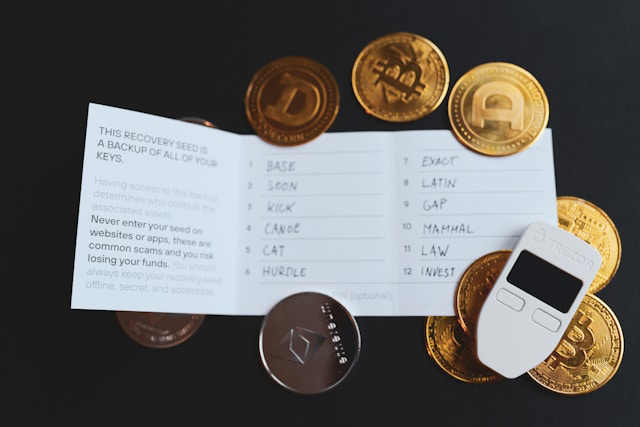
Photo by rc.xyz NFT gallery on Unsplash
The upside is complete sovereignty. No intermediary can block transactions, impose withdrawal limits, or demand extra KYC for access. You interact directly with blockchain networks and keep faith with the original promise of cryptocurrency: “not your keys, not your coins.”
Hot Wallets vs Cold Wallets
Another core distinction is online connectivity or whether your keys ever touch an internet-connected environment.
Hot wallets remain online, making them easy to use but more exposed to remote attack. Treat them like a checking account—accessible but relatively vulnerable.
Cold wallets keep your private keys completely offline, insulating them from remote hacks, malware, and phishing. Think of them as a safe deposit box—highly secure, less convenient.
Hot wallets for crypto include mobile crypto wallets, desktop crypto wallets, and online crypto wallets. They’re ideal for:
- Daily transactions and payments
- Active trading on centralized or decentralized exchanges
- DeFi interactions and other Web3 applications
- Learning and experimentation with modest amounts
Despite the risks, 72–78% of crypto users still rely on hot wallets in 2025. Convenience remains compelling, especially for frequent DeFi use.
The main weaknesses are straightforward: because hot wallets connect to the internet, they’re exposed to malware, phishing, fake apps, browser exploits, and compromised devices. If your phone or computer is compromised, attackers may be able to access your funds.
Offline crypto wallets—primarily hardware wallets—keep your private keys in an environment with no internet connectivity, shutting down most remote attack vectors.
Cold storage’s security advantages are clear: your keys never leave the secure environment of the device and never touch an internet-connected system. Hardware wallets generate and store keys inside certified Secure Element chips (CC EAL5+ or EAL6+), offering protections similar to those used in bank cards and passports.
There are trade-offs to these wallets, naturally. Cold storage does not remove physical, insider, or supply-chain risks. It’s less convenient for frequent transactions and requires an upfront hardware purchase. But for long-term holdings, the security benefits significantly outweigh the friction.
Platform-Specific Wallet Types
Once you know whether you want hot or cold storage, the next choice is platform: phone, desktop, browser, or dedicated device.
Mobile wallets are crypto wallet apps for smartphones, most commonly iOS crypto wallets and crypto wallets for Android. They’re often the default choice for everyday use because they combine portability with decent security.
These apps store your keys on your phone and can add biometric protection like Face ID or fingerprint scanning. Popular examples include Trust Wallet, MetaMask Mobile, and Coinbase Wallet.
Mobile wallets work especially well for:
- On-the-go payments and transfers
- QR code scanning in stores or at events
- Real-time push notifications for incoming/outgoing transactions
- DeFi access while away from your desk
Given that the average cryptocurrency owner holds at least two different asset types, mobile wallets often become the primary interface for managing a diverse portfolio.
Desktop wallets run as software on your computer (Windows, Mac, Linux) and generally offer more advanced features than their mobile counterparts.

Desktop wallets typically provide:
- Larger screens for complex or multi-step transactions
- Strong integration with hardware wallets
- More customizable security settings
- Better privacy controls in some cases
Electrum (Bitcoin-focused), Exodus (multi-asset), and Atomic Wallet are common examples. For users who manage multiple cryptocurrencies or participate in more complex DeFi strategies, desktop wallets strike a good balance between power and usability.
Thirdly, online or browser-based wallets live in your browser and are accessed via extensions or web interfaces. They’re extremely accessible but expose you to browser-specific risks.
MetaMask and Phantom are classic Web3 crypto wallet examples: they run as browser extensions and allow you to connect to dApps in a click. Web-based wallet interfaces are similarly easy to access from almost any device without installation.
The trade-off is layered trust: you depend on both the wallet provider and your browser’s security. Malicious extensions, compromised websites, or zero-day browser vulnerabilities add extra attack surfaces you won’t see with standalone software.
Last but not least, hardware wallets are dedicated physical devices built specifically to protect cryptocurrency keys. They generate and store private keys inside a secure chip and require you to approve transactions directly on the device. All hardware wallets are cold wallets but not all cold wallets have to be specific devices (a smartphone or a computer that is offline can also be used in cold crypto storage).
Nevertheless, most of the time, those are special devices, and the hardware wallet market is projected to grow from USD 0.56 billion in 2025 to USD 2.06 billion by 2030, at a CAGR of 29.95%—a strong signal of how central they’ve become to serious crypto security.
Ledger and Trezor are the long-standing leaders, with Ledger selling over 7.5 million devices and securing around 20% of the global crypto market.
Modern hardware wallets typically offer:
- EAL5+ or EAL6+ certified Secure Elements
- Touchscreens for easier navigation on newer models
- Support for thousands of coins and tokens
- Bluetooth connectivity for pairing with phones
- Recovery via a 24-word seed phrase
Hardware wallets represent the safest crypto wallet choice for long-term holdings, but they come at an upfront cost (roughly $50–$200) and add friction to day-to-day usage.
Alternative cold crypto storage that is not hardware wallets are paper wallets—printouts containing your public and private keys, usually as QR codes. They were an early form of cold storage and by now are exceedingly rare due to obvious issues: paper is vulnerable to fire, water, fading ink, and theft, and paper wallets lack PINs, biometrics, or any extra protections. As hardware wallets have become cheaper and more user-friendly, paper wallets have largely disappeared from modern best practice and are now mostly of historical interest.
Multichain and Multi-Cryptocurrency Wallets
A multichain crypto wallet supports multiple blockchains—Bitcoin, Ethereum, Solana, Polygon, and many more—inside one interface. These multi cryptocurrency wallets prevent the app sprawl that would otherwise quickly arise as your portfolio grows.
Notable multichain wallets include:
- Trust Wallet – Supports 100+ blockchains
- MetaMask – Ethereum + EVM-compatible chains
- Exodus – 260+ cryptocurrencies across multiple networks
- Ledger and Trezor – Hardware-based support for thousands of assets
Multichain wallets bring several clear advantages:
- Unified interface: One app to view and manage all holdings across chains.
- Cross-chain swaps: Integrated bridges and swap tools in some wallets let you move assets between networks without leaving the app.
- Simplified backup: A single seed phrase often secures all chains, reducing backup sprawl.
- Broad DeFi access: Top DeFi wallets support multiple ecosystems, letting you tap liquidity, lending, and yield strategies on several networks.
- Future-proofing: As new chains launch, multichain wallets can often add support via updates, preserving your learning investment.
Decentralized Crypto Wallets (Web3 Wallets)
Decentralized crypto wallets—commonly called Web3 wallets—go beyond simple storage. They serve as your identity and interaction layer for decentralized applications.
Technically, all non-custodial wallets decentralize custody. Web3 wallets, though, are explicitly designed for dApp connectivity and smart contract interactions.
They allow you to:
- Connect to DeFi platforms for lending, borrowing, trading, and staking
- Interact with NFT marketplaces and metaverse projects
- Participate in DAO governance and on-chain voting
- Sign messages to prove ownership of a wallet
- Use decentralized social and other Web3 services
MetaMask remains the leading Web3 wallet for Ethereum and EVM chains, while Phantom dominates the Solana ecosystem. These decentralized crypto wallets preserve self-custody while acting as your gateway to on-chain applications.
The Most Secure and Safest Crypto Wallet Options
When people ask for the most secure crypto wallet, they’re almost always talking about hardware wallets that keep private keys entirely offline and protected by certified secure hardware.
Hardware wallets generate and store private keys within Secure Element chips. Keys never leave the chip or touch an internet-connected environment; only the signature derived from the key does when you authorize a transaction.
Ledger pride themselves on having no recorded hacks of their devices. The Ledger Nano Gen 5, its current standard model, adds a touchscreen at a relatively accessible price point to make secure self-custody more approachable.
Trezor wallets have had physical-access exploits demonstrated by cybersecurity researchers. That doesn’t make them unsafe for typical users, but it does show that every design has a specific threat profile.
For users demanding the highest possible assurance, the NGrave Zero stands out with EAL7 certification—the highest available rating—plus an air-gapped design, touchscreen, and biometric security. The OneKey Pro takes a different route, using four EAL6+ Secure Elements instead of the usual one or two.
Advanced Wallet Security Features
As threat sophistication has increased, so have defensive features. Modern wallets now rely on layered security: hardened hardware, stronger authentication, and smarter software controls.
Modern Security Protocols
Secure Element chips form the hardware foundation for serious wallet security. These CC EAL5+ or EAL6+ certified chips are designed to resist tampering, side-channel attacks, and physical extraction attempts. They’re tested to withstand attackers with physical access to the device.

Many hardware wallets also support an optional passphrase. This acts like a “wallet on top of a wallet”: you need both the 24-word seed phrase and the passphrase to access funds. If someone steals your seed phrase but not the passphrase, your assets remain protected. The catch is not the most obvious one, though: forget the passphrase and you lock yourself out permanently, even if you remember the seed phrase flawlessly. This feature is best reserved for users with advanced operational discipline.
Most modern wallets, hardware and software alike, generate a 24-word seed phrase following the BIP39 standard. This standardization means you can often recover your wallet using compatible software from a different brand if needed.
Biometric and Hardware Security Integration
Biometrics have become a standard element of premium wallets. The NGrave Zero, for instance, adds fingerprint recognition to its EAL7-secured environment, while touchscreen hardware wallets like Ledger Flex and Trezor Safe 5 simplify navigation and reduce the chances of user error.
Regardless of model, you should always set a strong, random 4–6 digit PIN (infosec specialists recommend to avoid birthdays, anniversaries, or obvious sequences). The PIN code provides an extra barrier if someone gets physical access to the device.
The SafePal S1 Pro illustrates how these features combine: fully air-gapped operation, support for over 200 blockchains, a 1.8-inch screen for on-device verification, and Bluetooth 5.0 strictly for signing workflows—keys never leave the secure environment.
Real-World Attack Scenarios
Security research shows that motivated, well-equipped attackers can compromise even air-gapped wallets using covert electromagnetic, acoustic, optical, or physical channels. These attacks require specialized tools and physical proximity, but they’re not purely theoretical.
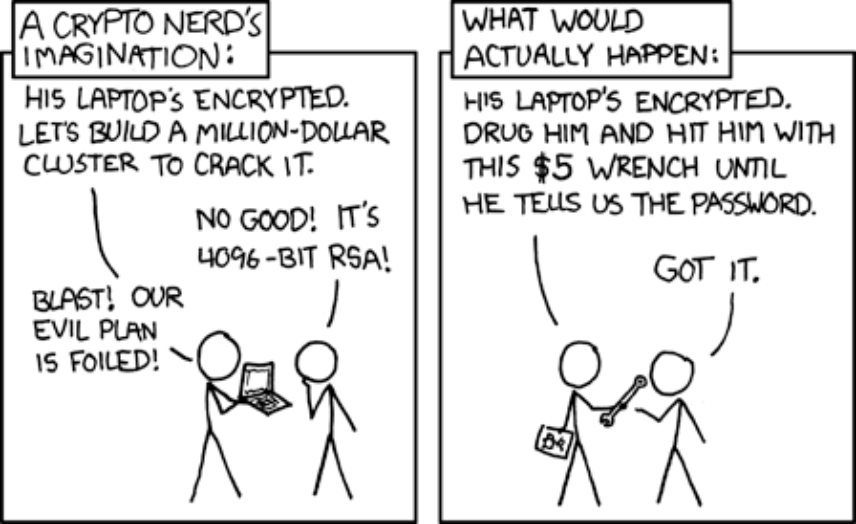
xkcd: Security (#538)
The 2026 crime landscape adds a different dimension: physical “wrench attacks”—assaults on holders to force them to sign transactions—have risen in line with Bitcoin price increases and are projected to double any previous year’s total.
The takeaway is that cold storage mitigates remote digital risks but doesn’t erase physical, insider, supply-chain, or process threats. A defense-in-depth approach works best:
- Use hardware wallets for large holdings
- Distribute assets and backups across locations
- Test recovery with small amounts before going all-in
- Never photograph or store seed phrases digitally
For Web3 wallet users and DeFi wallets, the model is slightly different. These decentralized wallet apps must stay online to interact with smart contracts, making them inherently more exposed than offline setups. A common pattern is to keep only active trading and DeFi capital in hot wallets while sending long-term holdings to cold storage.
More users are embracing this layered approach. Whether you use an iOS wallet, Android wallet, or desktop wallet, the safest configuration almost always combines multiple layers: cold storage for savings, hardware-backed signing for transactions, and careful operational security around passwords, devices, and backups.
Overview of Top Wallets
The 2025 wallet landscape blends established brands with specialized challengers, each emphasizing different aspects of security and usability.
Ledger and Trezor remain the two dominant hardware names. The Ledger Nano Gen 5 introduces a touchscreen at an accessible price, building on the Bluetooth-enabled Nano X.
The Trezor Safe 5 similarly improves user experience with touchscreen navigation, addressing the clunky button interfaces of earlier units.
Innovation in hardware has also produced more specialized devices:
- OneKey Pro: four EAL6+ certified Secure Elements for extra physical-resistance assurance.
- NGrave Zero: an air-gapped wallet with EAL7 certification, touchscreen, and biometric authentication for maximum isolation.
- SafePal S1 Pro: a 100% offline, air-gapped device with a 1.8-inch screen, Bluetooth 5.0, and support for over 200 blockchains.
Card-based wallets are emerging as a low-friction entry point. The Tangem Wallet uses NFC, comes with a 25-year warranty, and costs around $54.90–$69.90, making it one of the more affordable self custody crypto wallet options.
ChangeHero Team's Top Crypto Wallets
Are these the definitive top 10 best cryptocurrency wallets? Objectively, no, but these are the ones our diverse and extremely experienced team choose to use ourselves.
Our Recommended Hardware Wallets
If you own large amounts of crypto and can spare some cash to buy yourself a physical wallet, hardware would be the best cryptocurrency wallet for you. It’s not as convenient as a software wallet, but it is without doubt a safer and a more advanced option. Hardware wallets are non-custodial by definition and the devices can act as a two-factor authentication tool.
Looking for a list of cryptocurrency hardware wallets specifically? Check out this review of the most popular devices.
Trezor
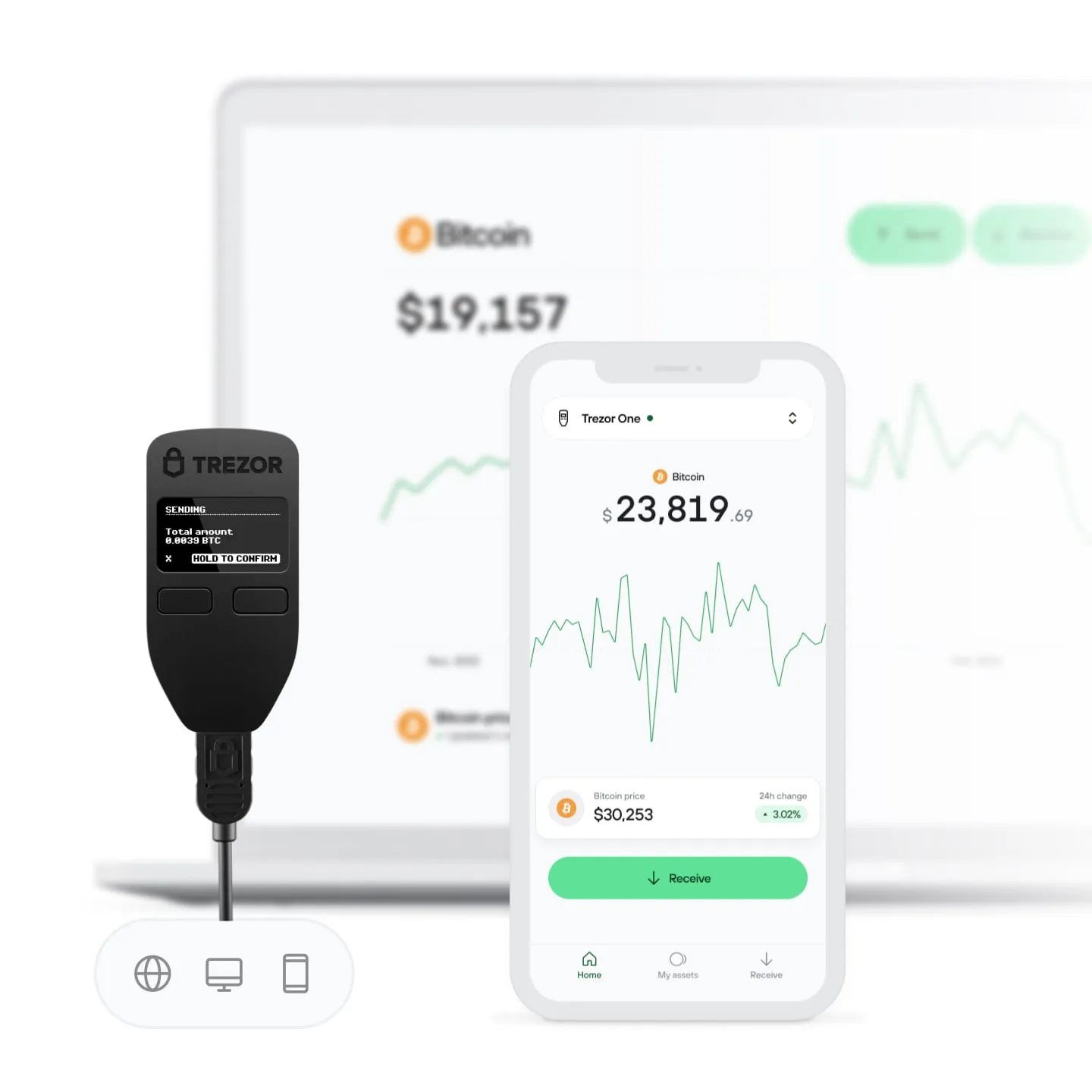
One of the most reputable hardware wallets in the market is Trezor. Though the first devices shipped in 2018, its development started as early as in 2012, and all the code accompanying the Trezor wallets is open-source. As it is a hardware wallet, naturally, it is a non-custodial storage option, meaning that only you can manage the keys to your addresses.
Trezor hardware supports thousands of coins and tokens, and the developers have made companion software which has a lot of useful features: statistics dashboard, in-app fiat purchase and crypto-to-crypto exchange. No software even needs to be installed, as the Trezor client can be accessed in a browser. The crypto exchange feature is powered by a few providers, and ChangeHero is among them, so you can always choose our best rates.
For a How-to guide on using the exchange feature in Trezor Suite, see this guide.
CoolWallet S
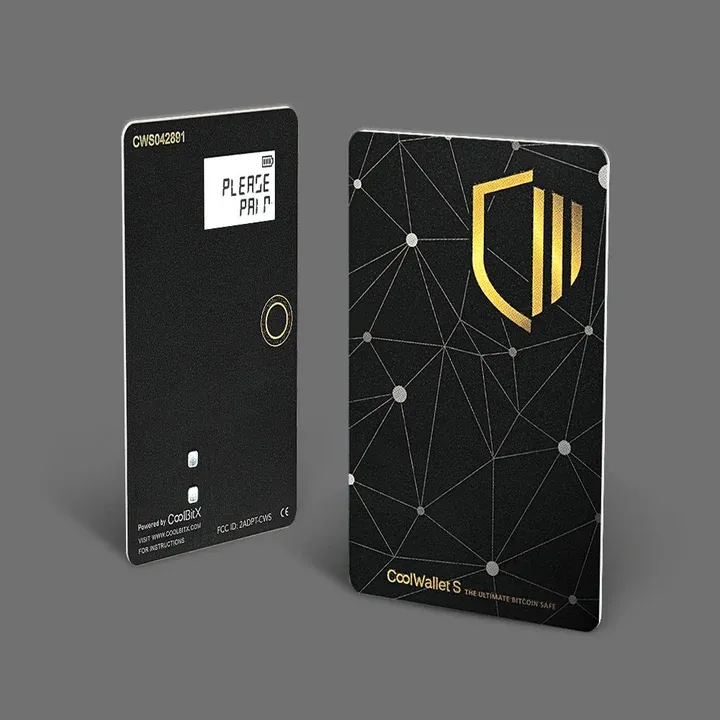
Hardware wallets are not the most convenient option, though, since in the end those are peripheral devices. To address this issue, CoolBit X has developed the first mobile hardware wallet, CoolWallet S. It can be connected to a smartphone with Bluetooth, which is a secure alternative to a direct connection. In other words, if you don’t feel like picking between classic hardware and mobile devices, CoolWallet S can be the top cryptocurrency wallet option for you.
The asset selection is a bit more modest: about a dozen coins and any ERC-20 token.
The companion application CoolBitX Crypto is also packed with features: in addition to account and balances management, users can exchange and purchase cryptocurrencies right in the app. Exchanging crypto is especially easy and convenient, as this function is provided by ChangeHero. As is the case with Trezor, it is a non-custodial wallet.
For a How-to guide on using the exchange feature in CoolBitX Crypto, see this guide.
Tangem
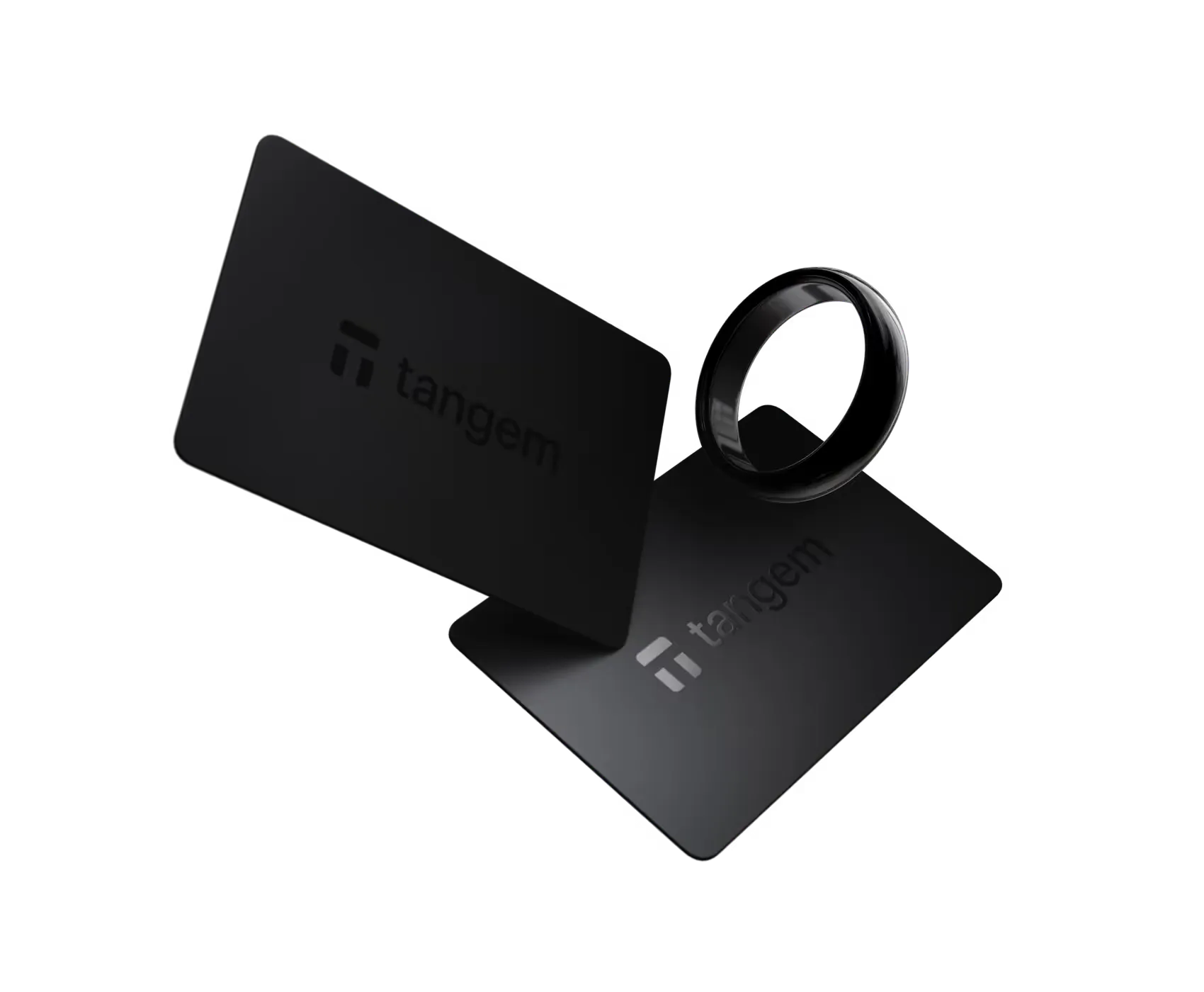
Tangem devices have a completely different and an even more inconspicuous form factor: their wallets resemble credit cards for ultra-portable cryptocurrency storage.
Although the brand is preparing to release a new product in a completely new form factor, Tangem Ring, the current flagship device is still the Tangem Note card. In any case, this is the best cold wallet for Bitcoin and hundreds of other cryptocurrencies if you value both style and substance.
The Tangem cards do not have a screen or input devices, which makes them tamper-proof and completely removes the need to charge devices. The cold wallets use an NFC connection to generate the seed phrase, connect the wallet to your smartphone, and sign transactions. Tangem also has a long list of supported cryptocurrencies, with tens of thousands of token imports in supported networks. On the flip side, not a lot of software wallets integrate it yet, so you might be limited to Tangem Express.
A Tangem device will need to be activated first, which you can easily do with instructions in the mobile app. Next, you will see options to import or create a new wallet. Follow the instructions because once you set up the device(s), changing the wallet setup might require a factory reset.
The official Tangem shop sells Note cards in sets of two and three for $55 and $70 respectively. Preorders are open for the Ring and two Cards set, priced at $160.
Ledger
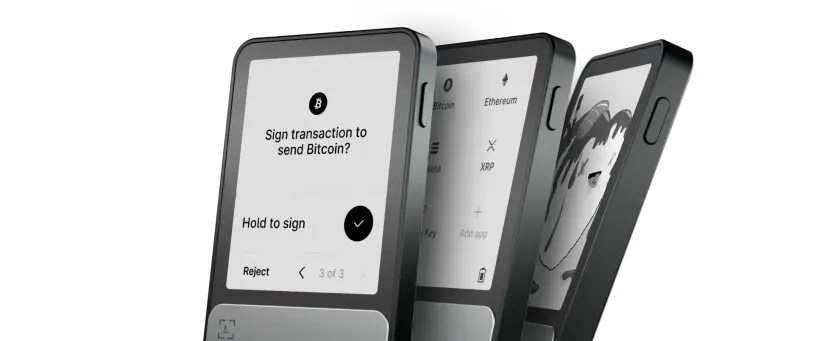
Surprisingly to no one, we just have to name Ledger in this list of crypto wallets as well. After all, they are one of the most trusted names in hardware crypto wallets, with over a decade of experience. The brand offers several models including the flagship Ledger Stax, Flex, Nano X, and the entry-level S Plus, each supporting over 5,500 cryptocurrencies and tokens. All Ledger devices are powered by industry-leading CC EAL5+/EAL6+ certified Secure Element chips, the same technology used in credit cards and passports, ensuring your private keys remain offline and protected from even the most sophisticated attacks.
With extensive third-party wallet compatibility and robust security auditing, Ledger devices offer comprehensive protection while maintaining user-friendly operation for both beginners and advanced users.
BCVault
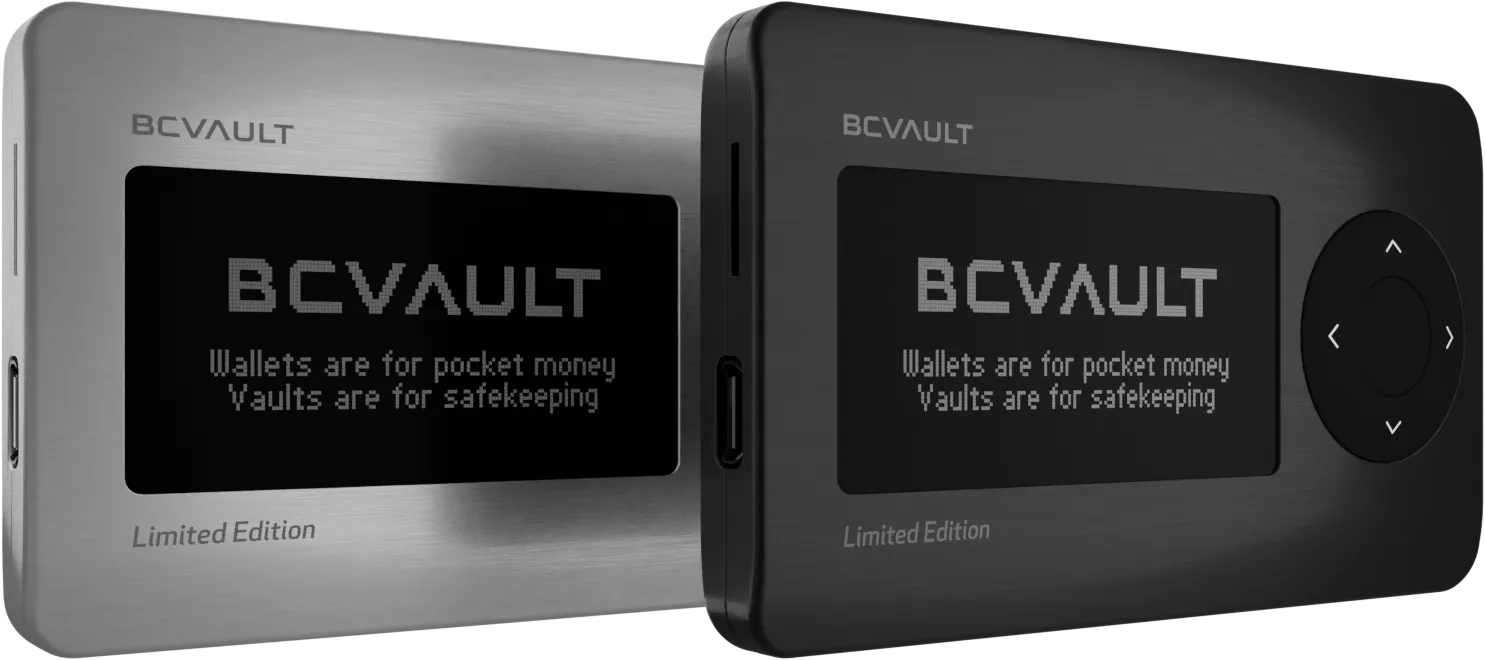
Our team members responsible for security insisted we give BCVault a shout out. Their innovative features challenge traditional approaches. Created by Real Security, a cybersecurity company with over 10 years of experience, BCVault introduces industry-first technologies. The device uses Ferroelectric RAM (FeRAM) instead of traditional flash memory, providing faster processing speeds and an incredible 200+ year expected lifetime.
One of BCVault's most unique features is its non-deterministic key generation using a built-in gyro sensor (RNG), which creates separate key pairs for each wallet without mathematical linking between addresses, enhancing privacy. The device can support over 2,000 individual wallets, each with its own PIN protection, making it ideal for shared use or complex portfolio management. As a testament to their security confidence, each BCVault ships with a preloaded wallet containing 1 BTC as a bug bounty for anyone who can crack the encryption.
The wallet features a large 2.42-inch OLED display and 4-directional jog dial, providing clear transaction details and intuitive navigation. BCVault implements five (!!!) layers of security protection, including global PIN, password, and individual wallet PINs, creating comprehensive protection for all stored assets. With support for major cryptocurrencies and integrated exchange capabilities, BCVault offers a unique alternative for users seeking advanced security features in a multi-wallet.
OneKey
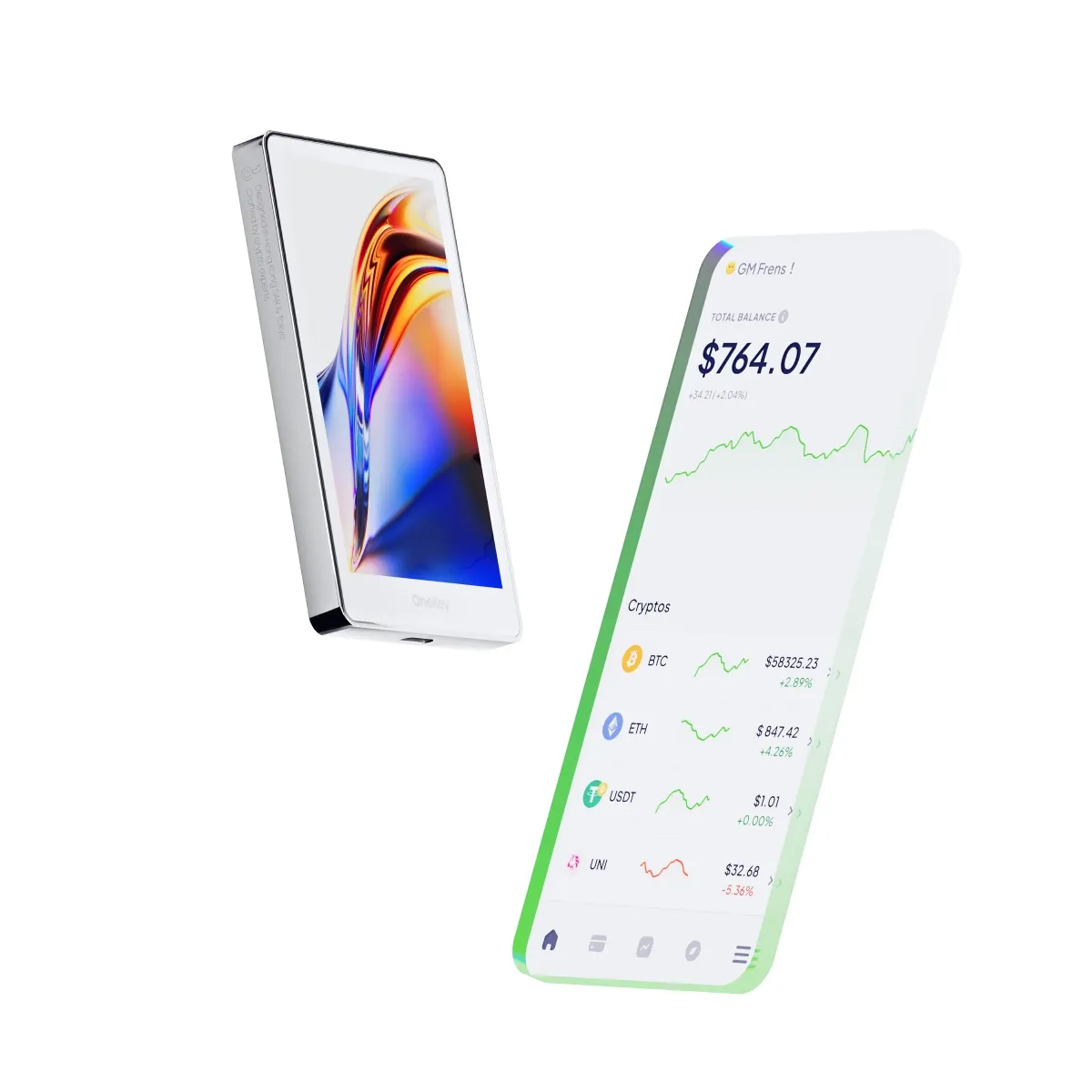
Backed by Coinbase Ventures, Dragonfly Capital, and Binance Labs, OneKey aims to deliver products and experience on par with its competitors who had years-long advantage. The company sells several models: the Classic 1S Pure, Touch, and the flagship Pro, each designed for different user needs and featuring CC EAL6+ certified secure elements for bank-grade protection.
The OneKey Pro stands out with four EAL 6+ secure elements, air-gapped functionality using QR codes, fingerprint authentication, wireless charging, and a 3.5-inch color touchscreen that rivals premium smartphones. The Classic models prioritize portability and simplicity, with the Pure version being battery-free and credit card-thin at just 3mm, making it one of the thinnest hardware wallets available.
All OneKey software is fully open-source with verifiable builds, active GitHub repositories, and transparent development processes. The wallets support over 5,000 cryptocurrencies across multiple blockchains and integrate seamlessly with popular third-party wallets like MetaMask through both USB and Bluetooth connections.
Software Wallets and Online Wallets
If you don’t own a lot of crypto yet and would rather have access to a wider selection of coins and features, you can settle with a software crypto wallet. If treated carefully enough, they are about as safe as hardware wallets, so don’t overlook this option while searching for the top cryptocurrency wallet!
This piece is focused on the team’s recommendations but if you are interested in a more in-depth review for this type of wallets, find it in this guide.
Metamask
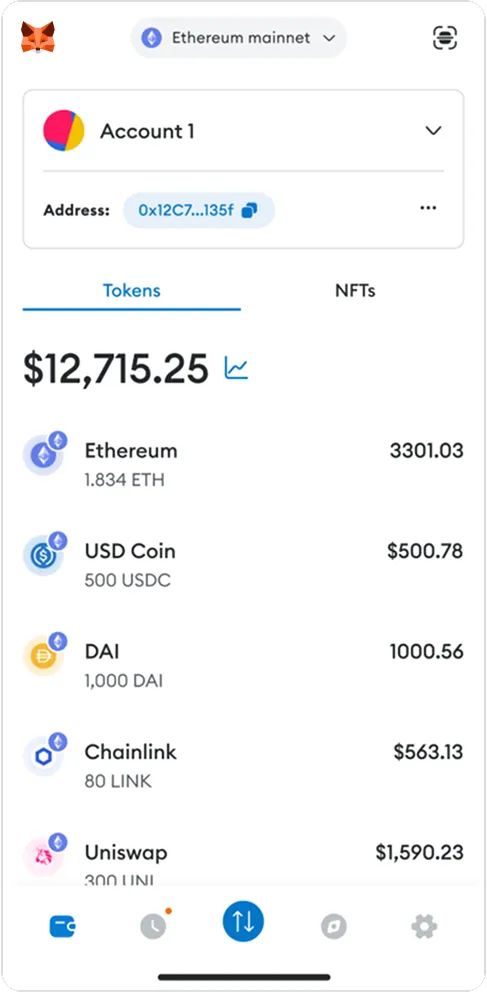
Starting with one of the best recognized crypto wallet names, for Ethereum-based Web3 interactions, MetaMask stands as the de facto standard, serving over 100 million users worldwide as their gateway to decentralized applications, DeFi protocols, and NFT marketplaces. Available as both a browser extension and mobile app, MetaMask provides seamless access to the Ethereum ecosystem and EVM-compatible networks like Arbitrum, Optimism, and BNB Chain.
By the way, MetaMask is undergoing significant improvements in 2025: a complete UI/UX overhaul, native support for Solana and Bitcoin, and the innovative "Gas Station" feature that allows users to pay transaction fees using any supported token. The wallet features built-in token swaps, staking capabilities for Ethereum and Polygon, and extensive dApp connectivity through WalletConnect protocol.
Security features include phishing protection, transaction previews, and compatibility with hardware wallets like Ledger and Trezor for enhanced cold storage integration. MetaMask is free to use with a 0.875% fee on token swaps, and supports multiple payment methods including ACH transfers, card payments, and digital wallets like PayPal. The open-source nature of MetaMask allows for community auditing and continuous security improvements, making it an essential tool for anyone serious about participating in the Web3 ecosystem.
Exodus
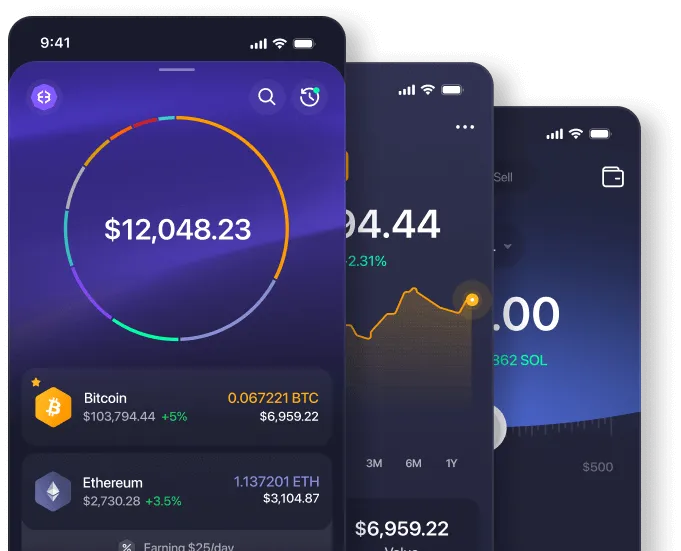
The Exodus software wallet has mobile and desktop versions. With the desktop one, you can even manage some assets in a hardware wallet, if you own one. Many user reviews commend Exodus as the top cryptocurrency wallet in terms of accessibility and usability. Exodus wallet is non-custodial: the keys are stored on the device. For extra security, 2FA is available.
As far as software wallets go, this is as close to an all-in-one crypto wallet as it gets. Exodus has a dashboard with professional-level portfolio management features, dApp support and cross-platform synchronization. With features like these, you would expect it to have multiple account management and crypto-to-crypto exchange functionality — and you’ll be right. For most assets among all 116 supported ones, exchange is available. Exodus takes special care to make sure that their customers get the best exchange rates on the market, and that is why they chose ChangeHero as an exchange provider.
Arctic Wallet
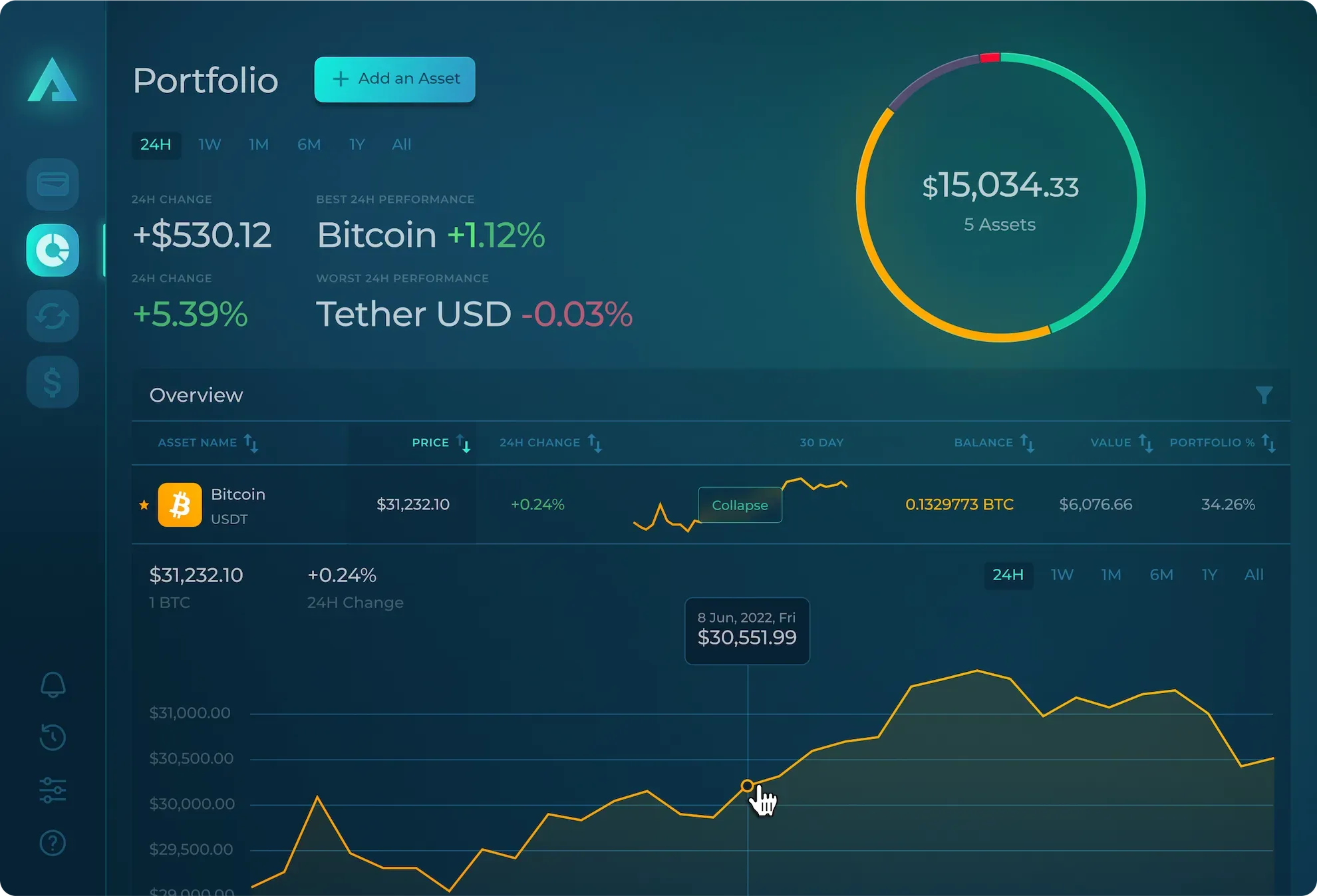
Arctic Wallet is a multi-chain non-custodial cryptocurrency wallet supporting over 150 crypto assets across 25+ blockchain networks. Available for both desktop (Windows, macOS, Linux) and mobile platforms (iOS, Android), Arctic Wallet prioritizes user privacy by not collecting or storing any user data.
The wallet features an intuitive user interface designed for both beginners and experienced users, with built-in exchange capabilities allowing crypto-to-crypto and fiat-to-crypto swaps directly within the application. Arctic Wallet implements robust security through its non-custodial architecture, keeping private keys solely in user possession, with all transactions occurring on-chain through decentralized protocols.
Users particularly appreciate the responsive live chat support with real human agents rather than bots, providing friendly and helpful customer service. The wallet includes portfolio analytics features to help users make informed investment decisions and track their digital asset performance across multiple networks. While Arctic Wallet has maintained a good reputation with a 4.2 rating on Trustpilot and positive user feedback highlighting its security and ease of use, the project is still building its market presence and expanding its feature set for broader adoption.
Edge
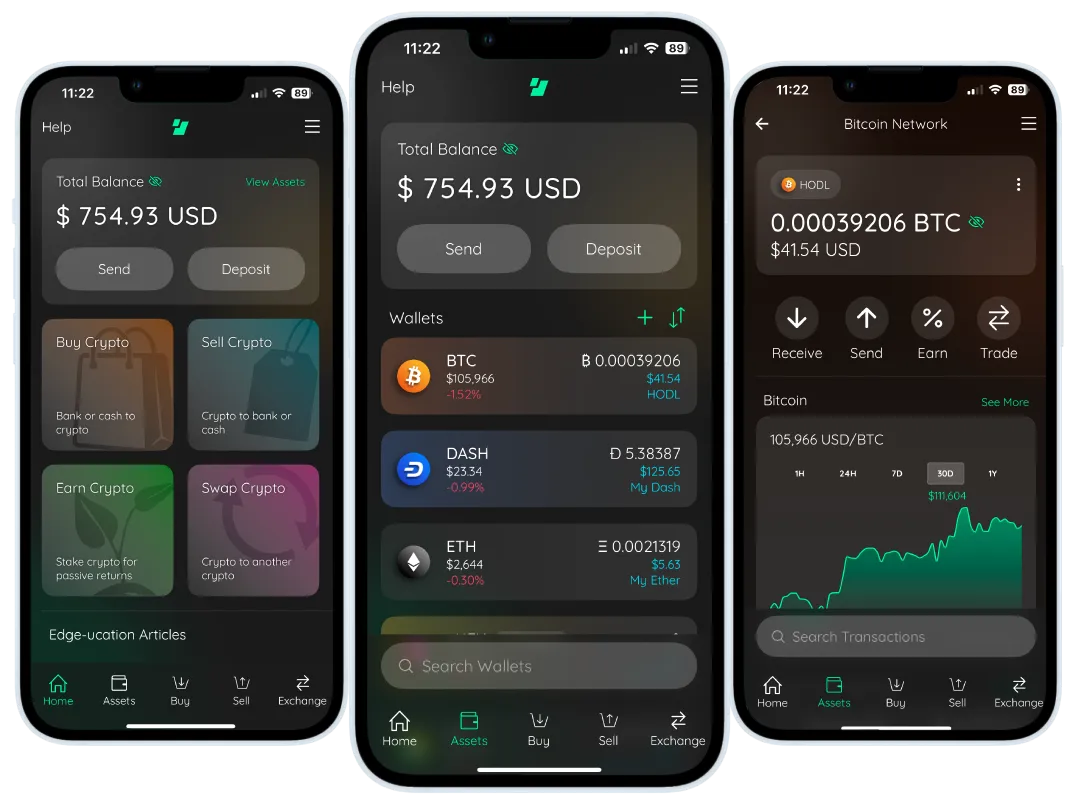
Rey highlights Edge as one of the best Bitcoin (BTC) mobile wallets, especially for a start. Edge Wallet distinguishes itself in the mobile cryptocurrency space with a unique approach to security and privacy that eliminates the need for traditional seed phrases. Originally launched in 2014 as Airbitz, Edge has evolved into a comprehensive mobile-first solution that supports over 21 cryptocurrencies including Bitcoin, Ethereum, Monero, and all ERC-20 tokens, with official endorsement from the Monero team for privacy-focused users.
The wallet's innovative security model uses client-side encryption with a simple username and password system, where all data is encrypted locally on your device before transmission. This ensures that Edge never has access to your private keys, personal information, or account details, maintaining true decentralization while offering superior ease of use compared to traditional seed phrase management. The wallet supports two-factor authentication, automatic logout features, and password recovery through security questions.
Edge excels in user experience with its intuitive four-screen interface covering Wallets, Request, Scan, and Exchange functions, making it particularly accessible for beginners while offering advanced features for experienced users. The wallet includes built-in exchange capabilities through integrated partners (ChangeHero included), allowing seamless crypto-to-crypto swaps without leaving the app.
While Edge provides excellent security for a mobile wallet with its open-source codebase vetted by security experts, it's designed for everyday transactions and smaller holdings rather than large-scale storage. The mobile-only availability may limit some users, but for those seeking a user-friendly, privacy-focused wallet for daily crypto activities, Edge offers a compelling combination of security, convenience, and innovative design.
Best Crypto Wallets by Platform and Use Case
With the core concepts in place, it’s easier to look at actual wallets through the lens of platform and purpose.
Best iOS Crypto Wallets
iOS users need mobile crypto wallet apps that fit into Apple’s ecosystem while preserving self-custody.
- Trust Wallet stands out as a non custodial crypto wallet with deep token and DeFi support. It’s a full self custody crypto wallet: you hold the keys; no one else does.
- MetaMask offers a strong iOS Web3 experience, tightly integrated with its in-app browser for dApps.
- Coinbase Wallet provides a beginner-friendly interface with integrated purchase options, though it remains a hot wallet for crypto and stays online.
A core advantage of iOS crypto wallet apps is tight integration with Face ID and Touch ID, adding a biometric layer without sacrificing convenience.
Best Android Crypto Wallets
Android offers similar options with a bit more flexibility for power users.
- Trust Wallet and MetaMask also rank among the top crypto wallet for Android choices.
- Exodus brings strong UX and built-in exchange functionality.
- Mycelium remains popular among Bitcoin specialists who want detailed transaction controls.
- Atomic Wallet offers a broad multi cryptocurrency wallet with support for over 500 assets.
Given that most users hold at least two asset types, Android wallets with robust multichain support are particularly attractive.
Best Desktop Wallets
Desktop crypto wallet solutions appeal to users who prefer larger screens and more granular control.
- Electrum has been a staple for Bitcoin since 2011, with advanced features like custom fees and cold storage integration.
- MetaMask’s desktop extension version is the default Web3 interface for Ethereum and EVM chains.
- Exodus delivers a visually polished experience with portfolio tracking and built-in swaps, though it functions as an online crypto wallet.
Many hardware wallet users pair their devices with desktop apps like Ledger Live or Trezor Suite. These interfaces act as command centers for your offline crypto wallet, preserving the security of hardware-held keys while offering the convenience of a software dashboard.
Best DeFi Wallets
DeFi interaction demands more than simple send/receive capabilities. The best DeFi wallets must handle smart contracts, token approvals, and complex transactions cleanly.
A solid DeFi wallet should include:
- A native dApp browser or easy connection to Web3 sites
- Multichain crypto wallet capabilities to reach multiple ecosystems
- Clear transaction previews showing exactly what you’re signing
- Tools to review and revoke token approvals after you’ve granted them
Security is even more critical here because you’re constantly signing permissions for smart contracts, not just sending funds to simple addresses.
The top choices for the best decentralized wallet for DeFi are:
- MetaMask dominates Ethereum and EVM-compatible chains and lets you add custom networks manually.
- Trust Wallet extends reach to non-EVM chains like Binance Smart Chain and Solana.
- Rainbow Wallet has gained traction among Ethereum DeFi users with strong NFT support and design.
- Rabby Wallet caters to advanced users with multi-chain balance views and transaction simulation—showing you the outcome before you sign.
For serious DeFi participants managing meaningful capital, pairing a hardware wallet like Ledger or Trezor with MetaMask or Rabby often strikes the right balance: cold storage security for keys, hot wallet convenience for execution.
User Reviews and Comparisons

User behavior and reviews reveal a clear split between convenience and security priorities.
Ledger devices benefit from a clean security track record. Trezor, while widely trusted, has seen physical-access exploits demonstrated in lab conditions. This difference becomes critical if you’re storing large sums.
Multichain crypto wallet support consistently scores high marks in reviews. Users particularly value wallets that blend strong security, seamless mobile and desktop integration, and intuitive everyday workflows.
A rough comparison of leading hardware options looks like this:
| Wallet Type | Best For | Security Level | Price Range | Multichain Support |
|---|---|---|---|---|
| Ledger Nano Gen 5 | Beginners–intermediate | High (EAL5+) | $79–$149 | Yes |
| Trezor Safe 5 | Privacy-focused users | High | $169 | Yes |
| OneKey Pro | Security maximalists | Very High (4× EAL6+) | $119 | Yes |
| NGrave Zero | Ultimate security | Maximum (EAL7) | $398 | Limited |
| SafePal S1 Pro | Budget-conscious | High | $49.99 | 200+ chains |
| Tangem Wallet | Minimalists | Medium–High | $54.90–$69.90 | Yes |
How to Choose the Right Crypto Wallet
The lists we compiled and laid out above are not exhaustive: the cryptocurrency wallet market offers commendable variety to cater for a wide spectrum of user needs and demands. So, even if with our help you do find an app or device that fits your needs quite well, the perfect match can still be out there. Choosing the right wallet starts from your own situation: take into account how much you hold, how often you transact, and how comfortable you are managing your own security. Let’s equip you with ideas of what to look for should you want to continue the search on your own.
Security Standards
Hardware Wallets and Cold Storage
For long-term storage and larger balances, look for offline crypto wallets or hardware devices with certified Secure Elements (CC EAL5+ or EAL6+). These chips protect keys at a level comparable to bank-grade hardware and ensure that keys never leave the secure boundary or touch the internet.
Self-Custody vs Custodial
A self custody crypto wallet (non custodial crypto wallet) means you control your keys—no one can move your funds without your signature. The flip side is harsh: lose your seed phrase and your funds are irretrievable. There is no “forgot password” option.
Modern Security Features
Prioritize wallets that offer:
- Biometric authentication (where appropriate)
- Optional passphrases for advanced users
- Multi-signature support, if your risk level warrants it
Just remember that every extra layer adds not only security but also complexity to your recovery process.
Functionality and Features
Once security is covered, focus on what you actually need to do.
Multichain and Multi-Cryptocurrency Support
With the typical owner holding multiple asset types, a multichain crypto wallet or multi cryptocurrency wallet simplifies management immensely. One interface for Bitcoin, Ethereum, stablecoins, and altcoins beats juggling several single-chain apps.
DeFi and Web3 Integration
If you use DeFi, you’ll need a wallet with dApp integration. The best DeFi wallets and Web3 wallets offer:
- Built-in or seamless browser integration
- Clear transaction prompts for smart contract interactions
- Visibility and control over token approvals
In many ways, your decentralized crypto wallet is your passport to the Web3 ecosystem.
Platform Compatibility
Decide where you’ll do most of your management:
- Mobile crypto wallet (iOS or Android) for daily use and quick actions
- Desktop crypto wallet for analysis, complex transactions, and hardware wallet integration
- Online crypto wallet for universal access through a browser
A helpful tip to keep in mind is there’s no rule that says you can’t combine several.
User Experience
Usability varies widely and can make or break your day-to-day comfort.
For Beginners
New users are usually best served by a hot wallet for crypto with an intuitive interface and strong onboarding. Mobile crypto wallet apps often walk you step-by-step through backup, security, and your first transactions.
For Advanced Users
Experienced users frequently choose hardware wallets despite a slightly steeper learning curve. Modern touchscreens on devices such as Ledger Flex and Trezor Safe 5 have significantly improved navigation versus older button-only models.
Test Before You Commit
No matter what you choose, start by moving a small amount. Familiarize yourself with the interface, run a test transaction, and confirm that everything works before transferring significant balances.
Backup and Recovery
Your backup strategy determines whether a lost device is a nuisance—or a disaster.
Seed Phrases
Most wallets, especially hardware devices, generate a 24-word seed phrase as a master key. This phrase lets you restore your entire wallet if your phone, computer, or hardware device fails. Write it on paper (or on metal for extra durability), store it securely, and never digitize or share it.
If you are interested in learning more about reliably securing your backup phrases, read our guide on seed phrase security.
Recovery Testing
Before you trust a wallet with large amounts, perform a full restore from your backup. Wipe the wallet, reinstall, and recover with your seed phrase. It’s the only way to be sure your backup is both accurate and understood.
Multiple-Wallet Strategy
Consider using multiple wallets for different roles. Keep long-term savings in cold storage and reserve hot wallets for daily use. This compartmentalization limits damage if one wallet is compromised.
Costs and Fees
Cost structures differ between wallet types.
Hardware Wallet Costs
Hardware wallets involve an upfront purchase—typically from around $54.90 for card-style solutions like Tangem to $150+ for high-end devices. With the hardware wallet market growing at almost 30% annually, the cost is increasingly seen as a form of insurance for your holdings.
Software Wallet Fees
Most mobile, desktop, and online software wallets are free to download. You’ll still pay network transaction fees (gas) whenever you move crypto but these go to validators, not the wallet company.
Hidden Costs
Custodial wallets and exchanges may charge spreads or withdrawal fees. Non custodial wallets avoid custodian fees but expose you directly to network fees. Always review fee structures—especially if you trade frequently.
Investment Strategy Alignment
Your wallet choices should follow your investment behavior.
Long-Term Holding (HODLing)
If you plan to hold for years, prioritize security. Hardware and other offline crypto wallet options remain the safest for long-term custody, regardless of how many people still leave large sums in hot wallets out of habit.
Active Trading
If you trade actively, you’ll need a hot wallet for crypto—on mobile, desktop, or within an exchange interface—that offers speed and connectivity. Just be disciplined about moving profits to cold storage regularly.
Balanced Approach
Most users benefit from a hybrid setup: keep 80–90% of holdings in cold storage and reserve 10–20% in hot wallets for spending, trading, and DeFi. It’s the crypto equivalent of a savings account plus a checking account.
How to Set Up a Crypto Wallet
Setting up a wallet isn’t complicated, but it’s critical to do it carefully—especially at the backup step. Below you’ll find a brief recap of the process but you can also dedicate some time to go into depth on the topic and read our comprehensive guide on setting up a crypto wallet.
Setting Up a Hot Wallet

Hot wallets—mobile apps, desktop apps, or browser-based—usually take less than 10 minutes to configure.
- Choose the Wallet
Decide whether you want a mobile crypto wallet (iOS or Android), a desktop crypto wallet, or a Web3 wallet focused on dApps. Many non custodial options now offer multichain crypto wallet support, which is helpful if you hold multiple coins. - Download from Official Sources
For mobile and desktop, use the Apple App Store, Google Play, or the project’s official website. For an online crypto wallet, type the URL manually or use a known bookmark. Avoid third-party app stores or links from social media. - Create the Wallet
Open the app, choose “Create New Wallet,” and follow the prompts. The wallet will show you a 12- or 24-word seed phrase—your master recovery key. Write it down on paper, store it securely, and never capture it digitally. - Add Security
Set a strong PIN or password. Where available, enable biometric authentication such as Face ID or fingerprint scanning. This is especially important for non custodial crypto wallet apps where you alone guard the keys. - Verify and Test
Most apps will ask you to re-enter your seed phrase in order to confirm you recorded it correctly. Once set up, send a small test transaction to ensure everything works before moving larger amounts.
Setting Up a Cold Wallet
Cold wallets—typically hardware devices—take a little longer to configure but yield far stronger security.
- Inspect the Device
When your hardware wallet arrives, check the packaging for signs of tampering or pre-initialization. Legitimate manufacturers never ship devices with pre-set seed phrases. - Connect and Install Software
Connect via USB (or Bluetooth, if supported) and download the official companion software from the manufacturer’s site. This software acts as your interface for viewing balances and initiating transactions. - Set a PIN
On the device, choose a strong 4–6 digit PIN that doesn’t reference obvious numbers. The PIN acts as your first defense if someone gets physical access to your device. - Record Your Seed Phrase
The device will display your seed phrase, one word at a time, on its own screen. Write it down on the provided card or a metal backup plate. Never photograph it, type it into a computer, or store it in the cloud. The keys are generated and stored in the Secure Element and never transmitted online. - Confirm and Run Test Transactions
The device will make you confirm specific seed words to verify accuracy. Before loading large sums, send a small amount of crypto to the wallet and then perform a full restoration test on a spare device or fresh install. It may feel tedious, but this is your proof that your backup works. - Optional: Add a Passphrase
Advanced users can enable an additional passphrase, creating a hidden wallet that requires both the seed phrase and passphrase. This dramatically boosts security but also raises the stakes if you forget it.
Once set up, your cold wallet will keep your private keys offline and isolated, even as you use companion software to view balances and build transactions.

Best Practices for Protecting Your Crypto
Protecting your crypto starts from a simple principle: you are your own last line of defense.
Your seed phrase—the 24-word recovery phrase—is the master key to your wallet. For modern hardware wallets and most non custodial wallets, that one phrase restores complete access if your device is lost or destroyed. Never photograph it, never store it digitally, and never share it; if this information is ever exposed online, it is vulnerable to leaks. Moreover, no legitimate support representative will ever ask for it but a scammer posing as one might.
For offline crypto wallets and hardware devices, use a random 4–6 digit PIN unrelated to personal dates or patterns. Research has demonstrated that even air-gapped devices can be targeted under lab conditions using sophisticated side-channel attacks, which is why layering defenses matters.
Before you entrust significant value to any wallet—mobile, desktop, or hardware—run two tests:
- Send a small test transaction to the wallet.
- Perform a full recovery from your seed phrase and confirm balances.
Optional passphrases can add yet another protective barrier, but remember that losing a passphrase is equivalent to losing your funds. Use this only if you fully understand the consequences and have a plan to store it separately and securely.
Risk Management and Diversification
Think of wallet diversification the same way you think about financial diversification: don’t put everything in one place. It usually makes sense to distribute them across multiple wallets and security tiers:
- Use a hot wallet for crypto (iOS, Android, or browser-based online crypto wallet) for everyday transactions, smaller balances, and DeFi exploration.
- Store the bulk of your holdings in a self custody crypto wallet like a hardware or other offline crypto wallet.
If you use a multichain crypto wallet for convenience, be careful not to compromise safety. Even the most secure crypto wallet still depends on you to safeguard your seed phrases and devices. Physical security is also part of the equation. Be discreet about your holdings, separate your backups geographically, and avoid keeping your device and seed phrase in the same location.
What to Do if You Lose Access to Your Wallet
We have harped on at length about how easy it is to screw up and lose everything in crypto but losing access doesn’t have to mean losing funds—if you prepare correctly.
If you lose a device but still have your seed phrase, you can restore your non custodial crypto wallet or decentralized crypto wallet on a new device. Simply install a compatible wallet, choose the “Restore” or “Import” option, and enter your seed phrase. Your balances reappear because they were always on-chain; the wallet only restores your ability to control them.
If you still have device access but lost your seed phrase, move your funds immediately to a new wallet and correctly back up the new seed phrase. If you’ve lost both the device and the seed phrase, your funds are, unfortunately, unrecoverable.

Photo by Martin Sanchez on Unsplash
Prevention is the only real solution:
- Write your seed phrase on durable material, ideally metal.
- Store copies in separate, secure locations.
- Keep your PIN or device password separate from the hardware wallet itself.
- Test your recovery workflow before you truly need it.
A large portion of security failures trace back to user errors and mismanaged backups rather than cryptographic weaknesses. Building good habits protects you regardless of whether you’re using high-end hardware or a free desktop crypto wallet.
Conclusion
Whichever path you choose, the core principles remain the same: keep your keys offline when possible, treat your seed phrase as the ultimate secret, test your backups, and match your wallet strategy to your actual behavior and risk tolerance. In 2026’s threat environment, doing anything less is gambling with your financial future.
Never miss an announcement of a new wallet with ChangeHero by subscribing to our social media of your choice: X, Facebook, and Telegram.
Frequently Asked Questions
Are Crypto Wallets Free?
Most software-based crypto wallets are free to download and use. Mobile crypto wallets for iOS and Android, desktop crypto wallets, and most online crypto wallets don’t charge setup or subscription fees. You can start with a self custody crypto wallet without paying anything upfront.
Hardware wallets are different. Cold storage devices like Ledger or Trezor require a one-time purchase, generally in the $50–$200 range, depending on features and certifications. Ledger, for instance, has sold over 7.5 million devices securing about 20% of the market without a signer hack, while the Tangem Wallet offers an NFC card-based experience for roughly $54.90–$69.90 with a 25-year warranty.
Regardless of wallet type, you will always pay blockchain network fees (“gas”) when sending transactions. Those fees go to validators, not wallet providers.
Are There Fees to Use Crypto Wallets?
Most crypto wallet apps—desktop, mobile, and Web3—are free to download. Some might charge small fees for built-in swaps or purchases.
Hardware wallets charge only at purchase, unless you later replace the device.
What you will always pay are network transaction fees. These are blockchain-level gas fees paid to validators or miners and fluctuate with network demand. A multichain crypto wallet can give you the flexibility to choose cheaper networks but can’t eliminate the fees entirely.
Custodial platforms and exchanges may also layer on their own withdrawal or trading fees, sometimes hidden in the exchange rate. Read their fee schedules before committing significant funds.
Can I Have More Than One Crypto Wallet?
Yes—and in many cases, you should.
Because the average user holds multiple asset types, it’s common to use several wallets for different roles:
- A hot wallet for crypto on your phone for daily spending and DeFi
- An offline crypto wallet (hardware) for long-term savings
- A multichain crypto wallet for broad portfolio coverage
- A dedicated Web3 wallet for NFTs and dApps
Treat them like different bank accounts—just be meticulous about recording which wallet holds what and backing up every seed phrase separately.
How Do I Transfer Bitcoin from One Wallet to Another?
The mechanics are simple:
- Open your receiving wallet and find your Bitcoin address. Copy it.
- In your sending wallet, choose “Send” or “Transfer,” paste the receiving address, enter the BTC amount, and select a network fee.
- Double-check the address—especially the first and last few characters. Crypto transfers are irreversible.
- Confirm the transaction.
Depending on network congestion and the fee you chose, the transaction should confirm within minutes to a few hours. You can track progress via a blockchain explorer using the transaction ID.
When moving large sums, always test with a small amount first to ensure you have the correct address and network.
Do I Need a Wallet to Buy Crypto?
Not initially. If you buy through a centralized exchange, your coins are stored in the exchange’s custodial wallet by default. You can buy, sell, and trade without setting up your own wallet at first.
However, for long-term custody or significant amounts, you’ll want to move assets off the exchange into a non custodial crypto wallet you control. Relying solely on custodial infrastructure adds risk you don’t control.
You can begin with a free mobile or desktop crypto wallet for small amounts, then graduate to hardware or other cold wallets as your holdings and security needs grow.
Are Hot Wallets or Cold Wallets Safer?
Cold wallets are much safer for long-term storage.
A hot wallet for crypto remains connected to the internet, making it flexible but exposed to malware, phishing, and compromised devices. Cold storage wallets isolate your keys from the internet, sharply reducing the risk of remote compromise.
Premium hardware wallets with EAL5+ or EAL6+ Secure Elements provide bank-card-level protections and enforce on-device confirmation for each transaction. They are not invincible—physical, insider, and supply-chain risks still apply—but they dramatically lower the risk of remote theft.
In practice, a hybrid setup works best: use hot wallets for smaller, active balances, and cold wallets for significant long-term holdings.
Can I Recover My Assets if I Lose Access to My Wallet?
You can recover your assets if—and only if—you’ve securely stored your recovery information.
Most modern self custody crypto wallets generate a 24-word seed phrase. This phrase is all you need to restore access on a new device or in a compatible wallet app. If your hardware wallet breaks or your phone is lost, you simply restore using the seed phrase and regain control.
If you lose both device and seed phrase, your crypto is permanently inaccessible. No support team can intervene because no one else has your keys.
Before moving large amounts, always:
- Run a test restore from your seed phrase
- Store the phrase physically in a secure, separate location
- Avoid digital storage of any kind
Can I recover funds if I send crypto to the wrong address?
Unfortunately, no. Crypto transactions are irreversible. The network will process the transaction to the address you specify, and once confirmed, the funds are gone. Always double-check the recipient's address before you send a transaction.
What happens to my crypto if a wallet company shuts down?
Your crypto is not stored by a wallet company; it's on the blockchain. The wallet app is simply a tool to access it. As long as you have your private keys or seed phrase, you can import your wallet into a different compatible application and retain full access to your funds.
What should I do if my wallet app crashes or won’t open?
First, try reinstalling the app or restarting your device. If that doesn't work, your funds are safe as long as you have your seed phrase. You can restore your wallet on a different device or using a different wallet application that supports the same blockchain.
Do I need to be online to receive crypto?
No, you do not. Your crypto address is a permanent identifier on the blockchain. Anyone can send funds to it at any time, even if your device is offline. The transaction will be confirmed on the blockchain and the balance will appear in your wallet the next time you connect to the internet.
Can a wallet provider freeze or confiscate my assets?
Reputable, non-custodial wallet providers cannot freeze or confiscate your assets because they do not control your private keys. This is the main difference from a centralized exchange, where you do not have direct control of your assets. However, some custodial wallets, where the provider holds your keys, may have the ability to do so.
What is Multi-Party Computation (MPC) and how does it work in wallets?
MPC is a technology that splits a private key into multiple parts, distributing them among different parties (e.g., the user and the wallet provider) without any single party ever holding the entire key. This enhances security by removing a single point of failure. Transactions require multiple parties to sign off, making it more difficult for a single malicious actor to compromise the wallet.
What are the benefits of open-source wallet software?
Open-source software means the code is publicly available for anyone to review. This provides transparency and allows developers and security experts from the community to audit the code for vulnerabilities or backdoors. Collaborative scrutiny helps to build trust and ensure the security of the wallet.
What Are the Latest Security Features in Modern Crypto Wallets?
Recent wallets have significantly raised the bar:
- Touchscreen interfaces like Ledger Flex and Trezor Safe 5 reduce input errors and make complex workflows easier.
- EAL6+ Secure Elements are now standard in many premium devices; OneKey Pro goes further with four such chips.
- Biometric authentication (fingerprint, facial recognition) is increasingly common across hardware and mobile crypto wallets. Devices like the NGrave Zero combine biometrics with air-gapped designs and top-tier EAL7 certification.
- Optional passphrases add a second layer of encryption on top of seed phrases.
- Multi-signature support requires multiple approvals for a transaction, spreading risk across devices or people.
Leading DeFi and Web3 wallets are integrating these features while maintaining decentralized, non-custodial architectures, giving users both deeper security and better control.